7-Zip vs WinRAR: Which Compression Tool Should You Choose?
- Sep 23, 2025 02:51 am
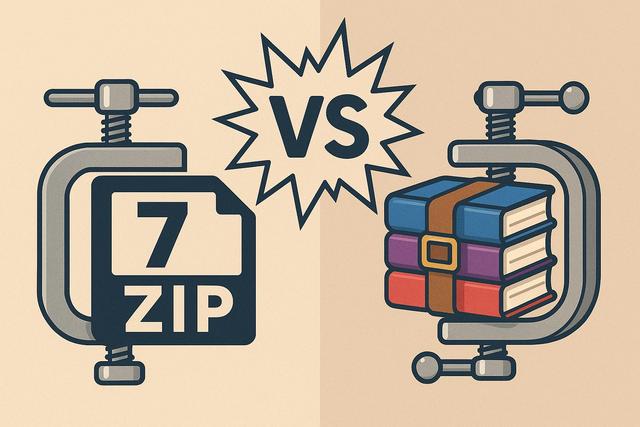
In today's digital world, where file storage and sharing are essential, compression tools like 7-Zip and WinRAR are indispensable. But which one should you choose? This article compares these two popular tools.
To download 7-Zip, click here.
Feature Comparison
7-Zip and WinRAR are two of the most widely used file compression tools. While they share similar features, each has its own advantages.
7-Zip: The Free and Open Source Tool
7-Zip is a free open-source software known for its efficient file compression capabilities. Its LZMA and LZMA2 compression algorithms offer a high compression ratio, which is often the deciding factor for users.
Advantages of 7-Zip:
- Free and open source: No cost, freely usable for both personal and commercial use.
- Efficient compression: Its 7z format is known to compress files 30-70% better than traditional ZIP formats.
- Compatibility: Works on major operating systems like Windows, macOS via a port, and Linux.
WinRAR: The Favorite of RAR Nostalgics
WinRAR is a shareware compression tool, highly appreciated for its management of RAR archives. Although it is not free, its advanced features sometimes justify the investment for certain professional users.
Advantages of WinRAR:
- Customizable compression ratio: Offers a choice between different algorithms depending on the file type.
- Archive repair: A unique feature that allows for the repair of corrupted files, a plus for archiving important data.
- Ease of sharing: Compression and initial purchase are simplified thanks to the user-friendly interface.
Compression Performance and Speed
In terms of performance, 7-Zip is often the winner when it comes to compression speed. However, WinRAR is not far behind and may sometimes be quicker when handling native RAR files.
For users who need to regularly compress and decompress large files, 7-Zip generally offers better performance. Yet, WinRAR has the advantage with its adjustable compression options that can reduce processing time if necessary.
Format Compatibility
7-Zip supports a wide range of file formats such as 7z, ZIP, GZIP, BZIP2, and TAR. It can also extract files from many other popular formats like RAR, CAB, ISO, ARJ, LZH, CHM, Z, CPIO, RPM, DEB, NSIS, and more. In contrast, WinRAR excels in handling RAR files as well as other popular formats.
Data Security and Protection
Both software offer file encryption options for enhanced security. 7-Zip uses the AES-256 encryption algorithm, one of the most secure currently available. WinRAR also provides robust security with its own encryption system.
Conclusion: Which One to Choose?
The choice between 7-Zip and WinRAR largely depends on your specific needs. If you are looking for a free and highly efficient solution, 7-Zip is the ideal option. However, if you frequently handle RAR files or need the repair function, WinRAR might be preferable.
In summary, each tool has its distinct advantages. It would be wise to try both to determine which best meets your requirements.


