Blender: A Step-by-Step Guide to Creating a Simple 3D Object
- Aug 16, 2025 02:50 am
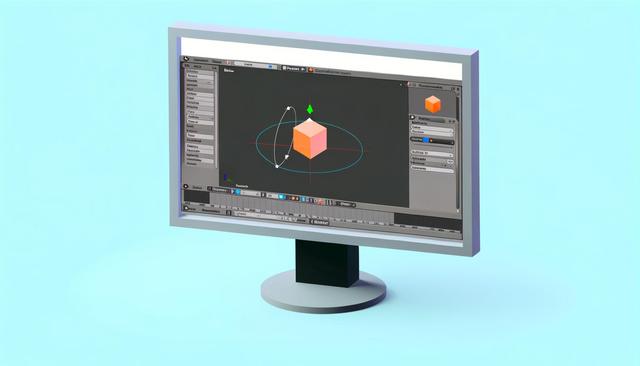
In this article, we will explore how to use Blender to create a simple 3D object. Follow this step-by-step guide to introduce yourself to the fascinating world of 3D modeling.
For those interested in diving into this tutorial, you can download Blender here.
Understanding the Blender Interface
Blender is a free and open-source 3D modeling software that offers a multitude of features. Before you start creating a 3D object, it's essential to understand Blender's interface. First, get familiar with the main panels: the 3D window, the toolbar, and the timeline.
Step 1: Create a New Project
To get started, open Blender and select 'File -> New -> General'. This action resets all settings and presents you with a blank workspace featuring a default cube.
Step 2: Manipulate Basic Objects
To create a 3D object, you need to learn how to manipulate the default cube. In Object mode, use the shortcuts 'G' to move, 'R' to rotate, and 'S' to scale the object. These actions are essential for positioning your object as desired.
Step 3: Switch to Edit Mode
Toggle to Edit mode by pressing the 'Tab' key. This mode allows you to modify the geometry of the object. Use vertex, edge, and face selection tools to reshape the base cube according to your preferences.
Step 4: Extrude to Create More Shapes
The extrusion function ('E' to extrude) is crucial for extending the surface of your 3D object and thus creating more complex shapes. Select a face of the cube and extrude it to discover endless possibilities.
Step 5: Sculpting Details
To add more detail to your object, Blender offers Sculpt mode. Select the Sculpt tool to smooth, add, or subtract details. Experimenting with these settings will allow you to achieve a higher level of detail.
Step 6: Adding Materials and Textures
In the Properties window, go to the Materials tab. Click on 'New' to add a new texture to your object. You can modify the color, texture, and other surface properties to give a realistic look to your creation.
Step 7: Rendering the Object
Once you are satisfied with your object, it's time to render it. Go to the 'Render' panel and select your preferred rendering engine (Eevee or Cycles). Click on 'Render -> Render Image' to generate an image of your 3D object. Adjust the lighting and camera settings for optimal results.
Conclusion
Creating a simple 3D object in Blender is a great way to start your journey into 3D modeling. With these steps, you can experiment and gradually tackle more complex projects. Keep exploring available resources and practicing to improve your 3D modeling skills.


