Create Realistic Special Effects with DaVinci Resolve 2025
- Mar 01, 2025 09:22 am
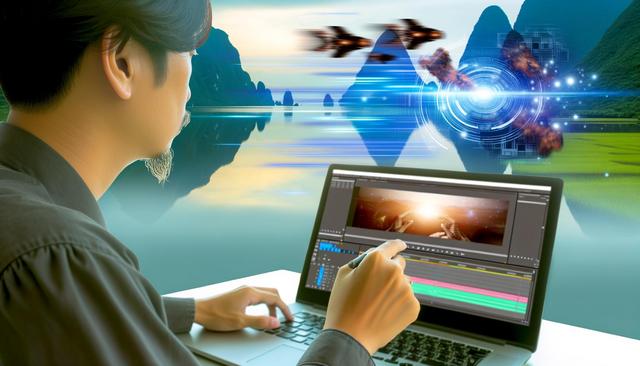
In the dynamic world of video post-production, DaVinci Resolve 2025 stands out as an essential tool for creating realistic special effects. This powerful software provides a range of advanced tools that enable filmmakers and content creators to bring their visions to life on the big screen or digital platforms.
To get started with DaVinci Resolve, you can download the latest version here.
Understanding the Importance of Realistic Special Effects
Special effects play a crucial role in cinematic illusion, transporting viewers into fantastical worlds or enhancing the realism of dramatic scenes. The credibility of a film often hinges on the quality of its visual effects. With DaVinci Resolve 2025, realistic special effects are no longer exclusive to major studios; they are accessible to everyone thanks to its advanced and intuitive tools.
New Features of DaVinci Resolve 2025
This version of DaVinci Resolve incorporates groundbreaking features that simplify the creation of realistic special effects. The most notable addition is the enhancement of the Fusion tool, enabling users to create complex compositions with particles, fluid simulations, and much more. Thanks to its artificial intelligence update, the software can now simulate natural movements with unprecedented accuracy, which is essential for achieving effects that seamlessly blend with filmed scenes.
Techniques to Optimize Visual Effects
Use Advanced Tracking Tools: The tracking tools in DaVinci Resolve 2025 have been optimized to ensure smooth tracking of moving objects, essential for special effects such as the insertion of 3D elements.
Master Color Composites: The color engine of DaVinci Resolve is renowned for its accuracy. Maximizing the use of color composites allows for the seamless merging of visual effects with footage.
Leverage Dynamic Simulations: The dynamic simulation of fluids and particles can transform a mundane scene into a captivating visual spectacle. Properly applying these technologies can add an unparalleled dimension of realism.
Tips for Smooth Editing
Organize Your Workspace: A well-organized workspace can significantly speed up the creation process. Use the customizable workspaces in DaVinci Resolve to easily access the tools you need.
Automate with Artificial Intelligence: Take advantage of AI features to automate repetitive tasks, such as automatic cropping and image stabilization, allowing you to focus on the creative aspects of designing effects.
Resources to Learn DaVinci Resolve 2025
Fortunately, there are many resources available to master the features of DaVinci Resolve 2025. The online community is active and filled with tutorials, discussion forums, and video guides. Learning how to use these powerful tools only requires a few hours of investment to witness a spectacular growth in the quality of the special effects produced.
Conclusion
Create realistic special effects with DaVinci Resolve 2025 using a multitude of advanced tools designed to turn your boldest ideas into tangible reality. Whether you are an emerging filmmaker or an experienced content creator, this software provides everything you need to captivate your audience with high-quality visual effects.


