
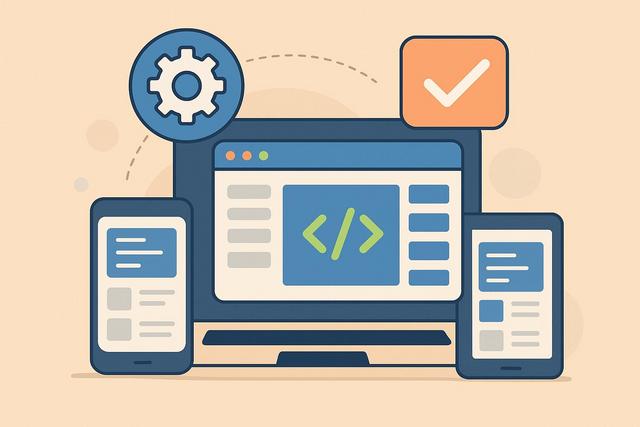
A cross-platform software works on multiple operating systems such as Windows, macOS, or Linux, and even on mobile devices. This type of solution increasingly appeals to businesses and users because it simplifies development and use across different devices. But what does 'cross-platform' really mean? What are its advantages, limitations, and practical applications? Here’s what you need to know to make the right choice.
To download the latest version of Firefox, visit the following link: Download Firefox.
What is a multiplatform software?
A multiplatform software is a program designed to operate on multiple operating systems. For example, it can be used on both Windows and macOS. Some also work on Linux, Android, or iOS.
Unlike native software, which is developed for a single environment, multiplatform software relies on technologies compatible with several systems. Developers thus write a common codebase and then slightly adapt it to the targeted platforms.
This approach allows for product unification. Therefore, users often find a similar interface and features, regardless of their device.
Why use multiplatform software?
The main intent behind researching “multiplatform software: what to know” is clear: to understand the actual benefits of this solution and determine if it is suitable for a professional or personal project.
Reduction in development costs
Developing software separately for each system takes time and requires several specialized teams. In contrast, a multiplatform solution uses a common codebase.
Thus, development costs decrease. Updates also become simpler, as they apply to all versions simultaneously.
Time to market
A company launching software often aims to do so quickly. With multiplatform software, it reduces production times and can publish its application simultaneously across multiple systems.
This time advantage represents a significant competitive edge.
Consistent user experience
Multiplatform software offers a homogeneous experience. Users find the same references on their laptops, mobile phones, or tablets.
This consistency improves satisfaction as it reduces the need for learning.
Simplified maintenance
A single codebase makes maintenance easier. Teams can fix errors more quickly and deploy security patches more efficiently.
However, some adjustments are still necessary according to the platforms.
How does multiplatform software work?
The functioning depends on the technologies used. Several approaches exist.
Common execution environments
Some software operates through an intermediary environment. For example, a virtual machine can run the program on different systems.
In this case, the software does not depend directly on the operating system but on the environment interpreting it.
Multiplatform frameworks
Frameworks allow the creation of applications compatible with multiple systems. They translate the source code to each target platform.
Thus, the developer writes a large part of the code just once, and the tool takes care of the technical adaptation.
Web applications
Web applications represent a common form of multiplatform software. They run in a browser.
Thus, they become accessible from any system connected to the Internet. This solution remains very popular because it simplifies distribution.
Native software or multiplatform: what are the differences?
The choice between native software and multiplatform software depends on the project's needs.
Here is a comparison table for better understanding:
| Criterion | Native software | Multiplatform software |
|---|---|---|
| Performance | Optimal | Good, sometimes slightly lower |
| Development cost | High (multiple versions) | Reduced (common code) |
| Access to system functions | Complete | Sometimes limited |
| Development time | Longer | Faster |
| User experience | Highly optimized | Consistent but sometimes standardized |
Native software maximizes the capabilities of the system, often offering better performance.
In contrast, multiplatform prioritizes speed and cost-effectiveness.
Advantages of multiplatform software
Multiplatform software offers several concrete advantages:
- Reduction in development costs
- Decrease in launch times
- Centralized maintenance
- Consistent user experience
- Simplified deployment
These advantages particularly attract startups and SMEs, which often have limited resources.
Large companies also use this approach, especially for internal tools.
Limitations and points of caution
Despite its advantages, multiplatform software also has certain limitations.
Sometimes inferior performance
Native software directly utilizes system resources, while a multiplatform solution may add an intermediary layer.
This layer can slightly slow down execution. However, in most cases, the difference remains barely perceptible to the user.
Limited access to specific features
Each operating system has unique features. Multiplatform software does not always fully exploit them, which can pose problems for highly technical applications.
Less customized interface
A universal interface facilitates consistency but may seem less tailored to the specific standards of each system.
As a result, the user experience may feel more generic.
When to choose multiplatform software?
Multiplatform software is particularly suitable in the following situations:
Quick product launch
If you want to test an idea or validate a market, multiplatform is a good choice. It allows for the rapid publication of a functional version.
Limited budget
A single codebase reduces costs, optimizing the initial investment.
Content or service-oriented application
For management, communication, or content applications, multiplatform is more than sufficient.
However, for demanding video games or professional graphic software, a native solution may offer better performance.
Common examples of multiplatform software
Many tools used daily operate on multiple systems.
For example:
- web browsers;
- project management tools;
- professional messaging applications;
- office suites;
- cloud applications accessible through a browser.
These software solutions demonstrate that multiplatform compatibility meets a real need.
Security and updates: what you need to know?
Security remains a central issue for any multiplatform software. A common codebase simplifies the fixing of vulnerabilities.
However, each system has its own protective measures, requiring developers to adjust certain parameters.
Before choosing a solution, check for:
- the frequency of updates;
- the management of security patches;
- compliance with current regulations.
These elements may evolve, so it's important to consult up-to-date official information.
Impact of the cloud on multiplatform software
The development of the cloud has strengthened the relevance of multiplatform software. Today, many applications run directly online.
Thus, users can access their data from any device, making the operating system secondary.
This evolution promotes professional mobility and simplifies remote work.
However, it assumes a reliable Internet connection.
How to choose the right multiplatform software?
Before making a decision, ask yourself these questions:
- What systems need to be supported?
- What is your overall budget?
- Does the software need to utilize specific system functions?
- What level of performance do you expect?
- Do you need an offline application?
Then, test a trial version if available. Compare the usability, speed, and stability.
Don’t hesitate to check user reviews, prioritizing detailed and recent feedback.
Trends and evolution of multiplatform software
The market is rapidly evolving. Development tools are becoming more powerful, gradually closing the gap with native applications.
Moreover, companies are looking for flexible solutions to connect multiple devices and systems without complexity.
It remains essential to stay updated on technological developments, as trends can change rapidly. Always verify recent information before launching a project.
Conclusion
Multiplatform software works on multiple operating systems thanks to a common codebase. It reduces costs, speeds up development, and simplifies maintenance.
However, it may present some limitations in terms of performance or customization. The choice therefore depends on your budget, goals, and technical requirements.
If you are looking to quickly launch an application accessible to a broad audience, multiplatform often represents an effective and strategic solution.
FAQ
Is multiplatform software less efficient than native software?
Not necessarily. It depends on the type of application. For common uses, the difference is often minimal.
Can multiplatform software be used offline?
Yes, some function without a connection. However, web applications generally require the Internet.
Is multiplatform development suitable for large companies?
Yes. Many large companies use this approach, particularly for internal business tools.
Is it easier to maintain multiplatform software?
Yes, because a single codebase facilitates updates and corrections.
Does multiplatform completely replace native development?
No. Native development is still preferable for performance-intensive applications or system integration.


