Download Gemini 1.5 Pro: Your AI Google Assistant
- Jun 12, 2024 08:47 am
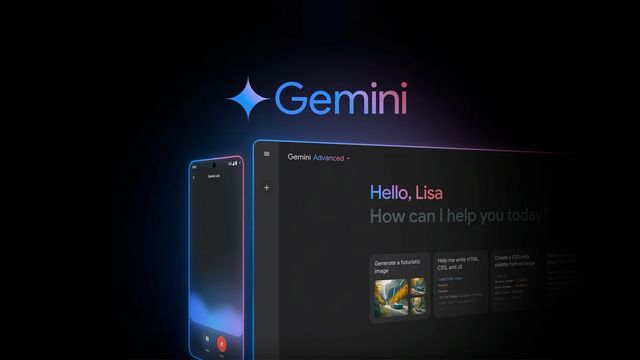
Gemini, Google’s AI personal assistant, evolves with new features to help you complete complex tasks and act on your behalf.
Gemini 1.5 Pro: A New Era for Conversational AI
Google has recently launched Gemini 1.5 Pro, an advanced version of its AI model. This update brings significant improvements, including a one-million-token context window, the largest ever seen in a consumer chatbot.
To download the latest version of Gemini 1.5 Pro, visit this page.
What is a Popup Window?
The popup window refers to the amount of information an AI model can process at one time. With a window of one million tokens, Gemini 1.5 Pro can analyze up to 1,500 pages of text or summarize 100 emails, opening new possibilities for data analysis and understanding complex documents.
Document Analysis and Data Visualization
Gemini 1.5 Pro allows you to upload files directly from Google Drive or your device. This way, you can quickly obtain answers and insights from large documents. Furthermore, Gemini will soon act as a data analyst, creating visualizations and custom charts from your files.
Advanced Image Understanding
Thanks to its multimodal capabilities, Gemini 1.5 Pro can now understand images more deeply. You can take a photo of a dish to get a recipe or capture a math problem to receive step-by-step instructions.
More Natural Conversations with Gemini Live
Google is also introducing new ways to interact with Gemini more naturally, whether through SMS or voice. With Gemini in Google Messages, you can chat with the AI just like you would with your friends.
Gemini Live: A Unique Conversational Experience
Gemini Live is a new mobile conversational experience that utilizes Google's advanced voice technology. You can talk to Gemini and choose from a variety of natural voices. You can even interrupt a response to ask for clarification.
Simplified Trip Planning
The new Gemini Advanced planning experience goes beyond merely suggesting activities. It creates a personalized itinerary based on your flight schedules, dietary preferences, and other relevant information.
Customize Gemini with Gems
Subscribers to Gemini Advanced will soon be able to create Gems, custom versions of Gemini. You can create a gym partner, a sous-chef, a coding partner, or any other type of personalized assistant.
Integration with Other Google Apps
Gemini is increasingly integrating with other Google applications, such as YouTube Music, Google Calendar, Tasks, and Keep. This allows you to perform tasks like creating calendar entries from your child's school schedule or adding a recipe to your shopping list.
Conclusion
Gemini 1.5 Pro and the new features of Gemini open up new perspectives for interacting with AI. Whether you are a professional or a casual user, Gemini is designed to help you be more productive, creative, and organized.
FAQ Gemini 1.5 Pro:
-
Is Gemini 1.5 Pro available to all Gemini users?
No, Gemini 1.5 Pro is exclusively reserved for Gemini Advanced subscribers.
-
What languages are supported by Gemini 1.5 Pro?
Gemini 1.5 Pro is available in over 35 languages.
-
Can Gemini 1.5 Pro really analyze 1,500 pages of text?
Yes, thanks to its one million token window, Gemini 1.5 Pro can process up to 1,500 pages of text at once.
-
How can I use Gemini Live?
Gemini Live will soon be available as a new mobile conversational experience for Gemini Advanced subscribers.
-
Are Gems available now?
The Gems feature will soon be available for Gemini Advanced subscribers, allowing them to create custom versions of Gemini.
To download the latest version of Gemini, visit this page.


