Free Antivirus: Top Picks to Protect Your PC in 2026
- Nov 28, 2025 04:51 am
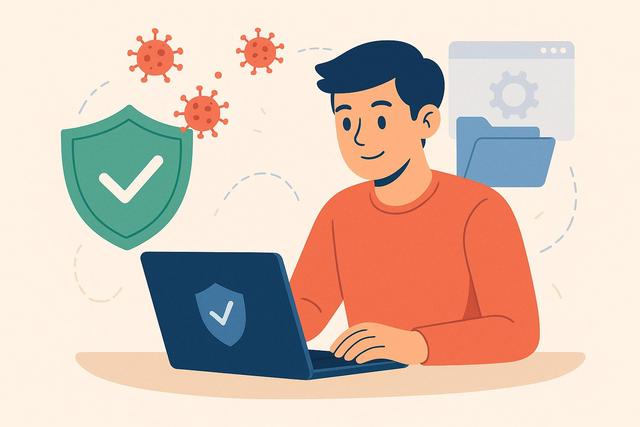
The Importance of Antivirus in 2026
In 2026, protecting your PC with antivirus software is more crucial than ever. Discover the best free antivirus options to ensure the safety of your data without spending a dime. For the latest version of a reliable antivirus, you can download here.
Why Choose a Free Antivirus?
In the digital age, computer security is essential. Cyber threats are constantly evolving, and having an antivirus is crucial to protect your personal information. However, not everyone can afford paid software. Fortunately, free solutions exist. These free antivirus programs provide basic protection against viruses, malware, and other online threats at no cost.
Criteria for Choosing a Free Antivirus
Before selecting a free antivirus, it is important to consider several criteria:
- Real-time Protection: Ensure that the antivirus offers active defense against threats.
- System Performance: A good antivirus should not slow down your computer.
- Regular Updates: New threats emerge every day, so the antivirus should be updated regularly.
- Ease of Use: The interface should be intuitive, even for novice users.
Best Free Antiviruses for 2026
Avast Free Antivirus
Avast is a well-known name in the field of computer security. For 2026, Avast Free Antivirus remains one of the most reliable options. In addition to real-time protection, it also offers a firewall feature and network protection, ideal for your home network.
AVG Free Antivirus
Another excellent option is AVG. It has a powerful scanning engine that quickly detects and removes threats. Its virus database is regularly updated, ensuring protection against the latest emerging threats.
Bitdefender Free Antivirus
Bitdefender is renowned for its simplicity and effectiveness. Its free version offers robust protection against malware without compromising your system's speed. Its installation is quick and doesn't require any special adjustments.
Kaspersky Security Cloud Free
Kaspersky provides a free solution that does not compromise on security. The software is designed to detect and remove suspicious files before they infect your system while offering security tips for safer browsing.
How to Install and Configure Your Antivirus
Installing antivirus software is generally straightforward. Here are the steps:
- Download the installation file from the official website.
- Run the file and follow the on-screen instructions.
- Activate real-time protection if it is not enabled by default.
Tips to Maximize Your PC's Security
Using a free antivirus is a good start, but other measures can enhance your system's security:
- Regularly Update your operating system and software.
- Use Strong Passwords and vary passwords for your different accounts.
- Be Cautious of phishing emails and dubious websites.
By choosing one of these free antiviruses and following these tips, you can effectively protect your PC against common threats in 2026.


