Free Photoshop Alternatives: The Best Tools Available
- May 13, 2026 01:11 am
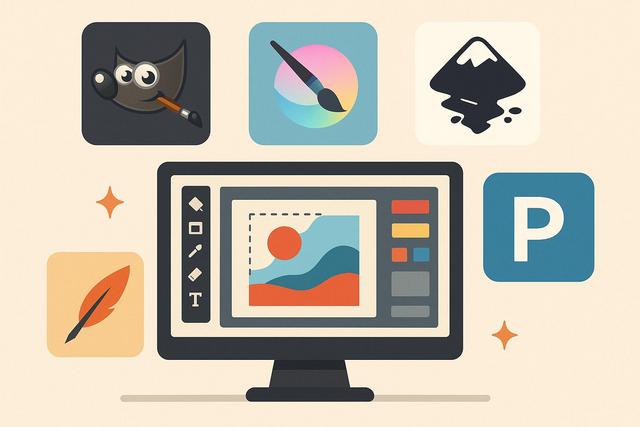
Are you looking for a free alternative to Photoshop to edit your images without the need for a subscription? You're not alone. Many users want to enhance photos, create visuals, or design graphics without investing in expensive software. Fortunately, several free solutions today offer advanced features suitable for both beginners and professionals. In this article, discover the best free alternatives to Photoshop, their strengths, and our tips for choosing the tool best suited to your needs. For a comprehensive list of options, be sure to check out the latest version of GIMP.
Why Look for a Free Alternative to Photoshop?
Photoshop remains a reference in photo editing and graphic design. However, its monthly subscription can deter many users, as its cost adds to other necessary software. Additionally, some people only utilize basic functions, making a free tool more than sufficient.
A free alternative to Photoshop allows you to:
- Edit photos without a subscription
- Create visuals for social media
- Design posters, flyers, or banners
- Manipulate layers and effects
- Export images in high quality
By choosing a free tool, you reduce your expenses while benefiting from powerful features. Moreover, several free software options are constantly evolving, as their communities remain very active.
GIMP: The Most Complete Free Alternative to Photoshop
GIMP (GNU Image Manipulation Program) is one of the most popular solutions. This free and open-source software offers numerous advanced features, rivaling Photoshop in several areas.
Main Features of GIMP
GIMP allows for:
- Advanced layer management
- Professional photo editing
- Use of masks and filters
- Color and exposure correction
- Complex graphic creation
You can also install plugins, as the community regularly offers extensions. Thus, you can customize your workspace according to your needs.
Who Is GIMP For?
GIMP is suitable for amateur photographers, freelance graphic designers, and content creators. However, its interface may seem complex at first. You must dedicate some time to learning, as the ergonomics differ slightly from Photoshop.
Once mastered, GIMP becomes a powerful and completely free solution.
Photopea: A Free Online Alternative to Photoshop
If you prefer to work without installing software, Photopea is an excellent option. This tool works directly in your browser, making it easily accessible from any computer.
Why Choose Photopea?
Photopea stands out for several reasons:
- Interface very similar to Photoshop
- Support for PSD files
- Layer and mask management
- Advanced selection tools
- Export in multiple formats
Its interface closely resembles Adobe's, allowing users to adapt quickly. Additionally, you can open and edit PSD files without prior conversion.
However, the free version displays ads. You also need a stable internet connection since the tool works online.
Krita: Ideal for Drawing and Illustration
Krita is a particularly suitable free alternative to Photoshop for illustrators. This open-source software focuses on digital drawing and painting.
Benefits of Krita
Krita offers:
- A large brush library
- Advanced vector drawing tools
- Layer management
- A customizable interface
- Excellent compatibility with graphic tablets
Artists appreciate Krita for its remarkable precision in lines. Moreover, its brush engine allows for natural and detailed effects.
However, Krita is less focused on traditional photo editing. If you primarily seek advanced photographic correction tools, GIMP or Photopea would be more suitable.
Canva: Simplicity and Speed for Beginners
Canva emerges as a free alternative to Photoshop focused on quick visual creation. This online tool provides a simplified approach, targeting entrepreneurs, students, and community managers.
What Can You Do with Canva?
Canva allows you to:
- Create posts for Instagram and Facebook
- Design professional presentations
- Create posters and flyers
- Use ready-made templates
- Add text and graphic elements easily
Its intuitive interface facilitates getting started, enabling you to create a visual in just a few minutes. However, Canva does not replace advanced photo editing software, as its tools remain more limited.
Comparison Table of the Best Free Alternatives to Photoshop
| Software | Installation | Photo Editing | Digital Drawing | PSD Files | Required Level |
|---|---|---|---|---|---|
| GIMP | Yes | Advanced | Fair | Partial | Intermediate |
| Photopea | No (online) | Advanced | Fair | Yes | Beginner to Intermediate |
| Krita | Yes | Medium | Excellent | Partial | Intermediate |
| Canva | No (online) | Basic | Limited | No | Beginner |
This table helps you quickly compare the available solutions, as each tool targets a specific usage.
How to Choose the Best Free Alternative to Photoshop?
You must first define your main goal. If you primarily perform advanced photo editing, GIMP is a relevant choice. However, if you frequently modify PSD files without installing software, Photopea remains ideal.
Ask yourself the following questions:
- Do you need advanced professional tools?
- Do you prefer an online or offline solution?
- Do you use a graphic tablet?
- Are you working on complex PSD files?
Your answers will guide your decision, as each software addresses a specific need.
Benefits of a Free Alternative to Photoshop
Choosing a free alternative provides several benefits. First, you save money each month. Second, you access features often sufficient for daily use.
Moreover, open-source software evolves rapidly, as their communities actively contribute to development. Thus, you benefit from regular updates at no additional cost.
Finally, these tools generally remain compatible with multiple operating systems, enabling you to work on Windows, macOS, or Linux depending on the software chosen.
Limitations of Free Software
Despite their qualities, free alternatives to Photoshop have certain limitations. Some very specific features, such as advanced 3D editing or certain smart filters, remain exclusive to Adobe.
Additionally, official technical support may be less responsive. However, forums and online tutorials often compensate for this lack, as the communities remain highly active.
You must therefore evaluate your actual needs before making a choice. In many cases, free software meets routine expectations perfectly.
Conclusion: Which Free Alternative to Photoshop to Choose?
Several free alternatives to Photoshop today offer impressive performance. GIMP stands out as the most complete solution for advanced photo editing. Photopea facilitates online work and PSD compatibility. Krita appeals to illustrators, while Canva simplifies rapid graphic creation.
You can test several tools, as they remain free. This approach allows you to compare their interfaces and functionalities in real situations.
Ultimately, the best free alternative to Photoshop depends on your usage, level, and goals. However, you now have reliable, powerful, and accessible solutions to create and edit your images without expensive subscriptions.


