How to Create a Discord Server to Unite Your Gaming Community
- Feb 01, 2026 05:05 am
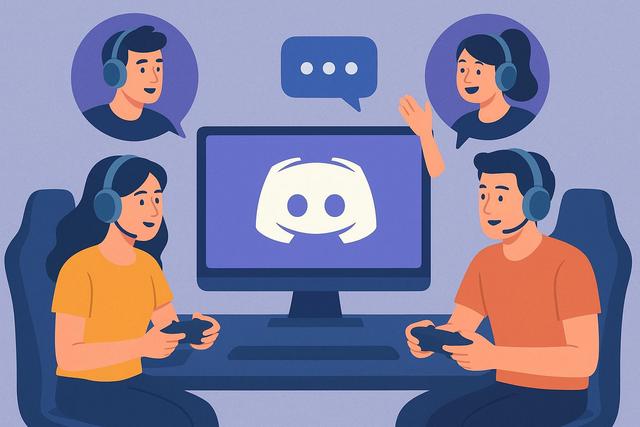
Creating a Discord server for your gaming community is a crucial step to gather, retain, and engage players who share the same passions. Discord has become the number one communication platform in the gaming world, as it combines text, voice, and video discussions within a single space. Additionally, a well-structured server promotes exchanges, strengthens the sense of belonging, and enhances the overall experience for members. However, launching a Discord server requires thoughtful planning. It is essential to define clear objectives, organize channels methodically, and establish appropriate rules, so that the community can thrive in a healthy and dynamic environment. In this article, you will learn step by step how to create a Discord server for your gaming community and ensure its sustainable growth.
To get started, download Discord and begin your journey in building a vibrant community.
Why Create a Discord Server for a Gaming Community
A Discord server provides a centralized space where players can freely interact. Due to its ease of use, the platform attracts both casual gamers and passionate players alike. Discord allows for discussions during games, as well as outside of gaming sessions, which strengthens the bonds among members.
A dedicated server also enhances internal communication. Players share strategies, organize tournaments, and announce upcoming events. Additionally, content creators and guild leaders use Discord to quickly disseminate important information. This way, the community gains coherence and responsiveness.
Finally, creating a Discord server boosts your credibility. A well-managed space shows your seriousness, as it proves that you invest time for your members. This positive image attracts new gamers and encourages old ones to remain active.
Defining the Goals of Your Gaming Discord Server
Before creating your Discord server, you need to clarify your goals. This step is essential as it influences the entire future organization. Do you want to create a server to:
- Bring friends together around a specific game
- Unite a multi-gaming community
- Lead an e-sports team or guild
- Support a Twitch or YouTube channel
Each goal entails different needs. For example, a multi-gaming server requires more channels, while an e-sports server demands a strict hierarchy. By defining your priorities from the start, you avoid chaotic changes later on.
Creating a Discord Server: The Essential Technical Steps
Creating a Discord server is simple and quick. First, you need an active Discord account. Then, click the “+” button in the left column and select “Create a Server.” Discord will then offer several community-adapted templates that make it easier to get started.
Choose a clear and recognizable name. The name should evoke your gaming universe, so new members immediately understand the theme of the server. Then, add an attractive icon, preferably linked to your logo or main game.
Once the server is created, explore the general settings. You can set the voice region, enable email verification, and customize notifications. These settings enhance the user experience from the very first connections.
Effectively Organizing Text and Voice Channels
The organization of channels represents the heart of a successful Discord server. A clear structure facilitates navigation, as members can quickly find the information they seek. Start by creating logical categories.
For example, you can structure your server as follows:
- Information
- General Discussions
- Game-Specific Channels
- Voice Channels
- Events and Tournaments
In the “Information” category, add essential channels like #rules, #announcements, and #roles. These spaces are often read-only, as they disseminate important messages. In the discussion channels, focus on specific themes to avoid chaos.
Voice channels should also follow a clear logic. Create several channels for small group play, as a single channel can quickly become cluttered. This way, everyone can join a discussion without disturbing other players.
Setting Up Effective Roles and Permissions
Discord roles allow you to manage access and identify members. This feature plays a key role in moderation. You can create roles such as administrator, moderator, member, guest, or VIP.
Assign appropriate permissions for each role. Administrators manage the entire server, while moderators oversee discussions. Regular members have limited rights, which reduces abuse. With this hierarchy, the server operates more smoothly.
Roles also serve to personalize the experience. You can offer roles by game or platform. This way, players can display their preferences and more easily find gaming partners.
Writing a Clear Code of Conduct for Your Discord Community
A clear code of conduct lays the foundation for a healthy community. You need to explain the behaviors that are allowed and prohibited from the moment members join. This framework protects users and eases the work of moderators.
The code should remain simple and accessible. Use short, direct sentences, as lengthy text discourages reading. Clearly state the possible sanctions, such as warnings or bans. Due to this transparency, conflicts decrease.
Also, remember to remind members of etiquette rules. Respect, kindness, and inclusion should remain at the core of discussions. A friendly server more easily attracts new gamers.
Using Discord Bots to Enhance Engagement
Discord bots bring advanced features without technical effort. There are several popular bots for gaming, as they automate many tasks. You can add moderation, music, or statistics bots.
Here are some common uses of bots on a gaming server:
- Automatic message moderation
- Welcoming new members
- Role management
- Organizing games and mini-games
With bots, you save time, allowing you to focus on community engagement. However, avoid installing too many, as an excess of bots can harm server readability.
Animating Your Discord Server and Retaining Gamers
Animation is essential to keep your Discord server lively. Without regular activity, members will quickly disengage. Therefore, you need to offer content and frequent interactions.
Organize events such as gaming nights, tournaments, or voice sessions. These gatherings create anticipation and strengthen group cohesion. Additionally, encourage members to participate by asking questions or launching polls.
Recognition also motivates participation. Highlight active members or offer special roles. By valuing engagement, you encourage players to stay involved.
Promoting Your Discord Server to Attract New Members
A Discord server does not grow on its own. You need to actively promote it on various platforms. Share your invitation link on social media, gaming forums, or streaming platforms.
If you have a Twitch or YouTube channel, regularly mention your server. Viewers often join Discord to extend their experience. You can also collaborate with other communities, as visibility exchanges benefit everyone.
However, be sure to attract members interested in your theme. A targeted audience remains more engaged than a large number of passive members.
Measuring and Improving the Quality of Your Discord Server
To maintain a high-performing server, you need to analyze its operation. Observe channel activity and identify those that remain unused. You can then delete or reorganize them.
Regularly ask for members' opinions. Feedback allows you to adjust content and rules. By involving the community in decisions, you strengthen the sense of belonging.
Finally, stay tuned to Discord's developments. The platform often adds new features, enriching the user experience. By adapting, your server remains attractive in the long term.
Creating a Sustainable and Friendly Gaming Discord Server
Creating a Discord server for your gaming community requires time and organization. However, the efforts pay off when the community thrives. By defining clear goals, structuring channels, and regularly engaging, you build a friendly and dynamic space.
Discord provides all the necessary tools to unite players around a common passion. It’s up to you to use them wisely, as a well-managed server quickly becomes an essential place for your gaming community.


