Is IPTV Dangerous? How to Scan Files with Malwarebytes
- May 04, 2026 01:11 pm
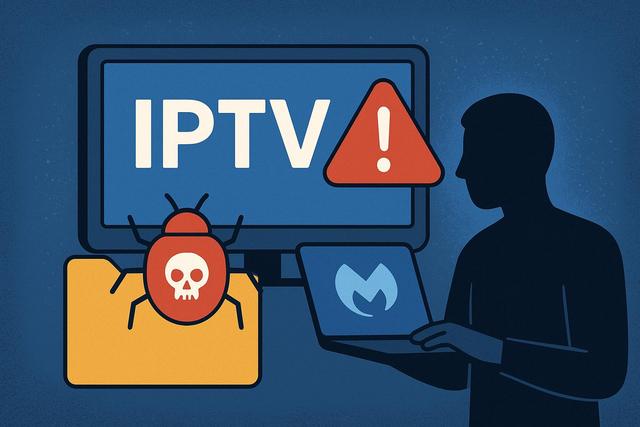
Understanding the Risks of IPTV
IPTV is increasingly attracting users due to its ability to provide access to thousands of channels and online content. However, this popularity raises an important question: is IPTV dangerous? Many services offer files, applications, or M3U playlists that may contain malware. Downloading these files without caution can expose your device to viruses or hacking attempts.
Protecting Your Devices with Malwarebytes
Fortunately, tools like Malwarebytes can effectively check IPTV files and minimize risks. Discover how to protect your devices and secure your IPTV experience with simple and reliable methods. For the latest version of Malwarebytes, you can download it here.
Why Can IPTV Pose Risks?
IPTV relies on the streaming of content over the Internet. If you use a legal and recognized service, the risk remains low. However, many illegal IPTV offers circulate on the web. They provide subscriptions at reduced prices, attracting numerous users.
These services often distribute modified applications or suspicious files. These elements may contain malware, spyware, or ransomware. Due to these threats, your device can become vulnerable.
Hackers exploit the enthusiasm for IPTV, knowing that many users download files without verification. They hide viruses in Android APKs, modified media players, or fraudulent M3U files. If you install an infected file, you may expose your personal data.
What Types of Threats Are Found in IPTV Files?
Malicious IPTV files can contain various types of threats. Each category presents specific risks.
Here are the main threats related to dangerous IPTV:
- Spyware: it collects your data without your consent.
- Trojans: they open a backdoor to your system.
- Ransomware: they block your files and demand a ransom.
- Aggressive Adware: they display intrusive advertisements.
- Keyloggers: they record your keystrokes.
These threats affect both PCs and smartphones as well as Android TVs. However, Android devices remain the most targeted, as they allow the installation of external applications.
Why Check IPTV Files Before Installation?
You should always check a file before installing it. This precaution significantly reduces the risk of infection. By taking action beforehand, you avoid severe consequences.
A malicious file can slow down your device. It can also steal your passwords. In some cases, it takes control of your system.
Checking with cybersecurity software like Malwarebytes can help identify hidden threats. Moreover, the scan only takes a few minutes, allowing you to enhance your security without wasting time.
Malwarebytes: A Reliable Tool Against IPTV Malware
Malwarebytes is among the most recognized security solutions. It detects viruses, ransomware, and unwanted programs. Its effectiveness relies on a regularly updated database.
The software offers several advantages:
- Fast and customizable scans
- Real-time protection
- Detection of recent threats
- Simple and accessible interface
If you download a dubious IPTV file, you can easily scan it before installation. This way, you limit the risks.
How to Check an IPTV File with Malwarebytes?
Checking an IPTV file is simple. Follow these steps to protect your device.
1. Download Malwarebytes from the Official Website
Start by downloading Malwarebytes from its official website. Avoid third-party platforms, as they may offer modified versions. A reliable source ensures the integrity of the software.
2. Install and Update the Software
Install the program by following the instructions. Then, initiate an update of the database. This step is crucial as it allows for the detection of the most recent threats.
3. Scan the IPTV File
Before opening or installing the IPTV file, perform a custom scan. Select the APK file, the program, or the downloaded archive. Malwarebytes will analyze the content in a few moments.
4. Review the Results
If Malwarebytes detects a threat, immediately delete the file. Do not take any risks, even if the IPTV service seems reliable. When in doubt, prioritize caution.
5. Enable Real-time Protection
Activate real-time protection if you frequently use IPTV. This way, Malwarebytes will automatically block future threats.
Check an IPTV Application on Android
Android users often install external APK files. Yet, this practice increases risks.
Here is a comparative table of good security practices:
| Action | Risk | Recommended Solution |
|---|---|---|
| Install an unknown APK | Malware infection | Scan with Malwarebytes |
| Download from an unreliable site | Hidden virus | Check the site's reputation |
| Allow all permissions | Data theft | Limit permissions |
If you use Android, download Malwarebytes from the Google Play Store. Next, analyze the installed applications. The software also detects existing threats.
Illegal IPTV and Cybersecurity: A Direct Link
Illegal IPTV services pose an increased risk. They escape all official control. Developers can integrate malicious code without warning.
Furthermore, these platforms sometimes require payments through unsecured means, risking banking fraud. If you combine illegal IPTV with the absence of antivirus software, you significantly increase your exposure.
However, not all IPTV services are dangerous. Legal providers comply with strict security standards. They distribute their applications through official channels.
How to Recognize a Suspicious IPTV File?
Some signs should draw your attention. If a file displays these characteristics, remain vigilant.
- Unusual file size
- Excessive permission requests
- Negative user reviews
- Absence of an identifiable publisher
- System alert message
If you notice several of these signals, immediately analyze the file with Malwarebytes. This swift reaction can prevent an infection.
Best Practices to Secure Your IPTV
You should adopt a comprehensive security approach. Antivirus scans are not always sufficient.
Here are some effective tips:
- Use up-to-date antivirus software.
- Enable automatic updates.
- Avoid illegal download sites.
- Protect your connection with a strong password.
- Regularly back up your data.
By combining these measures, you significantly reduce the risks associated with dangerous IPTV.
Is Malwarebytes Enough to Protect Yourself?
Malwarebytes offers excellent protection against IPTV malware. However, no software guarantees absolute security. You must remain vigilant.
Cybersecurity also depends on your behavior. If you download files from dubious sources, you increase the risks. Conversely, if you favor reliable services and analyze each file, you significantly limit potential threats.
Conclusion: Dangerous IPTV or Simply Lack of Vigilance?
IPTV is not dangerous in itself. However, some services expose users to infected files. The main danger comes from illegal platforms and unverified downloads.
Fortunately, you can take action easily. Malwarebytes allows you to verify IPTV files before installation. With a quick and efficient scan, you protect your personal data.
If you adopt good cybersecurity practices, you can enjoy IPTV without compromising your security. Vigilance remains your best protection, as it prevents risks at the source.


