Organizing Remote Esports Coaching Sessions via Zoom
- Mar 03, 2026 01:11 am
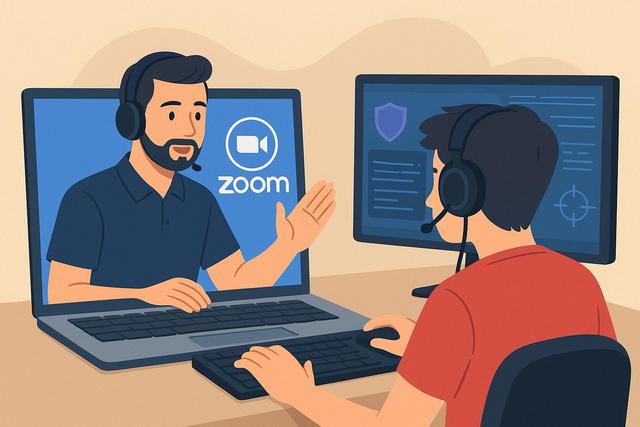
The remote e-sports coaching industry is experiencing significant growth as more players seek to improve without geographical constraints. Zoom provides a simple and effective solution for organizing online sessions, analyzing gameplay, and supporting competitive teams. However, successfully conducting e-sports coaching via videoconference requires a clear method, appropriate tools, and thorough preparation. In this article, discover how to conduct remote e-sports coaching with Zoom in a professional, efficient, and performance-optimized manner. You can download the latest version of Zoom here.
Why Organize Remote Esports Coaching with Zoom?
The esports industry is evolving rapidly, requiring training methods to adapt. Online esports coaching enables amateur and professional players to work with experts without the need for travel. You reduce costs by avoiding venue rental and transportation. However, you maintain a high level of interaction thanks to video conferencing tools.
Zoom has established itself as a reliable platform for remote coaching. The tool offers screen sharing, session recording, and breakout room creation. These features enhance educational quality. Moreover, Zoom ensures a stable connection if you have good bandwidth.
Remote esports coaching offers several advantages:
- Flexible schedules for players and coaches
- Access to international experts
- Recording of sessions for later analysis
- Simplified team collaboration
Thus, Zoom becomes a strategic lever for structuring a competitive progression program.
Preparing an Effective Remote Esports Coaching Session
A successful session relies on rigorous preparation, as improvisation can hinder performance. You must define a clear objective before each session. For example, you can focus on team strategy in Valorant, enhance macro gameplay in League of Legends, or optimize communication in Counter-Strike.
Start by identifying the player's or team's level. Then, set measurable progress indicators. You can use precise statistics, such as KDA, win rate, or map control.
Also, prepare the technical equipment in advance. You need to:
- Check the internet connection
- Test the microphone and webcam
- Configure screen sharing
- Activate recording if necessary
This organization reduces interruptions, as every minute counts during esports coaching.
Using Zoom Features for Effective Coaching
Zoom offers powerful tools for remote esports coaching. You can share the player's screen to analyze their decisions in real-time. This feature allows you to quickly identify mechanical or strategic errors.
The recording option enhances follow-up, as you can review the session with the player. This way, you can pinpoint improvement areas precisely. Additionally, you create a reusable learning resource.
The breakout rooms facilitate teamwork. You separate players by role to work on specific aspects. Then, you regroup the team for collective scenario training.
The integrated whiteboard in Zoom is also very useful. You can sketch strategies, explain rotations, and clarify game plans. This visual approach enhances understanding, making concepts more concrete.
Structuring an Online Esports Coaching Session
A structured session maximizes progress by avoiding dispersion. You can follow a simple and effective format.
1. Objectives Analysis
Start by reminding everyone of the objectives of the session. Define the points to work on to provide clear direction. This step motivates the player as they understand the purpose of the training.
2. Live Gameplay Analysis or VOD Review
Observe a live match or analyze a replay. Comment on important decisions, positioning, and communication. Correct mistakes immediately, reinforcing active learning.
3. Targeted Exercises
Offer specific exercises. For instance, work on shooting accuracy or resource management. Repeat these exercises regularly, as repetition solidifies habits.
4. Personalized Action Plan
Conclude the session with a concrete plan. Set exercises to be completed before the next session. Provide practical advice to apply in ranked matches.
This structure brings coherence, allowing the player to clearly see their progress.
Optimizing Remote Interaction and Communication
Esports coaching relies on communication, as team performance often depends on coordination. Remotely, you must compensate for the lack of physical contact.
Adopt a dynamic posture on screen. Look at the camera to create a visual connection. Use a clear and encouraging tone. Ask open-ended questions to stimulate strategic thinking.
Encourage player feedback as well. Ask them how they feel during critical phases. This approach fosters trust, strengthening the coach-player relationship.
You can also use Zoom chat to share key points. This way, the player keeps a written record of essential recommendations.
Managing Team Coaching on Zoom
Team coaching requires specific organization, as multiple players are involved simultaneously. You must structure speaking turns to avoid confusion.
Here are some best practices:
- Designate a team captain
- Limit interruptions during analysis
- Define a speaking order
- Use breakout rooms to work on roles
You can also plan a regular session schedule. This discipline reinforces collective progress by establishing a work routine.
Example of Role Assignment in Team Coaching
| Role | Coaching Objective | Recommended Zoom Tool |
|---|---|---|
| Captain | Leadership and strategy | Main room |
| Support | Positioning and utility | Dedicated breakout room |
| DPS / Carry | Individual performance | Screen sharing |
| Analyst | Stat review | Whiteboard |
This table clarifies the organization, as each person understands their role during the session.
Ensuring Effective Player Follow-Up
Follow-up is a cornerstone of remote esports coaching. You need to measure results to adjust strategy. Without indicators, player progress is random.
Create a shared follow-up document via Google Drive or Notion. Note objectives, statistics, and comments after each session. This method fosters accountability, as the player visualizes their development.
Also, schedule monthly reviews. Analyze overall performance and redefine priorities. This strategic work maintains motivation over the long term.
Monetizing Online Esports Coaching with Zoom
Esports coaching represents an interesting economic opportunity as demand increases. You can offer various formats: individual sessions, team coaching, or intensive programs.
Set prices appropriate to your experience. A beginner coach can offer an attractive rate to attract their first clients. An experienced coach values their expertise with a higher price.
Use an online booking system to simplify management. Automate payments and time slots, saving administrative time.
Finally, enhance your visibility through digital marketing. Publish content on YouTube or Twitch. Share tips on social media. Optimize your website with keywords like "remote esports coaching," "online gaming coach," or "esports training on Zoom."
Securing and Professionalizing Your Zoom Sessions
Security remains essential, as you protect players' data and comfort. Activate a password for every meeting. Use the waiting room to control entries.
Also, make sure to adopt a professional environment. Choose a neutral background or use a custom background related to your brand. Invest in quality microphone equipment, as sound significantly influences user experience.
This enhances your credibility, allowing players to perceive a premium service.
Mistakes to Avoid in Remote Esports Coaching
Some pitfalls slow down progress. You need to anticipate them.
Avoid lengthy explanations, as they reduce attention. Prefer short and precise instructions. Also, refrain from criticizing without offering solutions. You must correct but also guide.
Do not neglect technical preparation. A poor connection or mediocre sound undermines the coach's authority. Finally, do not overwhelm the player with information. Focus on two or three priority areas.
Conclusion: Make Zoom a Strategic Asset in Esports
Organizing remote esports coaching with Zoom is a modern and effective solution. You gain significant flexibility as you work with players from around the world. However, success depends on your methods, preparation, and ability to structure each session.
By intelligently using Zoom tools, you create an interactive and professional learning environment. You track performance accurately, allowing players to progress quickly. Finally, you develop a profitable activity by combining esports expertise with marketing strategy.
Online esports coaching is no longer a secondary alternative. It has become a training standard, as the digital realm is at the heart of competitive performance.


