Solo Mods vs Multiplayer Mods: Key Differences Explained
- Mar 10, 2026 02:11 am
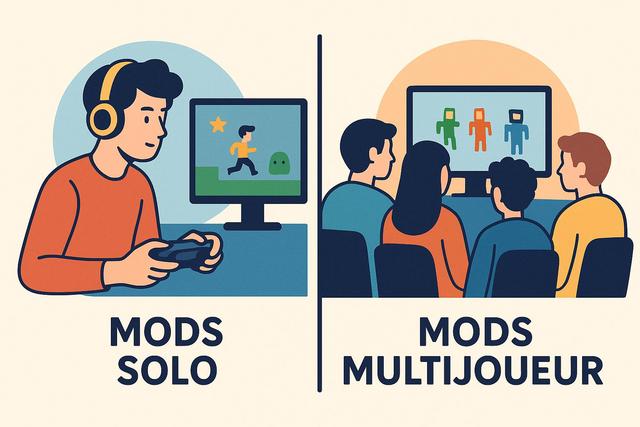
Mods have been transforming the gaming experience for years, allowing players to customize, enhance, or completely reinvent their favorite titles. However, not all mods work the same way. Some are designed solely for single-player use, while others integrate into online environments. Single Player Mods vs Multiplayer Mods: what are the differences you need to understand before installing them? Compatibility, risks, advantages, impacts on gameplay… Here’s what you need to know to make informed choices.
To download the latest version of Roblox, visit the official download page: Roblox Free Download.
What is a mod in a video game?
A mod, short for "modification," refers to content created by players or independent developers to modify an existing video game. Mods can add characters, modify graphics, create new quests, or even completely transform gameplay.
Modding communities have emerged thanks to popular games like Minecraft, Skyrim, GTA V, and Arma. These titles offer flexible tools that facilitate the creation of custom content.
However, there are two main categories: single-player mods and multiplayer mods. This distinction influences compatibility, safety, and the overall experience.
Single-player mods: customizing your individual experience
Single-player mods work only in offline mode or individual play. They modify the game locally, so changes do not affect other players.
The benefits of single-player mods
Single-player mods attract many players because they offer complete freedom. You can transform the interface, enhance a character’s abilities, or completely change the graphical environment.
Here are the main benefits of single-player mods:
- Complete customization freedom
- No impact on other players
- Reduced risk of banning
- Easier installation
- Wider compatibility
Indeed, as the mod acts on a local playthrough, it does not disrupt online servers. Therefore, developers often tolerate these modifications if they do not violate the terms of use.
The limits of single-player mods
However, single-player mods also have limitations. They do not allow for directly sharing the modified experience with other players online. Additionally, some game updates can make a mod incompatible.
If you install multiple mods simultaneously, conflicts may arise as some modified files may interfere with each other. Therefore, it is essential to check compatibility.
Multiplayer mods: playing with others with modifications
Multiplayer mods alter the online experience. They often require all players to use the same version of the mod, as the server must recognize the modified files.
These mods are frequently found on private or dedicated servers. For example, some Minecraft servers enforce specific mod packs to offer a unique experience.
The benefits of multiplayer mods
Multiplayer mods enrich the collective experience. They allow for the creation of new game modes, addition of novel mechanics, and prolongation of a game's lifespan.
Thus, players benefit from:
- A personalized shared experience
- New collaborative scenarios
- Exclusive events created by the community
- A renewed competitive dynamic
Thanks to these modifications, some games experience prolonged popularity as the community regularly produces original content.
The constraints and risks of multiplayer mods
However, multiplayer mods involve more constraints. You must install exactly the same files as the server; otherwise, the connection will fail. This technical requirement can discourage novice players.
Moreover, competitive games often forbid online mods. Due to cheating risks, publishers implement strict policies. An unauthorized mod can lead to temporary or permanent banning.
There is also a security risk. Some mods downloaded from unofficial platforms may contain malware. Therefore, it is crucial to prioritize reliable sites.
Single-player vs multiplayer mods: key differences
The distinction between single-player mods and multiplayer mods is based on several essential criteria: compatibility, safety, legal framework, and impact on other players.
| Criterion | Single-player mods | Multiplayer mods |
|---|---|---|
| Usage | Offline | Online |
| Impact on others | None | Affects all players on the server |
| Risk of banning | Low | High if unauthorized |
| Installation | Simple | More technical |
| Compatibility | Local | Must be identical on the server |
This table highlights a major difference: the collective framework imposes more rules. In single-player mode, you control your environment. In multiplayer mode, you must respect the community's.
Compatibility and updates: a crucial issue
Developers regularly update their games to fix bugs and improve performance. However, each update may render a mod obsolete.
In single-player, you may sometimes delay an update to keep your mods. In multiplayer, this option becomes rare, as servers often require the latest version of the game.
Thus, multiplayer mods require more rigorous monitoring. Server administrators must check every compatibility to avoid technical conflicts.
Legality and terms of use
Terms of use vary by publisher. Some officially encourage modding because it boosts creativity. Others adopt a strict policy, especially for competitive modes.
Before installing a multiplayer mod, you should consult the game's rules. In fact, a mod that modifies performance can be seen as cheating.
Single-player mods present fewer legal issues, especially if you do not redistribute protected content. However, you should always check the game's license.
Game performance and stability
Mods influence technical performance. Some graphical mods enhance visual quality, but they require more hardware resources.
In single-player mode, decreased performance is limited to your experience. In multiplayer, it can affect server stability. If multiple players use poorly optimized extensions, slowdowns may occur.
It is therefore advisable to test a mod individually before using it online, as this limits unpleasant surprises.
Which option to choose based on your profile?
The choice between single-player and multiplayer mods depends on your goals and play style.
If you enjoy exploring freely and experimenting without constraints, single-player mods are the ideal solution. You benefit from great flexibility because you control all parameters.
On the other hand, if you prioritize cooperation or competition, multiplayer mods enhance social interaction. You then participate in a more immersive collective experience.
Here’s a quick guide to help you:
- You primarily play offline ? prioritize single-player mods
- You join a community server ? install mods approved by the administrator
- You play in official competitions ? avoid any unauthorized mods
Best practices for installing mods safely
Regardless of your preference, you should adopt certain precautions:
- Only download from recognized platforms
- Check user reviews
- Backup your files before installation
- Keep your antivirus updated
- Carefully read the instructions
These best practices reduce technical risks and protect your data. Indeed, a malicious file can jeopardize your computer or gaming account.
The impact of mods on the gaming community
Mods play a major role in the video game ecosystem. They stimulate innovation, as some professional developers started as amateur modders.
Entire games have emerged from popular mods. Counter-Strike, for instance, originated from a modification of Half-Life. This dynamic shows that modding directly influences the industry.
However, the balance remains fragile in multiplayer. Developers must protect competitive integrity while supporting creativity.
Conclusion: understanding to make better choices
Single-player vs multiplayer mods: the choice ultimately depends on your expectations. Single-player mods offer freedom and increased safety since they only impact your playthrough. Multiplayer mods enrich the collective experience but require rigor and compliance with rules.
Before installing a mod, assess your needs, review terms of use, and prioritize reliable sources. This way, you will fully enjoy the possibilities offered by modding while protecting your gaming experience.
By understanding the key differences between single-player and multiplayer mods, you make informed decisions. You optimize your gameplay, whether playing alone or with a passionate community.


