The Secrets of Color Calibration: Advanced Tools for Color Correction
- Aug 13, 2024 04:05 am
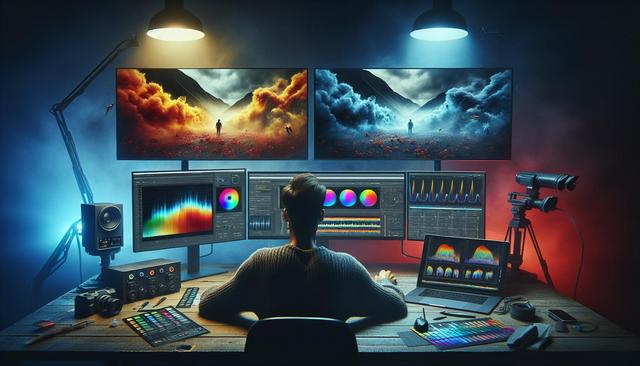
Introduction to Color Grading
Color grading is a vital skill for any professional visual production. Whether you are a videographer, photographer, or graphic designer, understanding and mastering color correction tools can drastically enhance the quality of your work. In this article, we will explore advanced color correction tools and reveal the secrets of color grading for flawless results.
Download GIMP for Free
To get started with advanced color grading, you can download GIMP for free. With GIMP's robust features, you'll be equipped to take your color grading skills to the next level.
Why Is Color Grading Important?
Color correction goes beyond just adjusting a few color sliders. It is a complex process that ensures the colors in your visual productions are accurate, consistent, and aesthetically pleasing. Color grading can influence the mood, tone, and perception of your work, making your production more professional and appealing.
Benefits of Color Correction
- Enhanced Aesthetics: Grading tools allow you to correct color casts, adjust brightness and contrast, and apply cinematic looks.
- Color Consistency: Avoid color discrepancies between different scenes or shots.
- Color Fidelity: Ensure that the colors displayed on screen match those captured by your camera.
Main Color Correction Tools
Curves: Color Correction Curves
Curves are one of the most powerful tools for color grading. They allow precise control over the highlights, midtones, and shadows of your image.
- RGB Curves: These curves enable individual adjustments of the red, green, and blue channels, providing maximum flexibility for fine-tuning.
- Luminance Curve: It allows control over the brightness of your image without affecting color saturation.
Curves may seem complex at first, but with practice, they become an indispensable tool for advanced color corrections.
LUTs (Look-Up Tables): Color Presets
LUTs are pre-configured files that transform the color values of an image based on lookup tables. They are often used to quickly apply a specific style or look.
- Technical LUTs: Used to correct color ranges and adapt images to different standards (e.g., Rec. 709, DCI-P3).
- Creative LUTs: They allow for the addition of cinematic styles, vintage effects, or other artistic looks according to your preferences.
Scopes: Visual Analysis of Color Grading
Scopes, such as vector scopes, waveform monitors, and histograms, are visual analysis tools that help evaluate and correct colors accurately.
- Vector Scope: Displays the chrominance (hue and saturation) of the image and helps balance colors.
- Waveform Monitor: Shows the luminance (brightness) of the image, essential for adjusting brightness levels.
- Histogram: Indicates the distribution of highlights, midtones, and shadows, allowing for an appreciation of overall contrast and brightness.
These analysis tools are crucial for fine adjustments and precise color corrections.
Key Steps for Successful Grading
1. Calibrate Your Monitor
The first step for accurate grading is to calibrate your monitor. Using a calibration device like X-Rite or Spyder ensures that the displayed colors are as accurate as possible.
2. Correct Exposure and White Balance
Before applying color adjustments, it is essential to ensure your image is correctly exposed and balanced in terms of whites. Use the scopes to check and adjust exposure and white balance.
3. Use Basic Correction Tools
Start with basic correction tools like color balance, contrast, and saturation. Ensure skin tones are natural and key colors are balanced.
4. Make Fine Adjustments with Curves
Use curves for precise adjustments. For example, adjust RGB curves to balance color channels or modify the luminance curve to refine brightness without affecting colors.
5. Add LUTs for Final Touches
Once basic corrections are made, apply LUTs to give your image a specific style or look. Experiment with different LUTs to see which harmonizes best with your project.
Conclusion
Mastering advanced color correction tools and grading secrets can transform your visual production from amateur to professional. From using curves to applying LUTs and analyzing via scopes, each step in the grading process contributes to creating accurate and aesthetically pleasing images. Investing time to understand and practice these tools will significantly improve the visual quality of your projects.
Step confidently into the world of color grading and discover how these advanced techniques can elevate the standard of your visual work.
With this structured approach and relevant keywords seamlessly integrated, this article is designed to be optimized for SEO while delivering quality content on advanced color correction tools.
Download the latest available version of Gimp


