Where to Find Trusted Mods Without Viruses or Scams
- Mar 03, 2026 01:11 pm
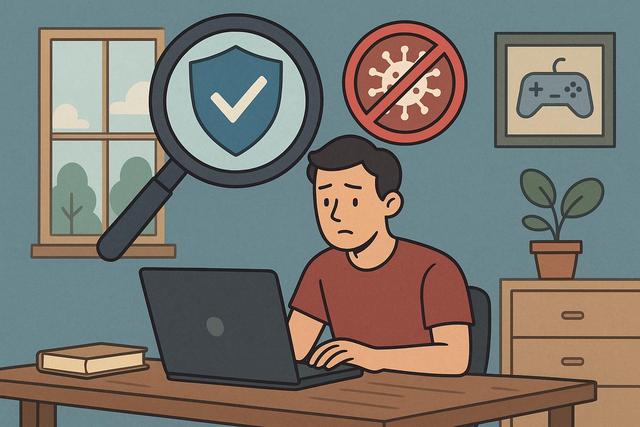
Video game mods allow you to add content, enhance graphics, or completely transform your gaming experience. However, downloading a mod from an unreliable site can expose your computer to viruses, spyware, or scams. Therefore, it's crucial to know where to find reliable mods without viruses or scams. In this article, you will discover secure platforms, best practices, and mistakes to avoid for safely downloading mods.
For safe and easy access to the latest version of Roblox, you can download it here.
Why Seeking Reliable Mods is Essential
Mods enrich a game by adding new features, fixing bugs, or modernizing outdated graphics. However, not all files available on the internet are safe. Some sites distribute infected files, putting your personal data at risk.
A malicious mod can install a virus, a Trojan, or ransomware. In some cases, it may even steal your login credentials. Thus, you should prioritize trusted sources to avoid scams.
Best Platforms for Downloading Secure Mods
Nexus Mods: A Reference for PC Mods
Nexus Mods remains one of the most well-known sites for downloading reliable mods. The platform offers thousands of mods for popular games such as Skyrim, Fallout, or The Witcher. Administrators verify files, significantly reducing the risk of viruses.
Users can leave reviews and report suspicious content. Thus, the community actively participates in the overall security of the site. Additionally, Nexus Mods displays clear download statistics, allowing users to quickly identify popular and reliable files.
Steam Workshop: The Official Integrated Solution
Steam Workshop is a very secure option as it integrates directly with Steam. You can install a mod with a single click, without manually handling files. This simplicity limits errors and reduces risks.
Valve oversees the content published. However, you should read comments and check ratings, as a mod can contain bugs even if it does not have a virus.
Mod DB: A Rich and Monitored Library
Mod DB offers a wide selection of mods, especially for indie or older games. The team moderates the content, enhancing the security of downloads.
The platform highlights active projects and recognized developers. Consequently, you can more easily spot serious and well-maintained mods.
CurseForge: Ideal for Minecraft and Other Games
CurseForge stands out as a reference for Minecraft mods, but the site also offers content for other games. The platform belongs to a recognized company, significantly limiting the risk of scams.
Files undergo a validation process. Moreover, official creators benefit from a verification system, reassuring users.
How to Check If a Mod is Reliable
Even on a well-known platform, you must adopt certain good practices. These reflexes enhance your security and protect your computer.
Check Reviews and Comments
User comments are a valuable source of information. If a mod contains malware, the community quickly reports it. Therefore, you must read the feedback before downloading.
Prioritize mods with many downloads and positive ratings. A very recent file without reviews warrants extra caution.
Scan the File with Antivirus
You can scan each downloaded file with up-to-date antivirus software. This verification adds an extra layer of security. Even if the site seems reliable, a local check limits risks.
A service like VirusTotal also allows you to analyze a file online, giving you multiple analysis results from different antivirus engines.
Check the Creator's Reputation
An experienced modder often has a detailed profile and several popular projects. This experience is a good indicator of reliability. In contrast, a recent account with no visible history requires more caution.
Sites to Avoid at All Costs
Some sites promise free premium mods or paid modified versions. These platforms often hide scams. You should avoid:
- Sites filled with aggressive ads and pop-up windows
- Platforms that require downloads via an unknown executable
- Pages that ask for unnecessary personal information
- Doubtful forums without visible moderation
If a site seems suspicious, leave it immediately. A reliable mod never requires you to provide your banking information or password.
Common Mistakes When Downloading Mods
Many users make simple mistakes because they want to install a mod quickly. However, these carelessness can be costly.
You should never disable your antivirus to install a mod. This practice directly exposes your system to threats. You should also avoid downloading "all-in-one packs" from unknown sites.
Additionally, you must check the mod's compatibility with your version of the game. Otherwise, you risk significant bugs or save corruption.
Should You Use a Mod Manager?
A mod manager improves the security and stability of your game. It organizes files and avoids conflicts. Tools like Vortex (linked to Nexus Mods) or Mod Organizer simplify installation.
These tools detect incompatibilities, reducing human errors. Consequently, you benefit from a more stable and secure experience.
Comparison of the Main Mod Platforms
| Platform | Security | Ease of Use | Supported Games | Ideal For |
|---|---|---|---|---|
| Nexus Mods | High | Medium | Many PC games | Advanced mods |
| Steam Workshop | Very High | Very Simple | Compatible Steam games | Quick installation |
| Mod DB | High | Medium | Diverse games | Indie projects |
| CurseForge | High | Simple | Minecraft and others | Minecraft mods |
This table helps you choose the best source according to your needs. However, you should always remain vigilant, even on a recognized platform.
Mods and Legality: What You Need to Know
Mods are generally legal, as they modify a game you already own. However, some publishers prohibit modifications in competitive online modes. Therefore, you should consult the game's terms of use.
A mod that bypasses a payment system or unlocks paid content for free is illegal. In addition to legal risks, you expose yourself to potential scams.
Practical Tips for Downloading Mods Without Viruses
In summary, you can secure your downloads by applying these tips:
- Only download from recognized platforms
- Read reviews and check ratings
- Scan files with antivirus software
- Avoid promises that seem too good to be true
- Back up your game files before any installation
If you follow these recommendations, you significantly reduce risks. This way, you can fully enjoy the mods without compromising your security.
Conclusion: Prioritize Caution and Official Sources
You can find reliable mods without viruses or scams, as long as you choose recognized sources and adopt good practices. Nexus Mods, Steam Workshop, Mod DB, and CurseForge are among the safest platforms. However, your vigilance remains essential, as no site entirely eliminates risks.
By checking the reputation of creators, reading comments, and using up-to-date antivirus software, you effectively protect your computer. Thus, you enjoy the benefits of mods while maintaining a secure and serene gaming experience.


