WoW on Low-End PCs: Ultimate Guide to Playing
- Apr 10, 2026 01:11 pm
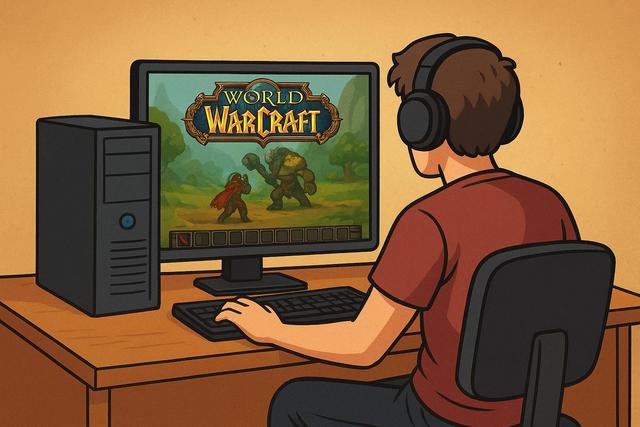
World of Warcraft remains one of the most popular MMORPGs in the world, offering a vast and vibrant universe that can be accessed even on modest setups. However, many players still have low-end PCs and wonder if they can enjoy WoW without experiencing lags. The good news is that Blizzard has optimized its game over the years to make it compatible with a wide range of computers. In this article, you will learn how to play WoW on a low-end PC, discover the minimum system requirements, and most importantly, how to optimize performance for a smoother gaming experience.
For those interested in downloading the latest version of Roblox, you can find it here.
Can You Play WoW on a Low-Power PC?
Yes, you can play WoW on a low-power PC because the game is designed to run on modest configurations. Blizzard has always aimed to make its MMORPG accessible to the largest audience possible. However, performance heavily depends on graphical settings and system optimization.
A low-powered PC may experience slowdowns in highly populated areas, such as capitals or during raids. However, if you properly adjust the graphical settings, you can achieve a smooth and enjoyable experience.
Minimum and Recommended Requirements for WoW
Before optimizing your PC, you need to know the requirements for WoW.
Minimum Requirements for WoW
Here are the essential elements to launch the game:
- 64-bit dual-core processor
- 8 GB of RAM
- DirectX 12 compatible graphics card
- 128 GB of available storage space (SSD recommended)
- Windows 10 or later
This configuration allows you to run the game, but it does not guarantee perfect fluidity in all situations.
Recommended Requirements for Better Performance
If you want to play under good conditions, you should aim for:
- Recent quad-core processor
- 16 GB of RAM
- Dedicatd graphics card with 4 GB of VRAM
- SSD for faster loading
However, even if your machine does not exactly meet these criteria, you can optimize WoW for low-powered PCs with suitable settings.
How to Optimize WoW for a Low-Powered PC
You should prioritize adjusting graphic settings, as they directly influence performance.
Reduce Graphics Quality
Access the video settings in the game, then lower the overall preset to "Low" or "Medium". This action immediately improves the frame rate.
Next, decrease the following options:
- View distance
- Shadow quality
- Particle effect density
- Terrain detail
- Anti-aliasing
By reducing these elements, your graphics card works less, which enhances fluidity.
Switch to Lower Resolution
Resolution greatly influences performance as it determines the number of pixels displayed on screen. If your PC is limited, lower the resolution to 1280x720 or 1600x900. This way, you gain FPS without sacrificing too much visual quality.
Disable Unnecessary Addons
Addons enhance the interface; however, they consume resources. Remove those you do not use regularly. If your PC is very limited, keep only essential addons like a quest manager or a lightweight damage meter.
Enable Optimized Fullscreen Mode
Exclusive fullscreen mode often improves performance as it reduces system load. Avoid windowed mode if your PC lacks power.
Optimize Windows to Improve WoW Performance
You can also enhance performance by optimizing your operating system.
Close Background Applications
Close web browsers, streaming software, and resource-intensive applications. These programs consume RAM and CPU power, reducing performance while gaming.
Update Graphics Drivers
Manufacturers regularly release updates to enhance compatibility and performance. Install the latest NVIDIA, AMD, or Intel drivers, as they can increase the frame rate.
Disable Windows Visual Effects
Windows offers many graphical effects, but they are not necessary for gaming. Go to advanced performance settings and select "Adjust for best performance". This action frees up system resources.
SSD or HDD: What Impact for WoW?
The type of storage influences loading times. An SSD significantly improves data access speed, making loading screens quicker.
Here is a simple comparison table:
| Characteristic | Traditional HDD | SSD |
|---|---|---|
| Loading Time | Long | Fast |
| Fluidity in Populated Areas | Average | Better |
| Overall Responsiveness | Fair | Excellent |
If your low-powered PC still has a mechanical hard drive, replace it with an SSD. This upgrade provides an immediate boost, even without changing other hardware.
WoW Classic or WoW Retail: Which Version to Choose?
WoW Classic generally requires fewer graphical resources than the Retail version. Indeed, the textures and effects are simpler.
If your PC is very old, opt for WoW Classic, as this version puts less strain on the graphics card. However, Retail is still playable with low settings on a modest configuration.
Additional Tips for Gaining FPS
There are still a few simple optimizations you can apply.
- Enable vertical sync only if necessary
- Reduce advanced lighting effects
- Limit background FPS
- Regularly clean your PC to avoid overheating
Dust increases internal temperature, which reduces performance. Clean the fans at least once a year, as a well-cooled system operates more efficiently.
Should You Upgrade Your PC to Play WoW?
If your PC consistently shows less than 20 FPS despite optimizations, you should consider an upgrade. However, there is no need to invest in a very high-end configuration for WoW.
Here are the most cost-effective improvements:
- Add RAM (upgrade from 8 GB to 16 GB)
- Install an SSD
- Replace an old graphics card with a recent entry-level model
These changes are relatively inexpensive but greatly enhance the gaming experience.
WoW on Low-Power Laptops
Many players use a modest laptop to play WoW. If this is your case, you need to monitor the temperature, as laptops can heat up quickly.
Use a ventilated stand and play on AC power to take full advantage of the CPU's capabilities. Set graphics options to low and limit advanced effects. This way, you achieve a stable experience even on a low-powered laptop.
Why WoW Remains Accessible to Low Configurations
World of Warcraft retains a stylized artistic style rather than a photorealistic one. This graphical choice reduces hardware load while maintaining an attractive rendering. Blizzard also optimizes each expansion, ensuring the game continues to run on older hardware.
This accessibility explains WoW’s enduring success on low-power PCs since players do not need a recent gaming computer to enjoy the content.
Conclusion: Playing WoW with a Low-Powered PC
You can play WoW on a low-powered PC without sacrificing visual quality entirely. Adjust graphical settings, optimize Windows, and prioritize an SSD if possible. With these adjustments, you significantly improve smoothness and reduce slowdowns.
World of Warcraft remains one of the most accessible MMORPGs on the market, as it adapts to many configurations. Even with a modest computer, you can explore Azeroth, participate in dungeons, and fully enjoy the experience. Just adopt the right settings and be aware of the essential optimizations.


