IPTV: Simple Definition and Easy Ways to Use It
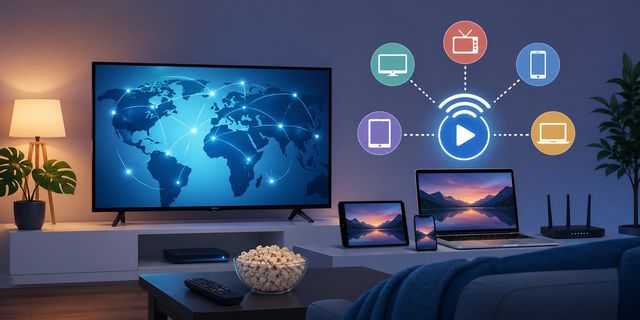
IPTV is a term you see everywhere today. Still, many people do not clearly understand what it means or how to use it safely. In this IPTV guide, you will learn what IPTV is, how it works, and how to use it easily with reliable tools like VLC media player or Google Chrome.
IPTV: A Simple and Clear Definition
IPTV stands for Internet Protocol Television.
Instead of using:
- a traditional antenna
- satellite TV
- a cable box
You watch TV using your Internet connection.
The idea is simple:
- content is streamed through the Internet
- you access channels or videos using software or apps
You already use similar services with:
- Netflix
- Amazon Prime Video
The difference is that IPTV can also use specific formats like M3U playlists.
How IPTV Works in Practice
To use IPTV, you need three things:
1. Internet Connection
- stable
- fast (at least 10 Mbps recommended)
2. IPTV Player
Examples:
- VLC
- Android apps
- web browser
3. IPTV Source
- M3U file
- streaming link
- online service
The player connects to the source and displays the channels.
Different Types of IPTV Usage
Not all IPTV uses are the same. Here are the main categories.
Legal IPTV
This is the safest and easiest option.
Examples:
- streaming platforms
- official TV websites
- replay services
Benefits:
- stable quality
- no risk
- SEO and AdSense friendly
IPTV with M3U Files
This is a common format.
An M3U file contains:
- a list of video streams
- links to channels
You can open it with:
- VLC
- codec packs
- some browsers
IPTV Apps
On Android or Smart TVs, you install dedicated apps.
Typical usage:
- enter an M3U link
- import a playlist
- start streaming
Is IPTV Legal or Illegal?
This is a key question.
IPTV itself is legal. The issue comes from the content source.
Legal:
- official channels
- authorized platforms
- free and public content
Risky:
- accessing paid channels without subscription
- very cheap IPTV services offering thousands of channels
Simple advice:
- use trusted sources
- avoid unrealistic offers
How to Use IPTV on PC Easily
The easiest method is using VLC.
Quick steps:
- Install VLC media player
- Open the software
- Click Media then Open Network Stream
- Paste the link or load an M3U file
You can access streams within seconds.
IPTV on Web Browser
You can also use a browser like Google Chrome.
Advantages:
- no complex setup
- quick testing
Limitations:
- less stable than VLC
- depends on extensions
Common IPTV Problems and Fixes
IPTV Keeps Buffering
Possible causes:
- slow connection
- server overload
Solutions:
- try another source
- restart your router
- use VLC instead of browser
IPTV Not Working
Check:
- M3U link validity
- player compatibility
- security software
IPTV and Security
This is often overlooked.
Risks:
- infected files
- modified apps
- unsafe access
Best practices:
- install antivirus software
- scan files before opening
- avoid unknown downloads
Improve IPTV Performance
For better streaming quality:
Do:
- use VLC
- keep your system clean
- close unused apps
Avoid:
- using multiple players
- installing too many extensions
IPTV Alternatives
If you want a stable solution:
- Netflix
- official streaming services
- TV replay platforms
Benefits:
- consistent quality
- no setup required
- works on all devices
Who Should Use IPTV
- people who watch TV on computer
- mobile users
- users who want centralized video access
It is simple to use with the right tools.
Quick Summary
- IPTV means TV over Internet
- requires a player and a source
- works best with VLC
- avoid unsafe sources
- focus on stability and security
Conclusion
IPTV may look complex at first, but it becomes simple when you use the right tools. With a reliable player and basic security, you can enjoy streaming without issues.
- keep it simple
- avoid risky shortcuts
- focus on stable solutions
FAQ
Is IPTV free?
Some sources are free, others require subscription.
What is the best IPTV player?
VLC is one of the simplest and most reliable options.
Does IPTV work on all devices?
Yes, with the right tools and setup.
Is IPTV legal?
Yes, if you use authorized sources.
Why is IPTV not working?
It is usually due to source or connection issues.


