AVG Antivirus: How to Manage Security Alerts Effectively
- Sep 27, 2025 02:51 am
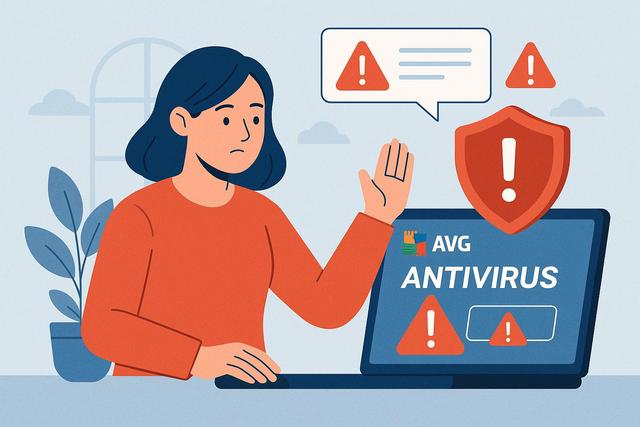
In today's digital landscape, where cyber threats are everywhere, protecting your system with a reliable antivirus like AVG is essential. However, understanding and managing security alerts can sometimes be confusing. This article will guide you through the steps to effectively manage security alerts on AVG Antivirus.
For those interested in downloading AVG Antivirus, you can find the latest version here.
Understanding AVG Antivirus Security Alerts
AVG Antivirus security alerts may seem intimidating, but they contain valuable information about potential threats. Understanding the different types of alerts is crucial for taking appropriate actions.
Types of Security Alerts
AVG Antivirus issues several types of alerts to inform users about potential threats. These alerts include warnings for viruses, malware, phishing attempts, and network vulnerabilities. Each of these alerts signals a specific issue and requires appropriate attention.
Why Security Alerts Are Important
AVG security alerts are designed to protect your system by informing you of potentially dangerous threats. Ignoring these alerts may leave your system vulnerable to attacks, which can lead to data loss or even permanent damage to your hardware.
Managing AVG Antivirus Security Alerts
Once you understand the nature of the alerts, it is important to know how to manage them effectively.
Updating AVG Antivirus
The first step in managing security alerts is to ensure that your AVG Antivirus software is always up to date. Regular updates include fixes for new threats and improve your antivirus's detection capabilities.
Scanning the System
When an alert is triggered, perform a full system scan with AVG Antivirus. This will help detect and remove any identified threats. A thorough scan ensures that all parts of your system are checked.
Reviewing and Understanding the Alert
Before taking action, carefully read the alert to understand exactly what threat it represents. AVG generally provides detailed information, including the type of threat and the affected files or programs.
Following AVG Recommendations
AVG Antivirus often provides specific recommendations for each type of alert, such as isolating an infected file or adjusting security settings. Follow these instructions to ensure that your system remains secure.
Preventing False Alerts
Configuring Sensitivity Settings
AVG Antivirus allows you to configure the sensitivity of its alerts. Adjust these settings to reduce the number of false alerts without compromising security.
Running Programs Securely
Ensure that all your programs are downloaded from trusted sources and are regularly checked for potential threats.
Keeping the Operating System Up to Date
One of the best ways to prevent security alerts is to keep your operating system and software up to date. This includes applying security patches provided by developers.
Conclusion
AVG Antivirus offers strong protection against various online threats, but to make the most of it, it is essential to understand and properly manage security alerts. Keep your antivirus updated, perform regular full scans, and follow appropriate recommendations to ensure your peace of mind online.


