Block Suspicious Connections in Gaming with ZoneAlarm
- Mar 02, 2026 01:11 am
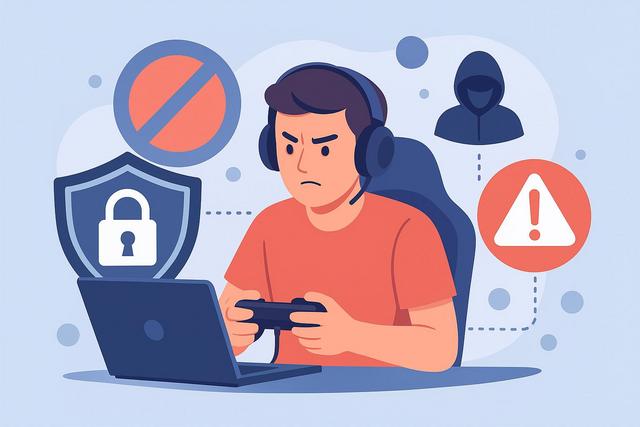
Online gaming attracts millions of players every day, offering competition, cooperation, and total immersion. However, this popularity also draws in cyber threats. Suspicious connections, intrusion attempts, and DDoS attacks can disrupt gameplay or expose your personal data. To protect your gaming experience, it’s essential to secure your network effectively. ZoneAlarm provides a powerful solution to block suspicious connections while gaming, without compromising performance. Learn how to secure your sessions and play with peace of mind. For more information, visit the download page.
Why Secure Your Connections While Gaming?
Online gaming involves constant data exchange between your computer and remote servers. Each game therefore creates a potential gateway for unwanted connections. Cybercriminals exploit these streams as they look for easy vulnerabilities.
The most common threats include:
- DDoS attacks that overload your connection
- Attempts to breach your home network
- Spyware hidden in gaming-related files
- Theft of personal or financial information
If you neglect security, you expose your gaming account and personal information. You also risk experiencing significant slowdowns during gameplay, which can compromise your performance.
How Do Suspicious Connections Work?
A suspicious connection corresponds to an unauthorized communication attempt between your device and an unknown source. This attempt can come from a bot, malware, or a hacker.
These connections often act in the background. They exploit open ports or network vulnerabilities. They can sometimes go unnoticed as they mimic legitimate traffic. However, a robust firewall detects abnormal behaviors and immediately blocks dangerous accesses.
During gaming, you remain particularly vulnerable. Indeed, your connection remains active and stable during long sessions, increasing the opportunities for attacks.
ZoneAlarm: Effective Protection for Gamers
ZoneAlarm stands out for its advanced firewall and intelligent detection system. The software monitors data entry and exit in real-time. It analyzes each connection to identify suspicious behaviors.
ZoneAlarm automatically blocks unauthorized access attempts. It also prevents unknown programs from accessing the Internet without your consent. Thus, you maintain complete control over your network traffic.
Additionally, ZoneAlarm does not impact gaming performance. The software optimizes system resource usage. Therefore, you enjoy high security without sacrificing smoothness.
Key Features of ZoneAlarm for Gaming
Advanced Two-Way Firewall
The two-way firewall controls incoming and outgoing traffic. It identifies suspicious connections before they reach your system. It also blocks internal applications that try to send data without authorization.
With this constant monitoring, you significantly reduce intrusion risks.
Protection Against DDoS Attacks
Competitive gamers sometimes experience DDoS attacks as certain opponents seek to disconnect them. ZoneAlarm detects these abnormal network overload attempts. It acts quickly to minimize the impact on your connection.
Thus, you maintain optimal stability during your online games.
Gaming Mode
ZoneAlarm includes a gaming mode specifically designed for gamers. This feature reduces notifications and optimizes system resources. Therefore, you avoid interruptions during your sessions.
The gaming mode ensures a smooth experience while maintaining active protection in the background.
Protection Against Spyware
Some files downloaded from unofficial platforms contain malware. ZoneAlarm analyzes these files in real-time. It immediately blocks malicious elements.
Thus, you protect your personal data, credentials, and banking information.
How to Configure ZoneAlarm to Block Suspicious Connections
Proper configuration maximizes security. You need to follow a few simple steps, as incomplete installation limits effectiveness.
- Install the official version from the ZoneAlarm website.
- Enable the two-way firewall upon first startup.
- Configure permissions for your favorite games.
- Enable gaming mode before each session.
- Conduct regular system scans.
If you properly adjust the settings, you benefit from an optimal balance between security and performance.
Comparison: Protected vs. Unprotected Connections
| Criterion | Without Protection | With ZoneAlarm |
|---|---|---|
| Intrusion Risk | High | Very Low |
| Online Stability | Variable | Optimized |
| Data Protection | Limited | Advanced |
| DDoS Detection | Absent | Active |
| Gaming Experience | Vulnerable | Smooth and Secure |
This table clearly shows that protection enhances stability and reduces risks. ZoneAlarm acts effectively, filtering traffic in real-time.
SEO and Security Benefits for Streamers
Streamers and content creators must secure their connection, as they often unintentionally expose their IP address. An attack can interrupt a live stream and damage their image.
ZoneAlarm protects online activity and prevents unexpected interruptions. Thus, you preserve your reputation and community. This security also strengthens your professional credibility.
Best Practices to Reinforce Security While Gaming
Even though ZoneAlarm provides excellent protection, you should adopt simple habits:
- Use complex and unique passwords
- Enable two-factor authentication
- Avoid downloads from unofficial sites
- Regularly update your system and games
These practices complement software protection, as cybersecurity also relies on human vigilance.
Why Choose ZoneAlarm Over a Classic Firewall?
A classic firewall filters basic traffic. However, it does not always offer advanced behavioral detection. ZoneAlarm analyzes suspicious activity patterns. It acts before a threat can cause harm.
Moreover, its intuitive interface simplifies parameter management. Even beginner gamers quickly understand how to block suspicious connections.
ZoneAlarm combines power, simplicity, and performance. This combination appeals to demanding gamers seeking reliable protection.
Play with Peace of Mind Thanks to Proactive Protection
Online security is a major concern for all gamers. Suspicious connections threaten your data and your performance. Therefore, you must act proactively.
ZoneAlarm effectively blocks unwanted connections, protects against DDoS attacks, and secures your gaming sessions. With its advanced firewall and gaming mode, you can play without interruption and risk.
If you want to fully enjoy your online games, you need to secure your network now. A solution like ZoneAlarm offers you peace of mind as it continuously works to protect your digital realm.


