Avoiding Data Loss: Effective Best Practices
- Jun 28, 2026 01:11 pm
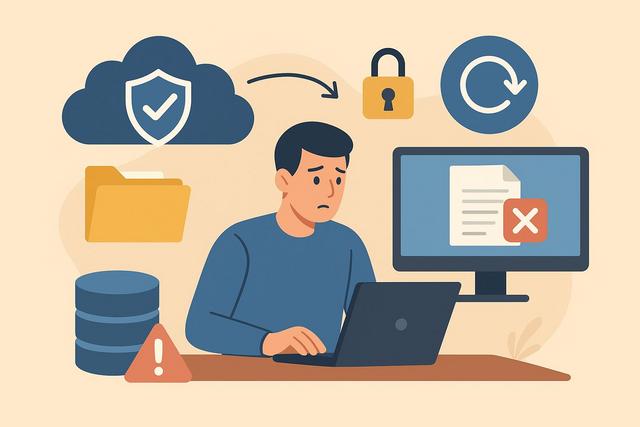
Data loss can affect anyone: individuals, students, freelancers, or businesses. A simple mistake, a computer failure, or a cyberattack can result in the loss of important files. However, it is possible to significantly reduce the risks. Here are the essential best practices to prevent data loss and sustainably protect your digital information.
To get started, you can download OneDrive, a reliable solution for storing and managing your files safely.
Understanding the Intention: Protecting Your Files and Information
If you are looking to avoid data loss, your goal is clear: secure your important files and reduce the risk of deletion, theft, or accidental destruction. You want concrete, easy-to-implement solutions that are adapted to your situation.
The good news is that a few well-applied rules are enough to limit the majority of incidents. However, you need to know them and adopt them daily.
Identifying the Main Causes of Data Loss
Before implementing solutions, it's essential to understand where the danger comes from. Data loss can have several origins.
Here are the most common causes:
- Human error (accidental deletion, mishandling)
- Hardware failure (defective hard drive, damaged computer)
- Virus or ransomware
- Online account hacking
- Theft or loss of a device
- Physical disaster (fire, water damage)
In most cases, a combination of backups and good habits is enough to limit the damage. However, many users do not implement a clear strategy. They react after the problem instead of anticipating it.
Establishing a Reliable Backup Strategy
Backing up remains the best response to avoid permanent data loss. It involves creating copies of your files in one or more different locations.
Applying the 3-2-1 Rule
The most recognized method is based on a simple logic:
- 3 copies of your data
- 2 different media
- 1 off-site copy
For example, you keep the files on your computer, one copy on an external hard drive, and another in the cloud. Thus, if your computer fails, you still have a usable version.
This method significantly reduces risks. However, it requires a minimum level of organization.
Automating Backups
Many people forget to back up regularly. However, an occasional manual backup is not sufficient. You need to automate the process.
Use:
- A backup software
- The options integrated into your system (Windows, macOS)
- A cloud storage service with automatic synchronization
In this way, your files are copied without intervention. Therefore, you limit the chances of forgetting.
Using the Cloud Securely
Online storage simplifies backups. It allows access to files from any device. However, it does not guarantee absolute security.
To avoid data loss in the cloud:
- Enable two-factor authentication
- Use a long and unique password
- Regularly check login activity
- Avoid sharing public links without control
The cloud protects against local hardware failure. However, poor access management can expose your data.
Protecting Devices Against Hardware Failures
A hard drive can fail unexpectedly. A laptop can suffer a shock. Therefore, you must minimize hardware risks.
Adopt these reflexes:
- Shut down your computer properly
- Avoid sudden power cuts
- Use a power strip with surge protection
- Monitor signs of fatigue in a hard drive (unusual noises, slowness)
Additionally, replace aging storage media before failure. Old hardware increases the risk of data loss.
Protecting Against Viruses and Ransomware
Cyberattacks are a major cause of data loss today. A ransomware attack can block access to all your files in minutes.
To reduce this risk:
- Install a reputable antivirus and keep it updated
- Enable the firewall
- Avoid clicking on suspicious links
- Do not download questionable attachments
Vigilance remains essential. Many attacks exploit human errors.
Regularly Updating Systems
Updates fix security vulnerabilities. If you ignore them, you leave the door open to intrusions.
Enable automatic updates for:
- The operating system
- Main software
- The web browser
- Professional applications
In this way, you reduce vulnerabilities. This simple habit effectively protects your data.
Managing Access Rights Properly
In a professional setting, data loss can come from poor access configuration. Sometimes too many people have excessive privileges.
To avoid this:
- Limit administrative rights
- Assign access based on actual needs
- Revoke the access of former employees
- Monitor unusual activities
Precise control reduces the risk of intentional or accidental deletion.
Establishing a Business Continuity Plan
For a business, avoiding data loss is not enough. You also need to be able to resume operations quickly after an incident.
A business continuity plan includes:
- A backup restoration procedure
- A list of responsible parties
- An inventory of critical tools
- Regular restoration tests
Testing restoration is essential. An unusable backup is useless.
Raising User Awareness
Technology alone is not enough. Humans remain the central link in data security.
Train users to:
- Recognize phishing attempts
- Properly back up their files
- Avoid unknown USB drives
- Report an incident promptly
A trained team significantly reduces risks. Conversely, a lack of awareness increases exposure to attacks.
Securing Mobile Devices
Smartphones and tablets also contain sensitive data. Yet, many people neglect their protection.
To avoid mobile data loss:
- Enable code or biometric lock
- Enable automatic backup
- Use built-in encryption
- Activate location tracking and remote wiping
If you lose the device, you can quickly block access.
Regularly Checking Backups
Backing up is not enough. You must check that your copies are functional.
Schedule regular checks:
- Open a few backed-up files
- Test restoration on another medium
- Check the date of the last backup
Without verification, you discover problems too late.
Comparing Backup Solutions
Here is a simple overview of the main options:
| Solution | Advantages | Limitations |
|---|---|---|
| External hard drive | Full control, one-time cost | Risk of physical loss |
| Cloud | Automatic, accessible from anywhere | Dependent on an internet connection |
| NAS | Centralized, efficient | More complex to set up |
The best choice depends on your budget, skills, and the sensitivity of your data.
Adopting Responsible Digital Habits
Good practices only work if you apply them sustainably. Integrate these reflexes into your routine:
- Organize and categorize your files
- Delete unnecessary duplicates
- Clearly identify important documents
- Plan an annual audit of your backups
In this way, you maintain a clear view of your digital environment.
What to Do in Case of Data Loss?
Despite all precautions, an incident may occur. In that case:
- Stop using the affected medium immediately.
- Avoid installing random software.
- Consult a professional if the data is critical.
- Restore from your backup.
The quicker you act, the greater your chances of recovery.
Conclusion
Avoiding data loss relies on a combination of regular backups, IT security, and good habits. The 3-2-1 rule provides a solid foundation. Add to that regular updates, antivirus protection, and rigorous access management. With simple and consistent organization, you effectively protect your personal or professional files.
FAQ
What is the best method to avoid data loss?
The most effective strategy is based on the 3-2-1 rule: multiple copies, on different media, including one off-site.
How often should you back up?
Ideally every day for important files. Automation remains the most reliable solution.
Is the cloud sufficient as a unique backup?
The cloud protects against local failures. However, it's better to keep an additional copy on another medium.
How to know if my backups are working?
Regularly test the restoration of a few files. Also check the date of the last backup.
Should small businesses have a recovery plan?
Yes. Even a small organization can suffer a cyberattack or a failure. A simple plan allows for quick recovery of operations.


