Free OneDrive: Sync Your Files Across All Devices
- Aug 01, 2025 02:51 am
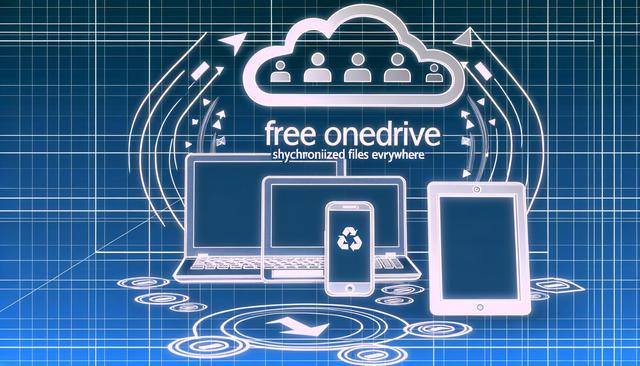
In today's digital age, efficient file management is essential. With OneDrive free, you can easily and securely sync your files across all your devices for continuous access and simplified sharing.
To download the latest version of OneDrive for free, visit this link.
Why Choose OneDrive Free?
OneDrive, Microsoft's online storage service, offers a free and effective solution for storing and synchronizing your files. It provides every user with 5 GB of free storage, which is ideal for securely keeping important documents, photos, and much more. The most appealing aspect of OneDrive is its compatibility with a multitude of devices – PCs, Macs, tablets, and smartphones – ensuring access to your files wherever you are.
How to Sync Your Files with OneDrive?
Syncing files with OneDrive is simple and fast. Start by downloading the OneDrive application on your devices. Once installed, sign in with your Microsoft account. You can then drag and drop files or set specific folders to be automatically synchronized with OneDrive.
Access Your Files Anywhere
With OneDrive, you no longer need to carry physical storage media. You can access all your saved files online through the OneDrive web interface or the mobile app. This accessibility is particularly useful for professionals on the go or students who need to access their notes and documents at any time.
Easy and Collaborative Sharing
OneDrive makes it easy to share files with friends or colleagues. Simply send a share link or invite other users to collaborate on documents in real time. This facilitates collaboration on projects without having to send multiple versions via email.
Seamless Integration with Other Microsoft Services
OneDrive integrates perfectly with the Microsoft Office suite. You can edit your files directly from the cloud and work simultaneously with other users on Word, Excel, or PowerPoint documents. This is particularly advantageous for teams that need to collaborate effectively on common projects.
Data Security and Backup
Choosing OneDrive also means ensuring the security of your data. Microsoft employs advanced security measures including file encryption and two-factor authentication to protect your information against potential threats.
Conclusion
OneDrive Free is an ideal solution for effortlessly synchronizing and backing up your files across all your devices. Whether for personal or professional use, it offers great flexibility and peace of mind with its robust features and integration with the Microsoft ecosystem. So, don't wait any longer to start using OneDrive to enhance your file management on a daily basis.


