Best Free Texture Packs for Minecraft
- Apr 27, 2026 01:11 am
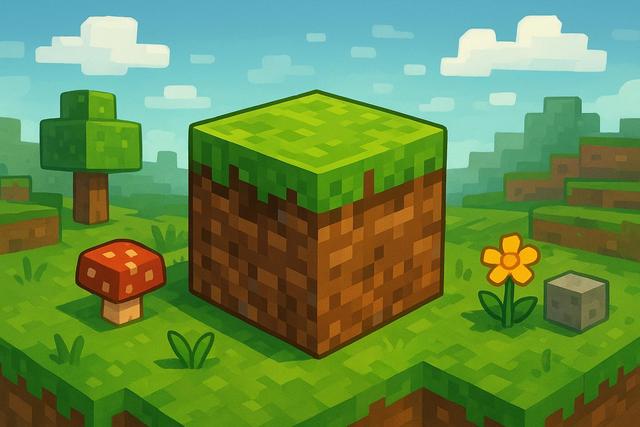
Minecraft captivates millions of players with its creative freedom and ever-evolving world. However, many wish to further customize their visual experience. Free texture packs for Minecraft provide a simple and effective solution for transforming the game's graphics without spending a dime. With these resources, you can make your world more realistic, modern, or even totally whimsical. In this article, discover a selection of the best free texture packs, tips for choosing them wisely, and tricks to optimize your performance.
To get the latest version, visit this download page.
Why use a free texture pack for Minecraft?
A texture pack, also known as a resource pack, changes the appearance of blocks, items, and sometimes creatures. This way, you alter the visual style without affecting gameplay. This option appeals to players because it is simple to install and completely reversible.
Free texture packs for Minecraft allow you to:
- Modernize graphics while retaining the original gameplay
- Enhance details for a more immersive experience
- Customize the style to your preferences, whether medieval, realistic, or cartoonish
- Optimize certain visual elements for better readability
Moreover, the Minecraft community offers thousands of free creations. You have a wide choice, ensuring that everyone can find a pack that suits their computer and gaming style.
How to choose the best Minecraft texture pack?
First, check the resolution of the pack. Textures come in 16x16, 32x32, 64x64, and even higher. A higher resolution provides a more detailed rendering but requires more graphical resources.
Next, consider compatibility with your version of Minecraft. Some packs work only on specific versions, helping you avoid visual bugs and crashes.
Finally, evaluate the graphic style. Some packs aim for extreme realism, while others focus on a clean design. Choose a theme that matches your constructions, as visual harmony enhances immersion.
Best free realistic texture packs
Realistic packs are very popular, as many players want to modernize the game's appearance. Here is an essential selection.
Faithful
Faithful remains one of the most popular free texture packs. It retains Minecraft's original style while doubling the resolution. The blocks appear sharper and more precise.
This pack is perfect for players who enjoy the vanilla aesthetic but desire a cleaner look. Moreover, it works on most configurations since it remains well optimized.
Patrix (limited free version)
Patrix offers a free version with some limitations. However, even this version significantly improves textures.
Materials look more realistic due to shadow and depth effects. However, you need a powerful computer, as the high resolution puts more strain on the graphics card.
Clarity
Clarity modernizes textures without distorting the game's spirit. The blocks gain detail, making constructions appear more refined.
This pack provides an excellent compromise between performance and visual quality, making it suitable for most players.
Best free cartoon and fantasy texture packs
Some players prefer a colorful and quirky atmosphere. The following packs add a unique touch.
Sphax PureBDCraft
Sphax PureBDCraft transforms Minecraft into a comic style. The bright colors and bold outlines create a unique look.
This pack remains free in low resolution. It works well on mid-range setups and receives regular updates.
Mizuno's 16 Craft
Mizuno’s 16 Craft offers a soft and detailed touch. The textures appear warmer, with carefully chosen colors.
Fans of medieval builds particularly appreciate this pack. It enhances the appearance of decorative blocks, making villages look more vibrant.
Best free PvP texture packs
Competitive players prioritize performance above all. PvP packs simplify textures to improve visibility.
Tightfault Revamp
Tightfault Revamp optimizes essential elements like weapons and armor. Items appear sharper, making combat easier.
This pack also reduces unnecessary details, thereby improving fluidity on competitive servers.
Huahwi PvP Pack
Huahwi PvP Pack features clear and contrasted textures. You can identify opponents and gear more quickly.
This choice is perfect for Bedwars or Skywars players, as speed of action is essential.
Comparison of free Minecraft texture packs
Here is a summary table to help you choose more easily.
| Texture Pack | Style | Resolution | Ideal for |
|---|---|---|---|
| Faithful | Vanilla HD | 32x32 | Classic players |
| Clarity | Realistic | 32x32 | Detailed constructions |
| Sphax PureBDCraft | Cartoon | 16x16+ | Colorful universe |
| Mizuno's 16 Craft | Medieval | 16x16 | Decorative builds |
| Tightfault Revamp | PvP | 16x16 | Competitive servers |
This comparison allows you to quickly identify the pack that matches your profile. However, always test a pack in-game before fully adopting it.
How to install a free texture pack in Minecraft?
Installation is straightforward on the Java version. First, download the pack from a reliable site. Then, open Minecraft and go to options.
Click on "Resource Packs," then "Open Pack Folder." Drag the ZIP file into this folder. Finally, activate the pack in the game menu.
If you are using Minecraft Bedrock, head to the marketplace or directly import the compatible file. Always check reviews and the source, as some files may contain unwanted elements.
Optimizing performance with a texture pack
A high-resolution texture pack can slow down your game. However, you can limit this impact.
Reduce the render distance if you notice FPS drops. Also, install optimization mods like OptiFine, as they improve graphical management.
Close background applications, as they consume resources. Finally, adjust the pack's resolution to your setup to maintain a smooth experience.
Where to download reliable free texture packs?
Prefer well-known platforms like CurseForge or Planet Minecraft. These sites verify files and offer user ratings.
Avoid unknown sites, as they may distribute modified files. Always read comments and check compatibility with your version.
Why do texture packs improve the Minecraft experience?
Free texture packs for Minecraft completely renew the visual experience. You rediscover your constructions from a different angle.
They also stimulate your creativity, as a new graphic style inspires new projects. Additionally, they allow you to tailor the game to your personality.
Some players seek a realistic universe, while others prefer a minimalist style for PvP. Thanks to the diversity of free packs, everyone finds a suitable solution.
Conclusion: what is the best free texture pack?
There is no single best free texture pack for Minecraft. Your choice depends on your goals and setup.
If you love the improved original style, go for Faithful. If you prefer a modern and detailed look, choose Clarity. Conversely, if you play PvP, opt for an optimized pack like Tightfault Revamp.
Test several packs, as the experience is very personal. With the many free options available, you can transform Minecraft into a unique universe perfectly tailored to your desires.


