Edit Your Gaming Videos for Free with DaVinci Resolve
- Jan 31, 2026 04:51 am
Introduction to Free Video Editing
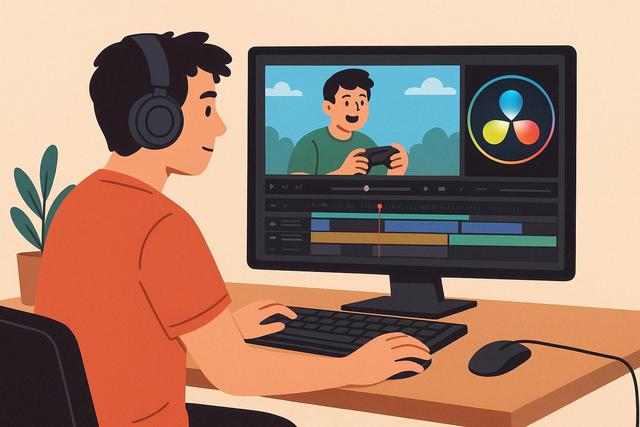
Editing gaming videos is increasingly attracting creators, as video games engage a vast audience on platforms like YouTube, Twitch, and TikTok. However, many gamers still hesitate to start due to the high cost of certain editing software. Fortunately, DaVinci Resolve offers a free, professional, and accessible solution. This software allows you to edit high-quality gaming videos without spending a dime, making it appealing to both beginners and seasoned creators. In this article, you will discover how to edit your gaming videos for free using DaVinci Resolve, while optimizing your workflow and content to attract more viewers.
To download DaVinci Resolve, visit the following link: DaVinci Resolve Free Download.
Why Choose DaVinci Resolve for Gaming Editing
DaVinci Resolve has become a reference in free video editing today. Originally developed by Blackmagic Design for cinema color grading, the free version offers sufficiently advanced tools for gaming. You benefit from a powerful timeline, advanced visual effects, and a complete audio engine, enhancing the quality of your videos quickly.
Many gaming creators use DaVinci Resolve because it effectively handles long videos from gaming sessions. The software supports popular recording formats like MP4 or MKV, often used by OBS Studio. Additionally, DaVinci Resolve works on Windows, macOS, and Linux, making it easily accessible for all players.
Download and Install DaVinci Resolve for Free
The installation of DaVinci Resolve is straightforward, as Blackmagic Design provides direct access on its official website. You can download the free version after a quick registration and install the software in just a few minutes. However, make sure to check your computer's minimum configuration, as video editing requires certain resources.
A recent gaming PC generally offers good performance, ensuring the software operates smoothly. Ideally, you should have at least 16 GB of RAM and a dedicated graphics card. Due to these prerequisites, DaVinci Resolve fully utilizes the power of your machine for comfortable editing.
Understanding the Interface of DaVinci Resolve
The interface of DaVinci Resolve may be impressive at first glance, as it is divided into several pages. Each page corresponds to a specific step in the editing process, structuring your work logically.
Here are the main pages useful for gaming editing:
- Media: import and organize your gameplay clips
- Cut: quick editing of sequences
- Edit: detailed editing and adding effects
- Fusion: advanced visual effects and animations
- Fairlight: audio editing and mixing
- Deliver: export the final video
This organization enhances your productivity, as you always know where to work based on your current objective.
Importing and Organizing Gameplay Clips
Good organization facilitates editing, especially for long gaming videos. From the start, import your clips in the Media page. Then categorize your recordings by folders, due to the large volume of files.
Make sure to separate gameplay parts, intros, outros, and audio tracks. This method saves time, allowing you to quickly find each element. DaVinci Resolve also allows previewing clips before placing them on the timeline, improving your efficiency.
Editing a Gaming Video: Essential Basics
To edit a gaming video, start by creating a new timeline. Then drag your gameplay clips onto the main video track. Cut out unnecessary parts, as dead times can hurt viewer retention.
Use the blade tool to precisely cut key moments. Remove errors, overly long silences, or unnecessary loading times. This step makes the video more dynamic, keeping the viewer engaged longer.
Adding an Effective Intro and Outro
A short intro reinforces your identity as a gaming creator. DaVinci Resolve allows you to create simple intros with animated text, even in the free version. You can add your username, logo, or the game's name, as these elements enhance your personal brand.
The outro also plays an important role, encouraging action. You can invite viewers to subscribe, like the video, or watch another piece of content. These calls to action increase engagement, helping your channel grow faster.
Improving the Sound of Gaming Videos with Fairlight
Sound greatly influences the perceived quality of a gaming video. DaVinci Resolve integrates Fairlight, a powerful yet free audio tool. You can adjust the volume of your microphone, reduce background noise, and balance game audio.
Use the equalizer to enhance voice clarity, as clear sound retains attention better. You can also add a compressor to even out the volume, avoiding unpleasant fluctuations. These simple adjustments instantly transform the final output.
Adding Effects and Transitions to Enhance Gameplay
Visual effects should remain subtle in a gaming video. DaVinci Resolve offers smooth transitions and free effects suitable for creators. For example, you can add a slight zoom on an intense moment, as this accentuates the emotion.
Transitions between two scenes improve editing fluidity. However, use them sparingly, as excessive effects can distract the viewer. Effective gaming editing primarily relies on pacing and the clarity of the action.
Inserting Text and Subtitles
Text enhances the understanding of certain scenes, especially during key or humorous moments. DaVinci Resolve offers simple and effective titling tools. You can place text to comment on an action or highlight a victory, making the message clearer.
Subtitles are also very useful, as part of the audience watches videos without sound. By adding subtitles, you enhance accessibility and retention. Even simple subtitles provide real added value.
Optimizing Colors for a More Attractive Render
DaVinci Resolve is renowned for its color grading tools. Even for gaming, a slight adjustment in colors can improve the visual output. You can slightly increase contrast and saturation, as vibrant colors attract the eye more.
However, avoid over-modifying the image, especially if the game's graphic style is important. A simple color grading usually suffices, allowing the video to maintain its identity while gaining visual impact.
Exporting Gaming Videos for YouTube or Twitch
Exporting is the final step in the editing process. On the Deliver page, DaVinci Resolve provides presets tailored for YouTube and social media. Choose the appropriate resolution, generally 1080p or 1440p, as these formats offer a good balance between quality and file size.
Here’s a summary table of recommended settings for YouTube gaming:
| Parameter | Recommended Setting |
|---|---|
| Resolution | 1920x1080 (Full HD) |
| Framerate | 60 fps |
| Codec | H.264 |
| Audio | AAC 320 kbps |
These settings ensure optimal quality, so your video displays correctly after YouTube compression.
Optimizing Gaming Editing for Video SEO
A good edit doesn't always attract viewers. You also need to consider video SEO. A dynamic pace and controlled duration support retention, as the algorithm favors videos watched to the end.
Structure your video with a clear introduction and regular highlight moments. This method helps the algorithm understand the content, improving your video’s positioning. Careful editing with DaVinci Resolve thus indirectly contributes to your channel's SEO.
The Advantages of DaVinci Resolve Over Other Free Software
DaVinci Resolve stands out from other free video editing software. Unlike some competitors, it adds no watermark and imposes no project duration limits. Because of this freedom, you can edit longer gaming videos without frustration.
Furthermore, the software is regularly updated, allowing you to benefit from modern tools without additional costs, making DaVinci Resolve an excellent investment of time for creators.
Practical Tips for Rapid Improvement
To progress with DaVinci Resolve, practice regularly. Start with simple edits, as mastery comes with experience. Analyze the work of other gaming creators to understand pacing and editing choices.
Don’t hesitate to use keyboard shortcuts, as they significantly speed up your work. Finally, save your projects often to avoid any data loss.
Conclusion: Create Quality Gaming Videos for Free
Editing your gaming videos for free with DaVinci Resolve remains an ideal solution for all creators today. The software offers powerful tools, professional quality, and great creative freedom. By following good practices in editing, sound, and export, you can produce attractive videos without investing in paid software.
With DaVinci Resolve, every gamer can transform their gaming sessions into engaging content. It just takes time, method, and creativity, so your gaming channel can grow sustainably.


