Gimp vs. Photoshop: A Comprehensive Comparison
- Aug 16, 2024 03:05 am
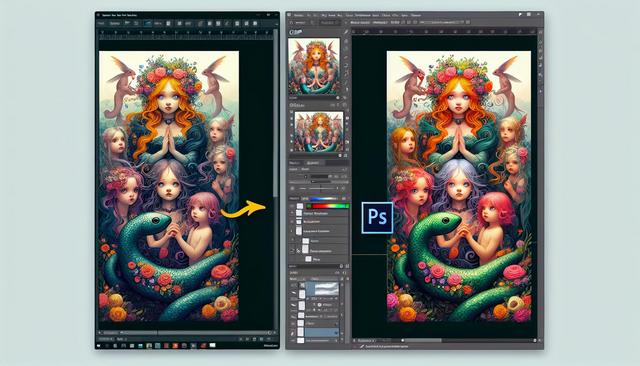
Introduction to Graphic Design Software
In the world of graphic design, two software tools dominate the market: Gimp and Photoshop. While Photoshop has long been the go-to choice for professionals, Gimp is gaining popularity, especially due to its free availability. In this article, we will provide a detailed comparison between these two tools, highlighting their features, advantages, disadvantages, and their suitability for different types of users.
Download Gimp
If you're interested in trying out Gimp, you can download the latest version here.
1. Introduction to Gimp and Photoshop
What is Gimp?
Gimp, which stands for "GNU Image Manipulation Program," is a free and open-source photo editing and graphic design software. Developed and maintained by an active community of contributors, Gimp offers a wealth of advanced features for image editing. Its affordability makes it accessible to a wide audience, from hobbyists to budget-conscious professionals.
What is Photoshop?
Photoshop, developed by Adobe, is the undisputed leader in professional graphic design. Used by photographers, graphic designers, and artists worldwide, Photoshop is renowned for its intuitive interface, powerful tools, and extensive capabilities. However, this premium tool comes with a subscription cost, which can be a significant investment.
2. Feature Comparison: Gimp vs Photoshop
User Interface
Gimp Interface
Gimp features a customizable user interface that may seem less intuitive at first. However, seasoned users appreciate the flexibility it offers. It is possible to modify menus, keyboard shortcuts, and tabs to suit personal preferences.
Photoshop Interface
Photoshop is famous for its sleek and easy-to-navigate user interface. The panels and tools are well-organized, and the customization options are designed to improve user efficiency. Easy access to tutorials and Adobe support also helps new users quickly familiarize themselves with the software.
Photo Retouching Tools
Photo Retouching Tools in Gimp
Gimp offers advanced retouching tools comparable to Photoshop, such as brushes, color correction, cloning, and layers. Gimp supports additional plugins that further enhance its capabilities. Although Gimp is extremely powerful, some users note a steeper learning curve due to its somewhat austere interface.
Photo Retouching Tools in Photoshop
Photoshop shines with the variety and power of its photo retouching tools. Functions such as automatic correction, advanced filters, and non-destructive layer adjustments make the creative process smooth and precise. Additionally, Photoshop offers specific tools for professional photographers who require meticulous control over every visual aspect.
Advanced Features and Extensions
Advanced Features in Gimp
Gimp provides advanced features such as script support, allowing for the automation of repetitive tasks. With plugins like G'MIC, Gimp can be extended to include advanced effects and filters that rival those in Photoshop.
Advanced Features in Photoshop
Photoshop offers an impressive range of advanced features, including artificial intelligence with Adobe Sensei, which simplifies complex tasks such as subject selection and photo transformations. The paid extensions and plugins available for Photoshop add even more specialized features, placing it at the top of graphic creation tools.
3. Usage Based on Needs
Gimp for Budget-Conscious Users
Gimp is ideal for students, amateurs, or even professionals who wish to avoid spending on an expensive subscription. Its free and open-source nature makes it accessible and customizable according to specific user needs.
Photoshop for Professionals
For graphic design and photography professionals, Photoshop remains a preferred choice despite its cost. Its extensive library of features, consistent support, and frequent updates ensure that users have access to the most advanced and reliable tools for their work.
4. Compatibility and Community Support
Compatibility
Gimp is compatible with a variety of file formats, making it a flexible choice. However, some features may not perform as well as those in Photoshop with proprietary formats like PSD.
Photoshop, being specifically designed for professionals, offers better compatibility with industry-standard file formats used in demanding graphic design.
Community Support
Gimp benefits from a large community of developers and users who contribute tutorials, plugins, and help forums. The documentation is rich but may sometimes require more effort to find specific solutions.
Photoshop, supported by Adobe, offers a vast resource of tutorials, dedicated customer support, and an active user community that shares tips and advanced techniques. Additionally, regular updates and technical support make Photoshop a reliable choice for professionals.
5. Conclusion: Which Software to Choose?
The choice between Gimp and Photoshop primarily depends on the user's needs and budget. Gimp is a powerful and free solution suitable for those seeking maximum flexibility without costs. On the other hand, Photoshop, despite its price, provides an unmatched suite of tools and features for professionals seeking optimal performance and an intuitive user interface.
In conclusion, for those who are beginners or have budget constraints, Gimp is an excellent alternative. For professionals and those seeking advanced capabilities with continuous support, Photoshop remains unrivaled.
Download the latest available version of Gimp


