How to Easily Join a Private Roblox Server
- Apr 22, 2026 01:11 pm
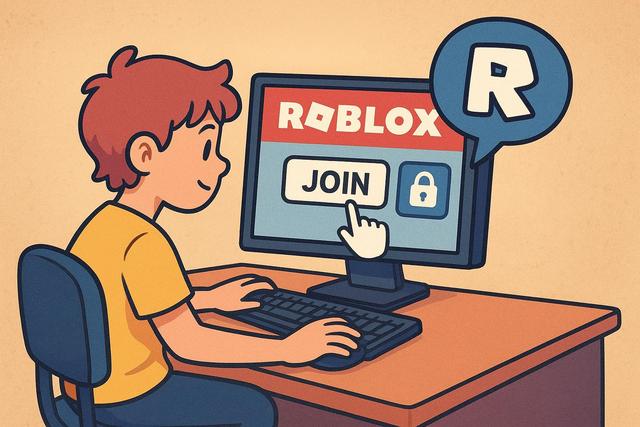
Roblox has millions of active players every day. However, many users are looking for a more controlled and secure experience. Private Roblox servers perfectly meet this need, as they allow you to play only with friends or invited players. If you want to know how to join a private Roblox server, you are in the right place. In this comprehensive guide, you will discover the different methods, the necessary conditions, and solutions in case of issues.
To start your adventure on a private server, you can download Roblox here.
What is a Roblox Private Server?
A Roblox private server, also known as a "VIP server," is a gaming space reserved for a specific group of players. The server creator controls access, limiting participation to invited individuals. This way, you avoid strangers and enjoy a personalized experience.
Roblox offers this feature in many popular games. However, not all games allow for the creation of private servers. Developers enable or disable this option based on their preferences.
In general, a Roblox private server offers several advantages:
- Enhanced security
- Total control over participants
- Uninterrupted gaming experience
- The ability to host events with friends
Why Join a Private Server on Roblox?
Many players choose this option because it improves the quality of gameplay. Indeed, public servers can become overloaded. As a result, the experience can occasionally become unstable.
A Roblox private server ensures greater peace of mind. You play with trusted individuals. Furthermore, you avoid toxic behaviors.
Parents also appreciate this solution. It allows them to more easily monitor their children's interactions. This additional security reassures many families.
Requirements to Join a Roblox Private Server
Before joining a private server, you must meet certain conditions.
First, you need to have an active Roblox account. If you don't have one, create it for free on the official site. Next, make sure your Roblox application is up to date. An outdated version may prevent you from connecting.
Finally, the key point is the invitation. You cannot join a Roblox private server without permission. The owner must send you an invitation link or add you directly.
How to Join a Roblox Private Server with a Link?
The simplest method is to use an invitation link. The server owner generates this link from the game settings.
Here are the steps to follow:
- Receive the private server link.
- Log into your Roblox account.
- Click on the shared link.
- Press "Join."
Roblox will automatically redirect you to the corresponding game. Then, the system connects you directly to the private server.
However, if the link doesn't work, check your privacy settings. Sometimes, restrictions prevent access to private servers.
Joining a Roblox Private Server Through a Friend
You can also join a private server through your friends list. This method works if the server allows friends to join the session automatically.
To do this:
- Log into Roblox.
- Access your friends list.
- Click on the profile of the friend in-game.
- Select "Join Game."
However, this option depends on the settings chosen by the owner of the Roblox private server. If access is limited, you will need to request a direct invitation.
How to Create and Invite on a Roblox Private Server?
If you want to fully control your gaming space, you can create your own Roblox private server. This option is often paid, as some games require a monthly subscription in Robux.
Here is the general procedure:
- Go to the game's page.
- Click on the "Servers" tab.
- Select "Create a Private Server."
- Name your server.
- Configure the access settings.
Once the server is active, you can invite friends. You simply share the private link or add authorized players from the settings.
Common Issues Joining a Roblox Private Server
Sometimes, errors occur when connecting. However, most problems are resolved quickly.
Invalid Invitation Link
The link may expire if the owner changes it. In this case, ask for a new link.
Blocking Privacy Settings
Roblox offers several security options. If your settings limit invitations, the connection will fail. Access "Settings > Privacy" and allow invitations.
Full Server
Some Roblox private servers limit the number of players. If the server reaches its maximum capacity, you will have to wait for a spot to become available.
Technical Issue or Roblox Bug
Occasionally, the platform experiences downtime. Check the online status of Roblox servers. If maintenance is in progress, wait a few minutes.
Difference Between Public and Private Roblox Server
The following table summarizes the main differences:
| Criteria | Public Server | Roblox Private Server |
|---|---|---|
| Access | Open to all | By invitation |
| Security | Variable | Controlled |
| Number of Players | Random | Limited and selected |
| Cost | Free | Sometimes paid |
This table clearly shows that private servers offer more control. However, they often require a small investment.
Tips for Getting the Most Out of a Roblox Private Server
To optimize your experience, apply some good practices.
First, carefully select the invited individuals. A good group significantly enhances the gaming atmosphere.
Next, establish simple rules if you are organizing an event. This way, each participant understands the expectations.
Finally, test the settings before inviting everyone. This step prevents configuration errors.
Security and Privacy on Roblox
Security is a crucial point on Roblox. Even though the private server limits access, you must remain vigilant.
Never share your password. Also, avoid suspicious links sent by strangers. Scams exist, as some people try to steal accounts.
Enable two-step verification. This option significantly enhances the protection of your Roblox account.
Can You Join a Roblox Private Server Without Being Friends?
Yes, you can join a private server without being friends with the owner. However, the owner must allow access through a direct link. Without an invitation, entry is impossible.
Roblox protects private servers to ensure a secure environment. Therefore, you cannot bypass access restrictions.
Joining a Roblox Private Server on Mobile, PC, or Console
The procedure remains similar across all platforms. However, the interface varies slightly.
On mobile, open the Roblox app and then click on the invitation link. On PC, use your browser or the dedicated app. On console, ensure you are connected to the correct account.
The most important thing is to check your internet connection. A stable connection improves access to the Roblox private server.
Frequently Asked Questions About Roblox Private Servers
Many players have the same questions. Here are clear and quick answers.
Is a Roblox private server free?
Some games offer free servers. However, many require payment in Robux.
How many players can join a private server?
The number depends on the game. Each creator sets their own limits.
Can a private server be made permanent?
Yes, as long as you pay the required subscription, the server remains active.
Conclusion: Joining a Roblox Private Server Made Easy
Joining a Roblox private server is a simple and quick operation. You only need a valid invitation and an active account. Then, a few clicks are enough to access your exclusive gaming space.
This solution enhances security, stability, and the social experience. Additionally, it allows for organizing unique moments with friends. If you are looking for a more controlled environment on Roblox, the private server is the best option.
Follow the tips in this guide, as they will help you avoid common mistakes. This way, you will fully enjoy your upcoming gaming sessions on Roblox.


