Valorant Crosshair Settings: Ultimate Guide for Optimal Performance
- Apr 26, 2026 01:11 am
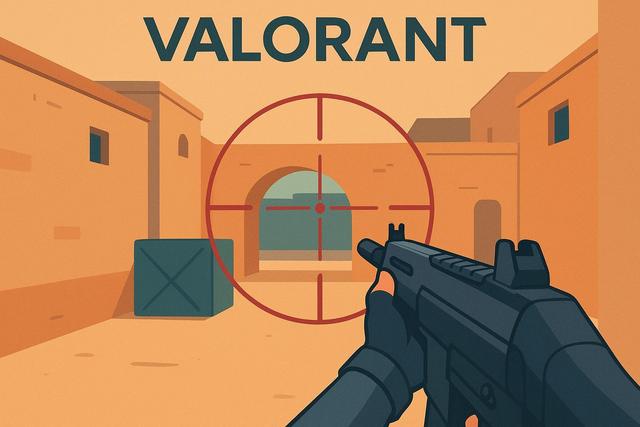
Valorant crosshair settings directly influence your in-game performance. A well-designed crosshair enhances your accuracy, responsiveness, and confidence during duels. However, many players stick to the default settings because they are unsure how to optimize their crosshair. In this complete guide, you will learn how to configure an effective Valorant crosshair that suits your playstyle and meets competitive demands.
To take the next step in improving your gameplay, you can download the latest version of Roblox.
Why Optimize Your Valorant Crosshair Settings?
The crosshair is your main visual reference. You use it to align your shots and control your movements. If your crosshair lacks visibility, you lose valuable milliseconds during confrontations.
A well-adjusted Valorant crosshair offers several advantages:
- Improved accuracy on headshots
- A clearer read of enemy movements
- A reduction in stress during clutch situations
- A mechanical consistency across matches
You need to adapt your crosshair to your resolution, your screen, and your sensitivity. Indeed, every detail matters, as Valorant relies on pure precision and recoil control.
Essential Crosshair Settings in Valorant
Valorant offers numerous customization options. You can change the color, thickness, length, and transparency. However, not all settings are equal depending on your style.
1. Crosshair Color
The color immediately affects visibility. You should choose a shade that contrasts with the map scenery.
The most commonly used colors are:
- Green
- Cyan
- White
- Yellow
Green remains very popular because it contrasts well with most environments. However, if you're playing on bright maps, cyan may offer better readability.
Avoid red, as this color can blend with some visual effects and enemy silhouettes.
2. Edges and Opacity
The edges enhance the crosshair's visibility. You can activate a thin black border to set the crosshair apart from the environment. This option is very helpful on vibrant maps.
Set the opacity between 0.8 and 1 to achieve a sharp reticle. However, if the crosshair appears visually too aggressive, slightly decrease the value.
3. Line Thickness and Length
The thickness controls the width of the crosshair branches. A value that is too high makes the crosshair visually inaccurate. Conversely, a value that is too low can make it hard to see.
Most competitive players choose:
- Thickness: 1
- Length: between 3 and 4
- Offset: between 2 and 3
These values create a compact crosshair. This format favors headshots, as it doesn't obstruct the enemy's head.
4. Central Dot: Should You Activate It?
The central dot divides players. Some love it for providing a precise reference for long-range shots, while others disable it for a clearer view.
If you are a beginner, activate a small subtle dot. You will gain precision with semi-automatic weapons like the Guardian. However, if you primarily play with the Vandal or Phantom, a crosshair without a central dot is more common.
Static or Dynamic Crosshair?
Valorant allows you to enable a dynamic crosshair. The crosshair widens when you shoot or move. This option visually indicates shooting inaccuracy.
However, most experienced players prefer a static crosshair. Indeed, a fixed crosshair improves muscle memory, as it doesn’t change size.
Here’s a clear comparison:
| Type of Crosshair | Advantages | Disadvantages |
|---|---|---|
| Static | Better visual consistency | Less indication on spray |
| Dynamic | Indicates shooting inaccuracy | Can disrupt aiming |
If you seek competitive performance, choose a static crosshair. This way, you will develop better shooting discipline.
Valorant Crosshair Codes: Copying the Pros
Valorant allows you to import a crosshair code. You can copy the settings of professional players in just a few clicks.
This method provides an excellent starting point. However, you need to adjust the settings to your personal comfort. Indeed, an effective crosshair for a 240 Hz player might not suit a 60 Hz screen.
This is why testing several variants is essential:
- Each screen displays colors differently
- Resolution affects the perceived thickness
- Sensitivity alters shooting stability
Adapt Your Crosshair to Your Playstyle
Your role directly influences your Valorant crosshair settings.
An aggressive player who entries on site often prefers a small and compact crosshair. This choice favors quick reflexes and immediate headshots.
Conversely, a more passive player controlling long sightlines may opt for a slightly more spaced crosshair. This configuration helps better visualize lateral movements.
If you play Operator, you must also work on your crosshair placement. Indeed, the sniper relies more on positioning than the reticle itself.
Resolution and Impact on Settings
Resolution heavily influences the appearance of the crosshair. At 1920x1080, the reticle appears thinner than at 1280x960 stretched.
If you play in stretched resolution, ensure that the thickness doesn't become disproportionate. Adjust the settings gradually to maintain good readability.
Moreover, a larger screen sometimes requires a slightly more visible crosshair. Thus, adapt your settings to your equipment for optimal comfort.
Common Mistakes to Avoid
Many players modify their crosshair each week. This behavior hinders progress because muscle memory needs stability.
Avoid these common mistakes:
- Changing the crosshair after each bad match
- Copying a pro without testing the settings
- Using an overly large crosshair
- Choosing a poorly visible color
Consistency improves accuracy. Keep a setting for several weeks to observe real progress.
Simple Method to Find the Perfect Crosshair
You can follow a three-step method.
- Create a simple and static crosshair.
- Test it at the shooting range for 30 minutes.
- Adjust only one setting at a time.
This methodical approach prevents excessive changes. You clearly identify what improves your comfort. Moreover, you gain confidence as your crosshair becomes a stable reference.
Link Between Crosshair Placement and Settings
A good Valorant crosshair setting is not enough without excellent placement. You must keep your crosshair at head level at all times. This habit reduces unnecessary adjustments during duels.
Practice on custom maps to automate this positioning. You will quickly notice an improvement in your headshot rate.
The crosshair then becomes a natural extension of your vision. This mastery often makes the difference between an average player and a competitive one.
Conclusion: Priority to Clarity and Consistency
Valorant crosshair settings play a central role in your performance. You must prioritize visual clarity, simplicity, and stability. A compact, static, and contrasting reticle generally yields the best results.
Test different parameters, but remain consistent in the long term. Indeed, progress relies on repetition and discipline. With these tips, you can create an optimized crosshair and improve your accuracy in each of your Valorant matches.


