Optimizing an Old PC for Gaming in 2026: A Simple Guide
- Feb 01, 2026 04:51 am
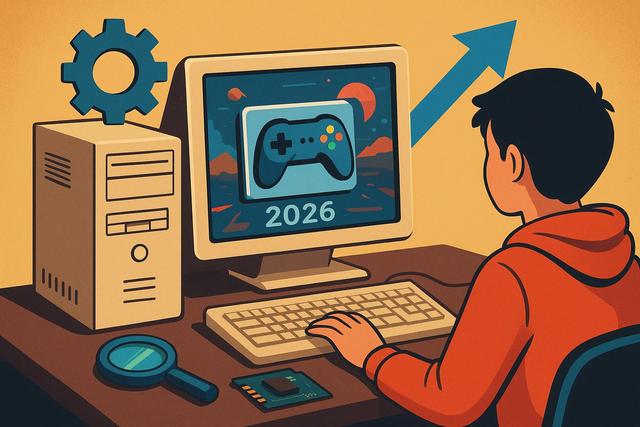
Playing on an old PC in 2026 may seem challenging; however, this situation is not a fatality. Due to the rapid evolution of hardware and video games, many older computers struggle to keep up. Nevertheless, with the right methods, you can optimize an aging PC for proper gaming without immediately investing in a new machine. This simple guide is intended for the general public, as it explains step by step how to improve gaming performance, reduce lag, and extend the lifespan of your computer. Thus, even on a limited budget, it becomes possible to continue gaming under good conditions.
For those interested in experiencing the latest in gaming, be sure to check out the download page for Roblox.
Understanding the Limitations of an Old PC in 2026
Before any optimization, you must understand the limitations of your current setup. An old PC often suffers from a slow processor, limited RAM, or an outdated graphics card. In 2026, games demand more resources as graphics engines and visual effects have significantly advanced. However, not all games require a modern machine, making a precise diagnosis essential.
Start by identifying your components. Check the processor, the amount of RAM, the graphics card, and the type of storage. This step helps avoid unnecessary optimizations, as every PC has a different bottleneck. Due to this diversity, there is no universal solution.
Updating the System for Better Performance
A well-maintained system enhances overall performance. Therefore, you must keep your operating system updated, as patches fix bugs and optimize resource management. In Windows, recent updates often improve compatibility with modern games.
However, an old and overloaded system can become counterproductive. In such cases, a clean reinstall can give your old PC a new lease on life. This operation removes unnecessary software that consumes memory, allowing the system to boot faster and remain more responsive during gameplay.
Cleaning and Lightening the Startup
Many old PCs suffer primarily from unnecessary software that slows down game launches. Therefore, you need to sort through the startup programs. By disabling unnecessary applications, you free up RAM and CPU time, as fewer tasks run in the background.
Also, consider uninstalling software you no longer use. This simple action improves overall stability, as the system manages fewer active services. Thus, your old PC starts up faster and is more stable during gameplay.
Optimizing Game Graphics Settings
Graphics settings have a direct impact on performance. Therefore, you must adjust the settings according to your hardware. Start by lowering the resolution, shadows, and advanced effects, as these options heavily tax the graphics card.
However, you can maintain a good visual experience by finely tuning each option. For instance, reducing anti-aliasing and view distance often leads to a significant FPS gain. Thus, even on an old PC, some games can remain smooth and enjoyable.
Here are the settings to prioritize for modification:
- Screen Resolution
- Shadow Quality
- Lighting and Post-Processing Effects
- View Distance
Updating Drivers for More Efficient Gaming
Drivers play a crucial role in performance. Therefore, you should install the latest versions for your graphics card, as manufacturers regularly optimize compatibility with games. Even an old graphics card can benefit from improved stability due to updated drivers.
However, avoid overly experimental drivers. Prioritize stable versions, as they reduce the risk of crashes. Thus, your old PC gains reliability during extended gaming sessions.
Adding RAM for Instant Gains
RAM remains one of the most effective levers for optimizing an old PC. In 2026, 8GB of RAM is the strict minimum for playing comfortably. If your PC has 4GB, an upgrade often results in immediate gains, as the system avoids excessive use of the hard drive.
Before purchasing, check compatibility with your motherboard. This precaution prevents mistakes, as not all formats are compatible. Thus, a simple memory addition can transform the gaming experience without costing much.
Replacing the Hard Drive with an SSD
Upgrading to an SSD is one of the best optimizations for an old PC. A traditional hard drive slows down loading times due to its limited speed. By installing an SSD, the system boots faster and games load in seconds.
Even a basic SSD is sufficient, as the performance gain remains spectacular. Thus, due to its low cost in 2026, this upgrade becomes accessible to a wide audience.
Optimizing Windows for Gaming
Windows offers several options to improve gaming performance. You should enable Game Mode, as this feature prioritizes resources for the game being played. Additionally, disabling unnecessary visual effects frees up power.
Set the power plan to "High Performance." This option prevents the processor from lowering its frequency, resulting in smoother gameplay. These adjustments are simple but provide a real benefit.
Using Optimization Software with Caution
Some software claims to optimize a PC with one click. However, you should be cautious with these tools, as they can remove useful files. Prefer recognized and simple solutions, like temporary file cleaners.
Manual optimization often proves more effective, allowing you to maintain control. In this way, you avoid unpleasant surprises and preserve system stability.
Choosing Games Suited for an Old PC
Not all games require a powerful machine. In 2026, many indie titles and older games provide an excellent experience. Thus, you need to tailor your choices, as this allows for comfortable gameplay without frustration.
Here are some types of games that are suitable:
- Lightweight indie games
- Optimized e-sports games
- Well-optimized older games
This wise choice enhances the gaming experience, as you enjoy stable performance and smooth gameplay.
Cloud Gaming as an Alternative
Cloud gaming represents an interesting solution for an old PC. This technology runs games on remote servers, enabling your computer to simply display the video feed. In 2026, cloud gaming services offer decent quality with a good internet connection.
However, this option heavily depends on bandwidth and network stability. If you have a good connection, cloud gaming allows you to play recent titles without changing your hardware.
Comparison of the Most Effective Optimizations
| Optimization | Estimated Cost | Performance Gain |
|---|---|---|
| Adding RAM | Low | High |
| Upgrading to an SSD | Medium | Very High |
| Graphics Settings | Free | Medium |
| System Cleaning | Free | Medium |
This table clearly shows that some optimizations offer an excellent cost-to-benefit ratio. Due to their effectiveness, they should be prioritized.
Extending the Lifespan of Your PC
Optimizing an old PC is not just about gaming performance. You also need to maintain the hardware, as proper ventilation improves stability. Regularly clean out dust, as overheating reduces performance.
Also, change the thermal paste if needed. This operation enhances the cooling of the processor, allowing the PC to remain stable for a longer time. Thus, your aging hardware stays reliable.
Optimizing an Old PC: An Economic Solution
Optimizing an old PC for gaming in 2026 remains an economical and smart solution. By combining software adjustments, a few hardware upgrades, and suitable game choices, you can achieve a satisfying experience.
Therefore, you don’t need a new PC to enjoy gaming. With method and patience, your old PC can still provide many hours of gaming, as well-thought-out optimization makes all the difference.


