Test a Game Mod Risk-Free with Bitdefender Free
- Mar 10, 2026 02:11 pm
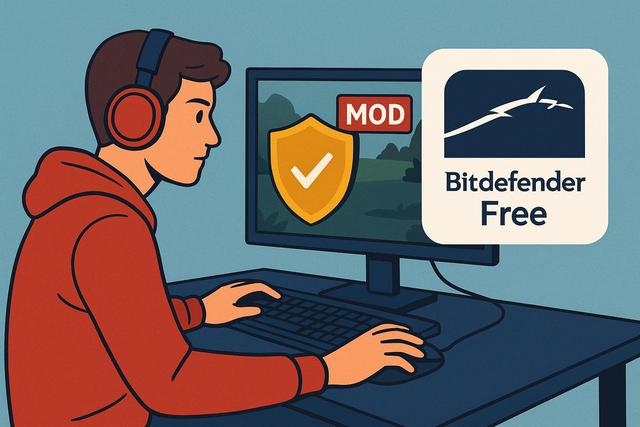
Game mods enhance the gaming experience by adding new content, practical features, or improved graphics. However, downloading a game mod comes with risks. Some files may contain viruses, spyware, or malware. To avoid these threats, you can use Bitdefender Free. This free antivirus solution helps you test a game mod safely while protecting your PC from online dangers.
Why Game Mods Can Pose Risks
Game mods attract millions of players as they extend the lifespan of a title and stimulate creativity. Active communities share new content every day. However, not all files available on the internet are safe.
Some mods contain hidden malware. Cybercriminals exploit the popularity of a game to spread viruses. They modify a legitimate file and insert malicious software. The user then installs the mod, unaware that they are opening the door to a threat.
You may encounter several problems:
- Infection by a virus or Trojan
- Theft of personal data or passwords
- Installation of spyware
- Significant slowing down of the computer
- Blocking of online game accounts
These risks are especially present when downloading a mod from an unofficial site. However, even on a reputable platform, danger is never zero. Therefore, you must check each file before installation.
Bitdefender Free: A Simple and Effective Antivirus Protection
Bitdefender Free is a free antivirus that offers real-time protection. It scans downloaded files and automatically blocks detected threats. This solution is perfect for gamers as it remains lightweight and unobtrusive.
Bitdefender uses advanced detection technologies. It combines behavioral analysis with a signature database. Thus, it identifies known viruses as well as new threats. This dual protection enhances your PC's security when testing a game mod.
The interface of Bitdefender Free is simple. You can initiate a scan in just a few clicks. The software runs in the background, allowing you to play without interruption.
How to Download a Game Mod Safely
Before installing a mod, you should adopt good practices. These simple reflexes significantly reduce risks.
First, choose a reliable source. Prefer official sites, recognized forums, or popular platforms. Check user reviews, as they often report suspicious files.
Next, download the mod without opening it immediately. Save it to your hard drive. Then, run a scan with Bitdefender Free. This step takes only a few seconds, but it can save you from serious problems.
If Bitdefender detects a threat, delete the file without hesitation. Do not attempt to modify it or force the installation. The security of your computer should remain a priority.
Testing a Game Mod Safely with Bitdefender Free
You can follow a simple method to test a game mod without risk.
1. Scan the Downloaded File
After downloading, right-click on the file. Select the scan option with Bitdefender. The software quickly examines the content. If it detects nothing, you can proceed to the next step.
This scan prevents the execution of hidden malware. It acts as a security barrier before the installation of the mod.
2. Check the File Behavior
Bitdefender Free monitors the behavior of programs in real time. If a mod attempts to modify system files or access sensitive data, the antivirus reacts immediately.
This proactive protection limits potential damage. Even if unknown malware escapes initial analysis, Bitdefender can block its suspicious activity.
3. Keep the Antivirus Up to Date
Cyber threats evolve quickly, as hackers are constantly seeking new techniques. Therefore, you must keep Bitdefender Free up to date. The software automatically downloads the latest updates, ensuring you have optimal protection.
The Benefits of Bitdefender Free for Gamers
Gamers often dread antivirus programs as they fear performance degradation. However, Bitdefender Free stands out due to its lightweight nature.
Here are its main advantages for testing a game mod:
- Real-time protection against viruses and malware
- Quick analysis of downloaded files
- Minimal impact on performance
- Intuitive interface suitable for beginners
- Regular automatic updates
With these advantages, you can install a mod with peace of mind. Enjoy your favorite game without compromising your computer's security.
Good Practices for Securing Your Game Mods
Bitdefender Free serves as an excellent first line of defense. However, you can enhance your security with a few simple habits.
Create a system restore point before installing an important mod. This way, you can revert to a stable configuration in case of an issue. This solution remains practical if a mod causes bugs or conflicts.
Also, back up your game files. Some mods deeply modify the original data. A backup copy allows you to easily restore the initial version.
Avoid pirated versions of games, as they often contain modified files. Official platforms offer more guarantees.
Finally, read the installation instructions carefully. A poorly installed mod can create errors, even if it contains no viruses.
Comparison: Unverified Mod vs. Mod Analyzed with Bitdefender Free
The following table illustrates the differences between an unchecked installation and a secure installation.
| Criterion | Unverified Mod | Mod Analyzed with Bitdefender Free |
|---|---|---|
| Virus Risk | High | Low |
| Data Protection | Uncertain | Strengthened |
| PC Performance | Potentially Degraded | Preserved |
| Player Peace of Mind | Stress and Doubt | Trust and Calm |
This comparison clearly demonstrates the importance of antivirus analysis. You reduce risks while maintaining a smooth gaming experience.
Testing a Game Mod on PC: Errors to Avoid
Some players make common mistakes. They temporarily disable their antivirus, thinking they will speed up installation. This practice is dangerous. You expose your system to invisible threats.
Others ignore security alerts. They assume the mod comes from a reliable source. However, even a reputable site can host a compromised file.
Lastly, some download multiple mods simultaneously. They install everything without verification. This method complicates the identification of a potential issue. You should proceed step by step to maintain control.
Why Choose a Free Antivirus Solution Like Bitdefender Free
You do not necessarily need paid software to test a game mod safely. Bitdefender Free already offers solid protection for standard use.
This solution is suitable for both casual and passionate gamers. It protects against common threats without complex configuration. Moreover, it does not bombard the user with unnecessary messages.
If you are new to modding, Bitdefender Free is an excellent starting point. You benefit from reliable antivirus protection without spending money. Thus, you can discover new entertaining content safely.
Conclusion: Enjoy Mods Without Compromising Security
Game mods bring creativity and diversity. Sometimes they completely transform a classic title. However, each download carries a potential risk.
You can safely test a game mod using Bitdefender Free. This free antivirus solution analyzes your files, blocks threats, and protects your personal data. It operates in real time, allowing you to play with peace of mind.
Also, adopt good practices because security relies on multiple layers. Check the source, analyze each file, and keep your system updated. With these precautions, you can fully enjoy your favorite mods while protecting your PC from digital dangers.


