
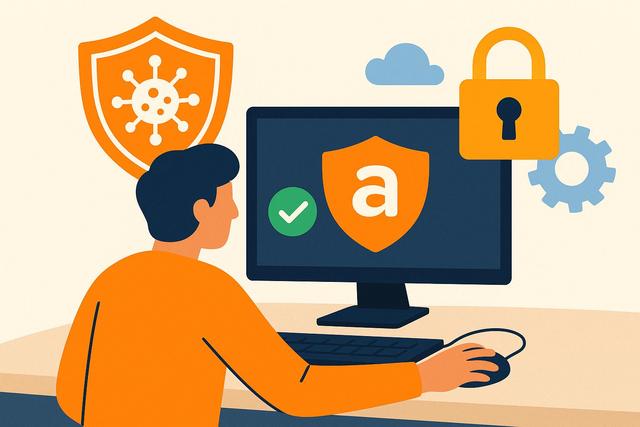
Avast Antivirus can help protect your PC for free against many common threats. However, effective security does not solely rely on the installed software. It's also important to choose the right options, keep Windows updated, and adopt a few simple habits. Here’s how to use Avast Free Antivirus clearly and effectively, without complicating your daily computer usage.
To download the latest version of Avast Free Antivirus, visit this page.
Why Install Avast Free Antivirus on Your PC?
A PC connected to the Internet can encounter malware, infected files, fraudulent links, or data theft attempts. These risks concern all profiles, targeting individuals, students, families, and freelancers alike.
Avast Free Antivirus is designed to detect common threats before they cause damage. It scans files, monitors certain suspicious behaviors, and can flag risky sites or downloads. Its interface is usually user-friendly, making it suitable for those looking for a simple antivirus for Windows.
The free version does not replace personal vigilance; it serves as a first line of defense. It becomes useful if you frequently download files, receive many attachments, or share the PC with multiple users.
Before installing, always check the available offer on the official Avast website. Features, terms of use, and compatibility can change. This precaution helps avoid downloading an outdated version or a fake installer.
Avast Free Antivirus: What It Can Do
A free antivirus mainly protects against the most common digital risks. Depending on the version offered by Avast at the time of download, you can find real-time protection, manual scans, and alerts regarding certain suspicious elements.
Specifically, Avast can help you:
- scan a downloaded file before or after opening it;
- monitor programs attempting to run on the PC;
- detect viruses, trojans, ransomware, and other malware;
- identify unusual behaviors in certain files;
- launch a complete or targeted scan of the computer;
- receive notifications when an action requires your attention.
These tools provide useful daily protection. However, some advanced features may be reserved for paid offers. For instance, services related to privacy, support, or extended protection may require a subscription. So, read the presentation screens carefully before accepting an option.
A free antivirus remains particularly relevant if you want a simple solution. However, you must understand its limitations. No software guarantees total security. A dangerous file can sometimes slip through the cracks, especially if it is very recent. Thus, your browsing habits remain essential.
How to Download Avast Antivirus Safely
Downloading is an important step. Many third-party sites offer modified installers, misleading ads, or added software of no interest. To protect your PC for free, always start from the official source.
Download from the Official Site
Look for the official Avast website or carefully enter its address. Avoid links in unexpected emails, pop-up ads, or dubious posts on social media. Even if the message seems credible, it may lead to a fraudulent copy.
On the official site, choose the free version compatible with your system. Ensure that you are downloading a program intended for Windows if your PC uses this system. Do not confuse the computer version with mobile applications or other products from the brand.
Read Each Screen During Installation
Installing antivirus might seem simple, but you shouldn't click "Next" too quickly. Take a few seconds to read the displayed proposals. Some may concern complementary products, premium feature trials, or browser settings.
Decline options you do not need. This way, you will keep a lighter and clearer installation. It does not reduce the basic protection of the free antivirus.
Also, avoid installing two real-time antivirus programs on the same PC. They can conflict, slow down the computer, or generate false alerts. If you are already using a security suite, uninstall it properly or disable its active protection before switching to Avast, following the software's recommendations.
Configure Avast Antivirus Easily After Installation
After installation, open Avast and take a few minutes to check the essential settings. You do not need to modify all options. A simple and consistent configuration is sufficient for most users.
Start by ensuring that the main protection is activated. The software should be able to monitor the files and programs used on the PC. If a message indicates that your protection is disabled, address it quickly. It could be a required update, a necessary restart, or a setting that needs confirmation.
Then, initiate a first complete scan. This operation allows you to check the files already present on the computer. It may take some time, especially if you store many photos, videos, or archives. Therefore, you can start it when you do not need the PC.
If Avast detects a suspicious element, read the alert before making any decisions. The software may suggest placing the file in quarantine. This area isolates the file to prevent it from acting. In most cases, this solution is more prudent than immediate deletion, especially if you do not know the origin of the file.
Do not restore a quarantined file without a clear reason. Some users do this because a program stops working. However, this action can reactivate a threat. If the file seems essential, first look for a safe version on its publisher's official site.
Essential Settings for Effective Protection
You can keep most default settings. However, a few checks can enhance security without making Avast complicated to use.
Keep Updates Active
An antivirus needs regular updates. They allow it to recognize new threats and fix certain issues. Ensure that Avast can update automatically when an Internet connection is available.
Also, keep Windows updated. An antivirus cannot compensate for all vulnerabilities in an outdated or unpatched system. Windows updates correct vulnerabilities, improve stability, and sometimes enhance built-in protection.
Restart the PC when Windows or Avast requests it after a significant update. Continuously postponing this restart can leave a correction incomplete.
Schedule Appropriate Scans
A quick scan can check the most exposed areas of the system. It is suitable for regular checks. A complete scan, on the other hand, examines more files. It is useful after unusual downloads, suspicious behavior, or a long period without verification.
You can adopt a simple routine:
- perform a quick scan when you have doubts;
- conduct a complete scan from time to time;
- analyze an unknown USB drive before opening its files;
- check downloaded archives before executing their content;
- inspect the PC after removing a threat or a dubious program.
There's no need to run multiple complete scans every day. This can slow down the PC without providing a proportional advantage. Prefer a reasonable frequency and keep real-time protection active.
Limit Commercial Notifications
Free versions of security software may display offers for premium options. These alerts do not necessarily signal a danger; they may just present an additional product.
Do not confuse a commercial offer with a security alert. Take the time to read the message. If you want free protection, dismiss offers that do not interest you and focus on notifications related to threats, scans, or updates.
Good Habits That Complement Avast Antivirus
Avast Antivirus protects your PC, but your decisions remain crucial. Many infections start with a click on a deceptive link, a reused password, or a software downloaded from an unknown source.
First, download your programs from the official publisher websites. Unverified download platforms can modify installers or add unwanted software. Always prefer the page of the company that develops the program.
Next, beware of urgent emails. A message may claim to come from your bank, a delivery service, or an administration. It may request payment, a code, or immediate login. Before clicking, verify the sender's address and read the message carefully. If in doubt, open the official website of the concerned service in your browser.
Also, use long and different passwords for your important accounts. A password manager can help you create and store them. Enable two-factor authentication whenever the service offers it. This way, a password theft alone is not always sufficient to access your account.
Finally, back up your important documents on an external device or a trusted online space. Disconnect the backup drive after the operation if possible. This habit limits the consequences of a malfunction, theft, or a ransomware attack.
Avast Free or Windows Security: Should You Choose?
Recent Windows PCs usually integrate a protection named Windows Security, with Microsoft Defender Antivirus. For many uses, this built-in protection can already serve as a useful base, provided that Windows is kept updated and good practices are followed.
Installing Avast Free Antivirus, therefore, becomes a personal choice. Some people appreciate its interface, analysis tools, or alerts. Others prefer to stick with the integrated Windows solution to avoid adding extra software.
The essential point remains: do not run two real-time antivirus programs simultaneously. Before deciding, check the status of Windows Security and the recommendations displayed by Avast during installation. Interactions between security solutions can vary according to versions. Thus, it's necessary to verify the current information on the official Avast and Microsoft websites.
If your PC operates well with the built-in security and you apply updates, you do not necessarily need a second antivirus. However, if you wish to use Avast, install it properly and avoid accumulating similar protection tools.
What to Do If Avast Detects a Threat?
An antivirus alert can be alarming, but it is essential to stay calm. Start by noting the name of the detected file, its location, and the type of alert. Do not click on external links suggested by an unusual window, especially if it mimics the style of an antivirus.
If the alert indeed comes from the Avast application installed on your PC, follow its cautious recommendation, usually to quarantine. Then, launch a complete scan. Also, delete any recently downloaded files if their origin seems dubious.
Change your passwords from a safe device if you think you entered credentials on a fake site. Start with your main email address, as it often serves to reset other access. Activate two-factor authentication next.
If your PC displays ransom messages, blocks access to your files, or keeps restarting, avoid paying or contacting the people behind the message. Disconnect the computer from the Internet and seek help from a trusted professional. You can also consult your country's official cybersecurity resources.
Errors to Avoid with a Free Antivirus
A simple antivirus can produce good results if used correctly. However, a few mistakes can reduce its effectiveness.
The first mistake is to ignore updates. An outdated detection database is less familiar with recent threats. The second is to disable protection to install a pirated or unknown program. This action directly exposes the PC to malware.
Avoid "miracle cleaners," fake PC accelerators, and unnecessary browser extensions. They often promise impressive gains but may collect data, display ads, or install additional programs.
Finally, do not believe pop-ups that suddenly announce that your computer has multiple viruses and require you to call a number. Reputable publishers do not request immediate payment through this type of message. Close the page, do not call the number, and run a scan from your antivirus.
FAQ About Avast Free Antivirus
Does Avast Free Antivirus Slow Down a PC?
An antivirus uses resources, especially during a complete scan. However, a well-configured protection should not obstruct the regular use of a recent PC. If the computer slows down significantly, check the programs launched at startup, the available disk space, and updates. Also, avoid running multiple antivirus programs simultaneously.
Can You Use Avast Free without Creating an Account?
Usage terms may change depending on the version and country. Check the terms displayed during installation and on the official Avast website. Only create an account if you understand its usefulness and the offered settings.
Do You Have to Pay to Be Well Protected?
Not necessarily. A free solution, regular updates, backups, and good habits already provide solid protection for many individuals. However, a paid offer might interest those needing specific functions. Compare options before subscribing.
How to Know if an Avast Alert is Genuine?
A genuine alert usually appears in the Avast application installed on your computer. A window in a browser, with a number to call or a countdown, may be a scam. Close the page and open Avast directly from the Windows menu to check the status of your protection.
Conclusion
Avast Free Antivirus can help protect a PC against common threats, especially if you seek an easy-to-use solution. Download it only from the official site, keep it updated, and run scans when needed. However, the best protection combines antivirus, Windows updates, backups, and vigilance against suspicious links, files, and messages.
