
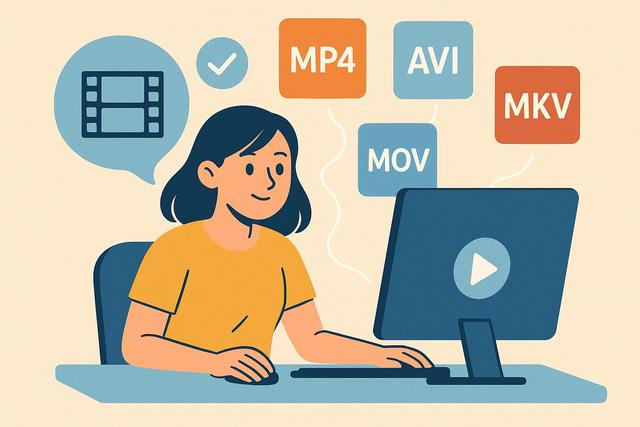
Do you want to play all video formats for free without installing multiple different players? Whether on PC, Mac, or smartphone, there are simple and effective solutions to open almost any video file. In this article, you will discover how to play all video formats for free, which software to use, and how to avoid compatibility issues.
For a comprehensive solution, consider downloading the K-Lite Codec Pack, which will help you play virtually any video format seamlessly.
Why Some Video Formats Don't Open?
When you download or receive a video, sometimes it won't open. This is often due to a format or codec issue.
A video format refers to the type of file. For example: MP4, AVI, MKV, or MOV. A codec, on the other hand, allows for the compression and playback of audio and video data.
Thus, even if your computer recognizes the file, it may lack the proper codec. The result: black screen, no sound, or an error message.
To play all video formats for free, you need to use a player compatible with most existing formats and codecs.
The Most Common Video Formats
Here are the formats you are most likely to encounter:
- MP4: universal format, compatible with almost all devices
- AVI: an older, widely-used format
- MKV: very popular for high-quality films
- MOV: format developed by Apple
- WMV: Windows format
- FLV and WebM: commonly used for online videos
A good free video player should be able to open all these formats without needing to install an additional codec pack.
The Best Free Software to Play All Video Formats
VLC Media Player: The Free Reference
VLC Media Player remains the simplest solution to play all video formats for free.
Why choose VLC?
- It is completely free.
- It works on Windows, Mac, and Linux.
- It includes most codecs.
- It plays almost all formats without configuration.
Moreover, VLC allows you to play DVDs, online streams, and even some damaged files.
Practical tip: always download VLC from the official site to avoid modified versions.
MPV: Lightweight and Efficient
MPV is a free and open-source video player. It consumes few resources, making it suitable for older computers.
However, its interface is simpler than that of VLC. It is more suited for users comfortable with settings.
Kodi: For Centralizing Your Media
Kodi allows you to manage an entire multimedia library. It also plays almost all video formats.
However, setting it up takes more time, so it should be used if you want to create a complete media center.
Play All Video Formats for Free on Mac
On Mac, QuickTime player does not support all formats, especially MKV.
The solution is simple: install VLC for Mac. It works the same way as on Windows.
You can also use IINA, a free player designed for macOS. It relies on the MPV engine and offers a modern interface.
Play All Video Formats for Free on Android
On Android smartphones, some formats do not open with the default player.
To avoid this problem, install:
- VLC for Android
- MX Player (free version)
These apps play the most common formats like MP4, MKV, and AVI.
However, check the permissions requested during installation.
Play All Video Formats for Free on iPhone
On iPhone, the iOS system limits some formats.
However, you can install VLC for mobile from the App Store. It allows you to play formats not natively supported, such as MKV.
You may sometimes need to transfer your videos via AirDrop, iTunes, or a cloud service.
Should I Install a Codec Pack?
Some people install a codec pack to resolve playback issues.
In practice, this is no longer necessary if you are using a modern player like VLC.
Installing too many codecs can create conflicts and may slow down your system.
Therefore, prioritize an all-in-one player over a separate codec pack.
Play All Video Formats for Free Online
Don’t want to install anything? There are online video players.
The principle is simple:
- You upload your file.
- The site automatically converts it.
- You can watch it in your browser.
However, this solution has limitations:
- Occasionally restricted file size
- Long upload times
- Privacy risks
Avoid using these services for personal or sensitive videos.
Convert a Video to Make it Compatible
If a file refuses to open, you can also convert it.
HandBrake is a free software that allows you to convert a video to a universal format like MP4.
Here's a simple example:
| Situation | Recommended Solution |
|---|---|
| Unreadable MKV file | Open with VLC |
| Choppy playback | Convert to MP4 with HandBrake |
| Video incompatible on TV | Convert to MP4 H.264 |
Conversion is useful if your device truly does not support certain formats.
How to Avoid Video Playback Issues
To play all video formats for free without difficulty, apply these tips:
- Install a reliable player like VLC.
- Regularly update your software.
- Avoid dubious codec packs.
- Download your videos from trusted sources.
- Ensure your computer has enough memory.
Additionally, if a video is lagging, close unnecessary programs. This often improves fluidity.
The Legal Issue
Playing all video formats for free is legal. However, downloading or sharing copyrighted content may be prohibited depending on your country.
Rules evolve regularly, so verify the current legislation if you are in doubt.
Which Solution to Choose Based on Your Need?
Your choice depends on your situation:
- For a simple solution: VLC remains the best choice.
- For an older computer: MPV may be lighter.
- For a media center: Kodi is more suitable.
- For a smartphone: install VLC mobile.
In most cases, a single software is sufficient.
Conclusion
Playing all video formats for free is easy if you use the right tool. Today, players like VLC allow you to open almost all files without installing additional codecs. Whether you’re on PC, Mac, or mobile, you can easily access your videos. Choose reliable software, keep it updated, and avoid dubious solutions.
FAQ
What is the best free software to play all video formats?
VLC Media Player remains the most comprehensive and straightforward solution for most users.
Why does my video have sound but no image?
The proper video codec is likely missing. Use a player like VLC to solve the problem.
Can I play an MKV file on iPhone?
Yes, but you need to install a compatible app like VLC for mobile.
Is it necessary to install a codec pack?
No, a modern player already includes the necessary codecs. Installing a complete pack can create conflicts.


