Watch TV Online Legally: The Ultimate Guide
- Nov 07, 2026 12:11 am
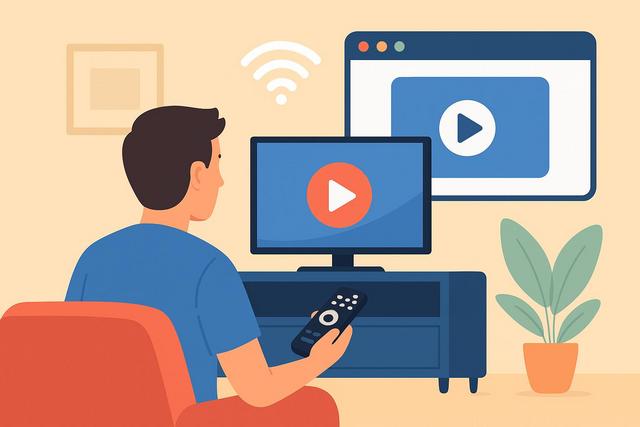
Watching TV online is straightforward, provided you choose a legal solution. Live channels, catch-up TV, mobile television, or smart screens: there are several options available depending on your habits, equipment, and the programs you are looking for.
To get started, you can download Google Chrome, which will help ensure a smooth viewing experience.
What is the legal solution to watch TV online?
The main intention is often clear: access TV channels online without risk, for free when possible, and on the screen of your choice. The answer depends on the type of program you are looking for. You can watch TV legally through the official websites of channels, their apps, catch-up platforms, offerings from Internet service providers, and certain authorized paid services.
A solution remains legal when it has broadcasting rights for the program in your country. This principle applies to both live and replay content, movies, series, sports, and news broadcasts. A site may seem free and convenient, but that does not prove it is authorized.
To make the right choice, start by defining your needs: watching free channels live, finding a past program, following a sporting event, or watching your shows while traveling. This way, you avoid paying for an offer that does not fit your usage.
Watching TV channels live on their official platforms
Television channels often provide direct access from their website or app. This solution is suitable for people who want to follow available programs without installing an additional TV box.
You can access the service from a computer, tablet, or smartphone. Some apps also work on smart TVs and streaming devices. The exact offer depends on the channel, your territory, and the current broadcasting agreements.
Live broadcasting usually allows you to watch news, entertainment, documentaries, and certain programs aired on free channels. However, there may be restrictions on certain movies, sports events, or content acquired for a specific geographical area.
Before creating an account, check these elements:
- the channels actually accessible live;
- the availability of replay;
- compatibility with your screen or operating system;
- the presence of advertisements;
- conditions for accessing from abroad;
- whether you need to create an account or not.
Official platforms often represent the most direct way to watch TV online legally. They also provide reliable information about schedules and upcoming programs.
Using replay to watch a show after its airing
Replay, also called catch-up TV, allows you to see or revisit certain programs after they have aired. It is a very useful legal option if you missed a news segment, series, documentary, or entertainment show.
Replay services are offered by the broadcasting groups themselves. They may be accessible via browser, mobile app, Internet box, or smart TV. You can often find programs categorized by channel, show, genre, or broadcast date.
However, content may not remain available for long. The rights negotiated by broadcasters sometimes limit the duration of online availability. A show may also be removed earlier for contractual reasons. Therefore, check the program details if you wish to watch it later.
Replay offers several advantages:
- you watch the program at a time that suits you;
- you avoid searching for unofficial copies;
- you often access good image quality;
- you use a safer interface;
- you can resume playback on certain compatible devices.
However, replay may sometimes include commercial breaks. It can also require a stable connection, especially for high definition. If your bandwidth is limited, lower the video quality when the app allows it.
Using your Internet box to watch television online
Internet service providers often offer a TV service with their subscriptions. This can work through a decoder, app, or dedicated website. This solution centralizes channels, program guides, and sometimes replay services.
An Internet box may be suitable if you want to replace or complement a traditional TV setup. It facilitates access to multiple channels from one interface. Depending on the selected offer, you may also benefit from options like recording, live control, or thematic bouquets.
Do not assume all channels are included. Catalogs vary by operator and contract. Some channels, especially sports, international, or cinema-related, require an additional subscription. Always read the details of the offer before committing.
Also, check how the service operates at your home. A TV app may sometimes allow multiple screens but limit simultaneous viewing sessions. This is an important point if multiple people are watching different programs in the household.
Choosing a paid and authorized online TV service
Paid services can meet specific needs. They sometimes offer specialized channels, sporting events, recent movies, or children's content. They can also include live broadcasts, replay, and on-demand programs.
A paid subscription does not automatically guarantee that you will find everything you are looking for. Broadcasting rights remain fragmented. A championship, channel, or series may change platforms according to seasons and commercial agreements. Thus, always check the current catalog before subscribing. This information can evolve and should be verified directly with the service concerned.
To choose an offer, ask yourself simple questions:
- What programs do you watch most often?
- Do you need live broadcasts or only on-demand content?
- Do you want to watch on a TV, mobile device, or both?
- Is the service commitment-free?
- How many screens can work simultaneously?
- Are there any geographical restrictions?
Avoid subscribing to multiple services by reflex. A free official offer and a replay service may suffice for many households. Add a paid subscription only if its content meets a regular need.
Watching TV online from a phone, tablet, or computer
Online television adapts to almost all recent devices. A web browser is often sufficient on a computer. On smartphones and tablets, an official app usually provides a better experience. It facilitates resuming playback, sending notifications, and searching for programs.
On mobile, keep an eye on your data consumption. Video can quickly use up your plan, especially with high-quality images. Prefer Wi-Fi when you can to avoid slowdowns and unexpected data consumption.
On a computer, it is best to use a modern browser. Online TV services use video playback and protection technologies that may not function well on outdated software. Also, disable questionable extensions that modify pages or block essential player elements.
If you share your screen with children, activate the parental control tools offered by the platform. They help limit access to certain content according to its classification. This setting does not replace adult supervision but provides useful protection.
Streaming online TV on a smart TV
Watching TV on a large screen often enhances comfort. Several legal solutions allow you to display an online channel on a TV: the native app of your Smart TV, a media box, a compatible console, or a streaming device from a phone.
Start by searching for the official app in your TV's or device's store. Only install the app published by the channel, broadcasting group, or service you are subscribed to. Check the publisher's name and reviews, as some apps might mimic well-known brands.
Streaming from a mobile device can be convenient but requires the devices to be often connected to the same local network. A stable Wi-Fi connection improves quality. Place your router in a clear spot if the signal is weak near the TV.
Some platforms prevent copying or streaming on certain devices. This is not necessarily a technical issue. Rights holders sometimes impose these limits. Consult the official help of the service before changing devices or cables.
How to recognize a legal TV streaming site?
It is essential to distinguish an authorized platform from an illegal site. Unofficial sites often attract users with unrealistic promises: all paid channels for free, immediate access to exclusive competitions, or thousands of programs without registration.
These offers can expose the user to risks. They sometimes stream unstable links, aggressive ads, or malware. They may also collect personal data. Moreover, their use does not respect the broadcasting rights of creators, channels, and producers.
Here are some useful warning signs:
- the site promises free channels that are normally paid;
- it displays numerous pop-up ads or redirects;
- it asks you to install an unknown player or a file outside the official store;
- it has no clear identity, nor credible legal mentions;
- the streams change constantly or have unusual names;
- it requires payment in cryptocurrency for supposedly private access.
In contrast, a legal service clearly displays its publisher, terms of use, privacy policy, and subscription details. It also has an app available in official stores when this format is offered.
Be wary of boxes or subscriptions that promise unlimited access to all global channels for a low price. Their operation may rely on unauthorized streaming. The hardware itself is not always illegal, but the provided content may be.
Rules to know when watching TV from abroad
You may encounter restrictions when traveling. A channel available in France is not necessarily accessible in another country. Broadcasting rights are often sold territory by territory, especially for sports, cinema, and certain series.
In some cases, a subscription taken out in your country of residence may work temporarily while traveling. The rules and conditions depend on the service, the country visited, and the type of content. Always check this information before leaving on your provider's or platform's official site.
Do not try to bypass territorial restrictions using tools presented as a universal solution. This practice may go against the service's terms of use. It may also result in playback errors or account suspension.
If you are living abroad long-term, look for the legal offers available in your country of residence. Some channels offer an international version, clips, or distinct content. Embassies, cultural associations, or local providers may sometimes guide French speakers towards authorized options.
Improving the quality of your online TV
A frozen image does not always mean that the platform is at fault. Your home network, the device used, or a missing update can explain the problem. Some simple steps often improve the experience.
First, test your connection with another legal video service. If playback is slow everywhere, restart your router and move closer to the Wi-Fi access point. A wired connection may be more stable for a fixed TV.
Then, update your TV app and your device's system. Updates sometimes fix compatibility issues. Also, close downloads or online games that heavily use your connection while watching.
Finally, adjust the video quality to your network. A slightly lower quality may provide smoother playback. This is preferable to repeated interruptions, especially for a live broadcast or a show you cannot pause.
FAQ about legal online TV
Can you watch TV for free online?
Yes, some channels offer their live broadcasts or replays for free on their official platforms. Access may include advertisements and vary depending on the programs. Premium channels or content often require a subscription.
Do you need to create an account to watch TV online?
Not always. Some platforms allow viewing without an account. Others require registration for replay, personalization, or device management. Read the terms before providing your data.
Is an antenna necessary to watch TV online?
No. You mainly need an Internet connection and a compatible device. An antenna can still be useful for receiving terrestrial television, but it is not essential for online TV services.
Can you legally watch French channels abroad?
This depends on the country, your subscription, and the broadcasting rights of the program. Some shows remain accessible, while others are blocked. Always check the official conditions of the service before your trip.
Conclusion
To watch TV online legally, prioritize the official sites and applications of channels, replay services, and recognized offers from your Internet provider or authorized platforms. Compare content, compatible devices, and access conditions. This way, you will enjoy your programs with better security, more reliable quality, and respect for broadcasting rights.


