Where to Download GTA V Legally on PC Safely
- Mar 19, 2026 02:11 pm
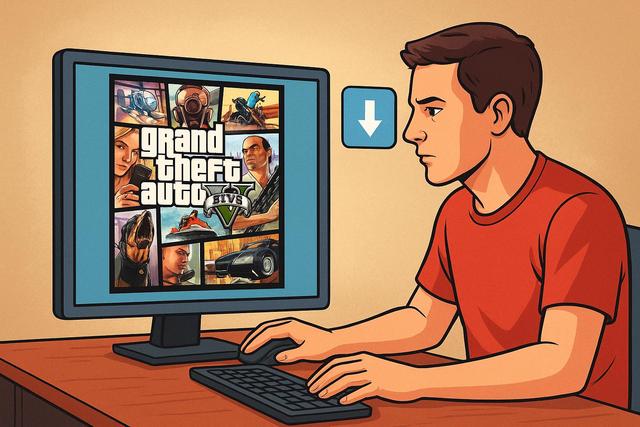
Are you looking for where to download GTA V legally on PC without risking viruses or penalties? It's wise to be cautious, as many sites offer illegal or modified versions of the game. In this comprehensive article, we will explain where to purchase and download Grand Theft Auto V safely, which platforms to prioritize, and how to fully enjoy GTA Online on PC. You will also discover the differences between the versions, the prices involved, and the precautions to take before installation.
For the latest version of Roblox, you can also download here.
Why Download GTA V Legally on PC
Many players wish to download GTA V for free on PC. However, this practice exposes them to various risks. Indeed, pirated versions often contain viruses or spyware. These malicious files can slow down your computer or steal your personal data.
Rockstar Games actively protects its copyright. Therefore, illegally downloading GTA V may lead to the suspension of your account or legal action. You also lose access to GTA Online, which significantly limits the gaming experience.
In contrast, an official version guarantees:
- Regular and automatic updates
- Full access to GTA Online
- Optimal compatibility with authorized mods
- Technical support in case of issues
This way, you enjoy a stable and secure experience because official platforms verify the integrity of the files.
Download GTA V on Rockstar Games Launcher
The most direct way to download GTA V legally on PC is through the Rockstar Games Launcher. Rockstar developed its own platform to centralize its games.
How to Download GTA V via Rockstar?
The process is simple and quick:
- Download the Rockstar Games Launcher from the official website.
- Create a Rockstar Social Club account or log in.
- Purchase GTA V via the integrated store.
- Start the download.
The launcher automatically installs updates. Additionally, it optimizes game performance according to your configuration.
Rockstar regularly offers promotions. Therefore, you can purchase GTA V for PC at a reduced price, especially during seasonal sales.
Buy GTA V on Steam
Steam is another reliable solution for legally downloading GTA V. Valve's platform is popular among PC gamers as it provides an intuitive interface and community features.
Benefits of Steam for GTA V
Steam offers several advantages:
- Secure and fast downloads
- Cloud saves
- User review system
- Simple game library management
If you already have a Steam account, this solution simplifies your purchases. However, even on Steam, the game requires the Rockstar Games Launcher to function, as Rockstar verifies the license.
Price of GTA V on Steam
The standard price of GTA V generally ranges from €29.99 to €39.99. However, during Steam sales, the price can drop below €15. This drop attracts many players.
Download GTA V via Epic Games Store
The Epic Games Store is another official platform to buy GTA V on PC. Epic directly competes with Steam, which means promotions are frequent.
In 2020, Epic even offered GTA V for free for a limited time. This event attracted millions of new players.
Why Choose Epic Games Store?
Epic offers:
- Significant discounts
- A regular free games program
- A simple interface
As with Steam, installation requires the Rockstar launcher. However, the purchase remains completely legal and secure.
Comparison of Main Platforms for GTA V PC
Here is a comparison table to help you choose where to download GTA V legally on PC:
| Platform | Security | Frequent Promotions | Requires Rockstar Launcher | Main Benefits |
|---|---|---|---|---|
| Rockstar Games Launcher | Very High | Yes | Yes (integrated) | Direct publisher access |
| Steam | Very High | Yes | Yes | Community and cloud |
| Epic Games Store | Very High | Yes | Yes | Aggressive offers |
All these platforms are safe. Your choice will depend on the price, your habits, and your existing library.
Can I Download GTA V for Free and Legally?
This question arises frequently. Generally speaking, GTA V is a paid game. However, sometimes certain platforms offer temporary deals.
For example, Epic Games has previously offered GTA V. However, these promotions remain exceptional and time-limited.
Beware of sites that promise permanent free downloads. They often hide malware or illegal copies. Due to these risks, avoid unofficial platforms.
Minimum Requirements for GTA V on PC
Before downloading GTA V on PC, ensure your computer meets the minimum requirements. Otherwise, you may experience significant slowdowns.
Minimum Specifications:
- OS: Windows 10 64-bit
- Processor: Intel Core i5 or equivalent
- RAM: 8 GB
- Graphics Card: NVIDIA GTX 660 or equivalent
- Storage: approximately 110 GB of free space
Rockstar recommends a more powerful configuration to fully enjoy the enhanced graphics. Indeed, GTA V offers high-resolution textures and advanced effects.
How to Install GTA V After Download?
Once the purchase is complete, installation begins automatically. However, you need to ensure sufficient disk space.
The download may exceed 100 GB. Therefore, a stable and fast Internet connection facilitates the process.
After installation, log in to your Rockstar account. The system then verifies your license. You can then launch Story Mode or access GTA Online.
GTA Online: A Key Argument for Legal Download
GTA Online significantly enriches the gaming experience. This multiplayer mode constantly evolves thanks to free updates.
Rockstar regularly adds:
- New missions
- Complex heists
- Unique vehicles
- Seasonal events
If you use a pirated version, you lose access to this. However, GTA Online represents a major part of the game's success.
The Risks of Illegal Download Websites
Some websites claim to offer a complete version of GTA V for direct download. However, they expose users to several dangers.
Firstly, these files often contain malware. Secondly, they can install unwanted programs in the background. Consequently, your computer becomes vulnerable.
Moreover, these modified versions receive no official updates. Thus, you play an unstable version.
Lastly, performance may sometimes be poor because the files are not properly optimized.
Tips for Buying GTA V at the Best Price
If you want to download GTA V cheaply on PC, adopt these simple strategies:
- Watch for summer and winter sales
- Check Steam and Epic promotions
- Look for special offers from Rockstar
- Activate price alerts on reliable comparators
These tips can sometimes save you over 70%. However, always prioritize authorized resellers.
FAQ: Where to Download GTA V Legally on PC?
What is the Official Site for GTA V?
The official site is that of Rockstar Games. You can download the launcher and then purchase the game there.
Is Steam Safe for Buying GTA V?
Yes, Steam is a completely reliable platform. You benefit from a secure environment and competent customer support.
Is Epic Games Legal for GTA V?
Yes, Epic Games Store sells official licenses validated by Rockstar.
Do I Need a Permanent Internet Connection?
A connection is necessary for activation and for GTA Online. However, Story Mode can work offline after verification.
Conclusion: The Best Solution for Downloading GTA V on PC
If you're looking for where to download GTA V legally on PC, choose Rockstar Games Launcher, Steam, or Epic Games Store. These platforms guarantee an official license and secure download.
This way, you protect your computer as you avoid malware files. You also support the developers, enabling the creation of new content.
Even though free downloads may seem tempting, they expose you to unnecessary risks. In contrast, regular promotions make GTA V accessible at a low price.
So choose a reliable platform, check your configuration, and prepare enough disk space. You can then freely explore Los Santos and fully enjoy GTA Online under the best possible conditions.


