Where to Safely Download Fortnite for Free on PC
- Mar 19, 2026 02:11 am
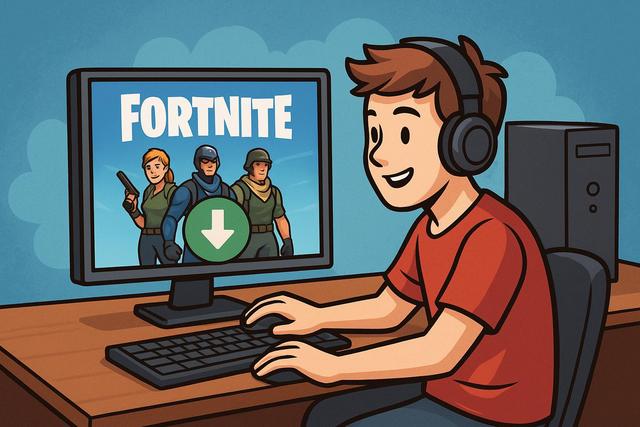
Fortnite attracts millions of players on PC every year. This groundbreaking game by Epic Games captivates with its dynamic Battle Royale mode, regular updates, and exclusive events. However, many users still wonder where to download Fortnite for free on PC without risking their computer's safety. With fake websites, dubious files, and online scams, it becomes crucial to know the official source. In this article, discover where and how to download Fortnite for free on PC safely while avoiding the most common pitfalls.
For the latest version and a secure download, visit this page.
Download Fortnite for free on PC: the only official source
You can download Fortnite for free on PC only through the official Epic Games platform. Indeed, Epic Games is the developer and publisher of the game, which means it is the only provider of an authentic and secure version.
To download Fortnite for free on PC, you need to go to the official Epic Games website and install the "Epic Games Launcher." This software then allows you to access the game and download it at no cost.
Why avoid unofficial sites?
Many sites promise a quick download of Fortnite on PC. However, these platforms are not trustworthy. They often offer modified files, pirated versions, or malware.
These risks include:
- Installing viruses or spyware
- Theft of personal data
- Hacking of your Epic Games account
- Decreased game performance
You must always check that you download Fortnite via the official epicgames.com site. This simple precaution protects your computer and your personal information.
How to install Fortnite for free on PC step by step
The installation process is simple and quick. You can follow these steps to download Fortnite for free on PC with peace of mind.
1. Access the official Epic Games site
Go to the official Epic Games website. Then, click on "Download" to retrieve the Epic Games Launcher. Make sure the site address begins with "https" as this guarantees a secure connection.
2. Install the Epic Games Launcher
Once the file is downloaded, open it and start the installation. The program installs in a few minutes, depending on your PC performance and internet connection.
3. Create or sign in to an Epic Games account
You need to create a free account if you do not have one. However, if you already have an account, simply log in with your credentials.
4. Download Fortnite on PC
Once logged in, search for Fortnite in the Epic Games Store. Click on "Get" and then "Install." The download starts immediately and is completely free.
Minimum requirements to play Fortnite on PC
Before downloading Fortnite for free on PC, check the minimum required specifications. Your computer must have sufficient resources to run the game properly.
Here is a summary table of the minimum and recommended configurations:
| Configuration | Minimum | Recommended |
|---|---|---|
| System | Windows 10 64-bit | Windows 10/11 64-bit |
| Processor | Core i3 2.4 GHz | Core i5 2.8 GHz or equivalent |
| RAM | 8 GB | 16 GB |
| Graphics Card | Intel HD 4000 | NVIDIA GTX 960 / AMD R9 280 |
| Storage | 30 GB available | SSD recommended |
If your PC meets at least the minimum configuration, the game will run. However, a recommended configuration greatly improves fluidity and graphical quality.
Is Fortnite on PC really free?
Yes, Fortnite Battle Royale is completely free on PC. You can download, install, and play without paying. Epic Games operates on a business model based on in-game purchases.
Players can purchase:
- Cosmetic skins and outfits
- The seasonal Battle Pass
- Emotes and accessories
However, these purchases remain optional. You can fully enjoy the game without spending any money.
Tips to download Fortnite faster
Downloading Fortnite can take time, as the file often exceeds 30 GB. However, you can speed up the process with a few simple tips.
First, use a wired internet connection instead of Wi-Fi. Indeed, an Ethernet cable provides a more stable and faster connection. Then, close background applications as they consume bandwidth.
Finally, avoid downloading the game during peak hours. Servers can become congested in the evening, which decreases speed.
Can you download Fortnite on PC without the Epic Games Launcher?
No, you cannot download Fortnite on PC without the official launcher. Epic Games mandates this solution as it ensures automatic updates, game security, and account management.
Some forums offer alternatives; however, these methods are illegal or dangerous. They expose your PC to significant risks. Thus, you should use only the Epic Games Launcher.
Frequent issues when downloading Fortnite on PC
Sometimes errors may occur during the download or installation. However, you can easily resolve most problems.
Insufficient disk space
Ensure you have at least 30 GB free on your hard drive. If space is lacking, delete unnecessary files or move them to an external drive.
Download stuck
Restart the Epic Games Launcher. Then, check your internet connection. If the problem persists, restart your PC.
Account connection error
Make sure your credentials are correct. If necessary, reset your password via the official Epic Games website.
Security tips for playing Fortnite on PC
Security is essential when playing online. You need to protect your Epic Games account to avoid hacks.
Enable two-factor authentication as it adds an extra layer of protection. Also, use a complex and unique password.
Never share your credentials, even with friends. Also, be wary of fake offers for free V-Bucks, as these are often scams.
Why choose the PC version of Fortnite?
The PC version of Fortnite offers several advantages. It features more detailed graphics, making the visual experience more immersive. Moreover, you can adjust the settings to optimize performance.
The PC also allows for better accuracy thanks to the keyboard and mouse. However, the game is compatible with a controller if you prefer that mode.
Finally, updates arrive simultaneously with consoles. This means you get new content without waiting.
Summary: where to download Fortnite for free on PC
You should download Fortnite for free on PC only via the official Epic Games website. Install the Epic Games Launcher, create a free account, and launch the download from the official store.
Avoid third-party sites, as they pose a real danger to your computer and personal data. Also, ensure that your PC meets the minimum specifications so the game runs correctly.
Fortnite remains a free, accessible, and secure game as long as you use the right source. By following these tips, you can fully enjoy the Battle Royale experience on PC with complete peace of mind.


