WinRAR: How to Extract Password-Protected Files
- Nov 21, 2025 04:51 am
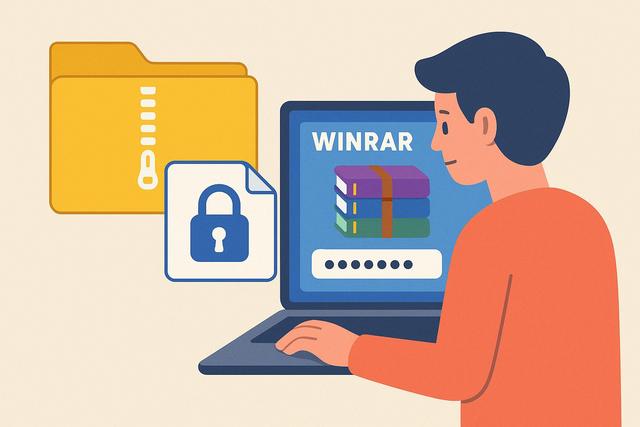
In today's digital age, managing compressed archives is a valuable skill. WinRAR, a popular tool, allows you to protect these files with a password. Discover how to extract these archives with ease.
Download WinRAR today and enhance your file management capabilities.
Understanding WinRAR and its Features
WinRAR is a widely used file compression and decompression software around the world. Known for its ability to reduce file sizes, it also offers advanced file protection features, including the option to secure an archive with a password. This feature is particularly useful for ensuring the confidentiality and security of data.
Why Protect a File with a Password?
Protecting a file with a password has several advantages. It prevents unauthorized access and safeguards your sensitive data against cyber threats. In many professional and personal contexts, the use of strong passwords has become imperative for IT security. WinRAR simplifies this process by allowing users to easily lock their archives.
Steps to Extract a Password Protected File
When you want to extract a password protected file using WinRAR, follow these steps:
Download and Install WinRAR: Make sure you have the latest version of WinRAR installed on your computer. You can download it from the official WinRAR website.
Open the Archive: Locate the password protected WinRAR archive you wish to extract. Right-click on the file and select "Open with WinRAR".
Enter the Password: When you try to open the archive, WinRAR will prompt you to enter the correct password. Input the password and click "OK".
Extract the Files: Once the password is validated, click on the "Extract to" button in the WinRAR toolbar. Choose the destination directory where you want to extract the files.
Check the Extracted Files: After extraction, verify that all files are present and not corrupted. If there are errors, the password entered may have been incorrect.
What to Do If You Forget the Password?
It is not uncommon to forget the password of an archive. If this happens to you, several methods can assist:
- Use Recovery Tools: Software like "RAR Password Unlocker" or "Advanced RAR Password Recovery" can attempt to recover the password.
- Index Your Passwords: Keep an updated list of your passwords in a secure password manager to avoid forgetting them.
Tips for Creating Secure Passwords
To ensure the security of your files, creating a strong password is essential. Here are some tips:
- Use at least 12 characters, mixing letters, numbers, and symbols.
- Avoid easy passwords like "123456" or "password".
- Change your passwords regularly and do not share them.
Conclusion
WinRAR is a powerful tool that, when used correctly, can effectively protect your data. Understanding and applying the security principles described in this article not only ensures the confidentiality of your information but also strengthens your overall digital security.


