Download Discord for free to chat, collaborate, and play online. Discover the latest version with new features designed to make communication easier with your friends, communities, and teams.
Introduction
Discord is a free voice, text, and video communication app that provides a space to connect, collaborate, and play with friends, communities, or professional teams.
Main Features
Voice and Text Channels: Create dedicated rooms for your discussions.
Video Calls: Host one-on-one or group video calls.
Screen Sharing: Share your screen live during meetings or gaming sessions.
Bots and Integrations: Automate tasks using customizable bots.
Security and Permissions: Manage access rights and privacy within channels.
Installation Instructions
Visit the official Discord website.
Choose the version for your device (Windows, macOS, iOS, or Android).
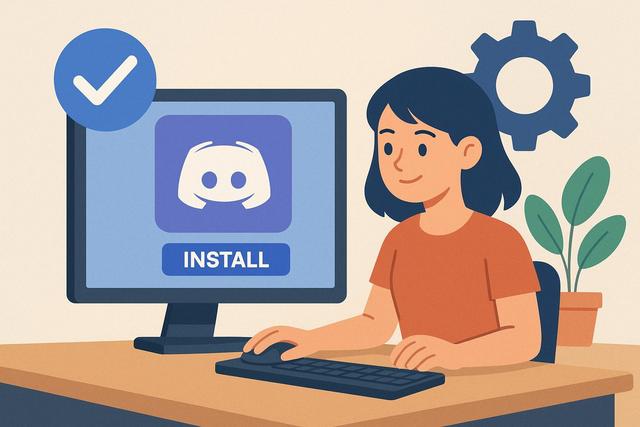
Download the installer and follow the setup instructions.
Sign in or create an account to access your servers and channels.
Pros and Cons
Pros: Free, versatile, perfect for both teamwork and gaming.
Cons: May use more system resources when running in the background.
FAQ
Is Discord free? Yes, Discord is free, with an optional premium plan called Discord Nitro.
Can I create my own servers? Yes, you can create custom servers and channels.
Is Discord available on mobile? Yes, apps are available for both iOS and Android.
Is Discord secure? Yes, servers can be private and permissions fully customizable.
How can I add a bot to my server? Search for a bot and follow the instructions to authorize it on your server.
Download
Download Discord Free – Chat, collaborate, and connect easily with the latest version of Discord.
Do you want to install Discord for free on your PC to chat with friends, play online, or collaborate with your team? Good news: the installation process is straightforward and takes only a few minutes. In this comprehensive guide, you will learn how to download Discord, properly install it on Windows or Mac, create an account, and start using it effortlessly.
Do you want to create a Discord server for free to bring together your friends, community, or clients? Good news: setting up a Discord server takes only a few minutes and requires no technical skills. In this article, you'll discover step by step how to create, configure, and optimize your Discord server to make it clear, secure, and enjoyable to use.
Creating a Discord server for your gaming community is a crucial step to gather, retain, and engage players who share the same passions. Discord has become the number one communication platform in the gaming world, as it combines text, voice, and video discussions within a single space. Additionally, a well-structured server promotes exchanges, strengthens the sense of belonging, and enhances the overall experience for members. However, launching a Discord server requires thoughtful planning. It is essential to define clear objectives, organize channels methodically, and establish appropriate rules, so that the community can thrive in a healthy and dynamic environment. In this article, you will learn step by step how to create a Discord server for your gaming community and ensure its sustainable growth.
To get started, download Discord and begin your journey in building a vibrant community.
In 2026, online communication remains essential, but many users are looking for free alternatives to Skype and Zoom. Discover the best options for your video conferencing, voice calling, and instant messaging needs.
Discord is a popular platform for online communities to communicate via text and voice. To enhance the user experience, adding a bot to manage voice channels can be essential. Discover how to easily integrate a bot to organize your voice channels on Discord.
For those interested in downloading Discord, you can find the latest version here.
Special Deals You’ll Love
I’ve been checking laptop options for 2026 lately, mostly for everyday work and travel.
If you’re comparing models too, here’s the page I keep an eye on:
See the current deals
Hi, I’m Pascal. I run TelechargerFacile because I like keeping things simple when it comes to software, tools,
and everyday tech. I test a lot of what I share here, and I update the pages whenever something new or easier comes along.
Most of the guides on this site come from things I’ve needed myself — small fixes, shortcuts,
or tools that actually save time. If you see something useful, feel free to bookmark it.
I keep improving the site step by step.