The K-Lite Codec Pack is a collection of DirectShow filters, VFW/ACM codecs, and tools. These codecs and filters are required for encoding and decoding audio and video formats. K-Lite Codec Pack is designed as a user-friendly solution to play all your audio and video files.With the K-Lite Codec Pack, you can play virtually any media format, including less common ones.
The K-Lite Codec Pack offers several advantages over other codec packs:
It is updated frequently to include the newest and best components.
Each component is carefully selected for specific purposes — not a random mix of software.
It is user-friendly and easy to use.
It works perfectly with Windows Media Player and Media Center, as well as other DirectShow players like Media Player Classic, BSplayer, and ZoomPlayer.
The installation is fully customizable, allowing you to install only what you need.
It provides plenty of options to adapt the setup to your preferences.
Uninstallation removes everything cleanly, including registry keys.
The installer makes it easy to perform a custom setup.
It does not include buggy or unstable codecs. In fact, it can detect and disable problematic ones.
It avoids potential conflicts with other installed codecs and can remove outdated versions automatically.
It’s a complete package — everything you need to watch your videos.
Includes options to enable video thumbnail generation in Windows Explorer for unsupported formats.
Automatically configures Media Center to recognize all audio and video types in your library.
It has a huge user community, ensuring fast issue detection and fixes.
Available in multiple editions — from basic to full and mega versions.
Suitable for both beginners and advanced users.
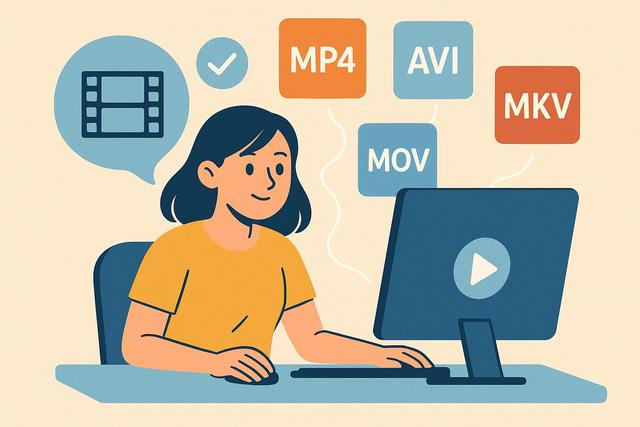
The Basic version includes everything needed to play the most common video file formats such as AVI, MKV, MP4, OGM, and FLV.
The Standard version adds extra features, including Media Player Classic, an excellent video player with DVD playback support — recommended for most users.
The Full version adds many more features, supporting lossless audio formats and including codecs for encoding (VFW/ACM). Ideal for demanding users.
The Mega version includes everything from the Full version plus additional DirectShow filters and codecs.
The 64-bit version is designed for 64-bit Windows systems. For the best experience, it is recommended to install both the 32-bit and 64-bit variants, as most Windows applications still run in 32-bit mode.
A video without picture, sound, or one that cannot be opened often indicates a codec issue. The K-Lite Codec Pack free version can help Windows read more formats. However, it must be installed correctly and it should be verified that the video file does not have another defect. Here is a simple method to resolve the issue without installing unnecessary software.
Are you unable to play certain videos on your computer? Error messages, soundless images, or rejected files are often due to a missing codec. The K-Lite Codec Pack allows you to play almost all video formats for free on Windows. Here’s how to install, configure, and make the most of it.
Do you want to play all video formats for free without installing multiple different players? Whether on PC, Mac, or smartphone, there are simple and effective solutions to open almost any video file. In this article, you will discover how to play all video formats for free, which software to use, and how to avoid compatibility issues.
For a comprehensive solution, consider downloading the K-Lite Codec Pack, which will help you play virtually any video format seamlessly.
Are you unable to play certain videos on your Windows PC? Is an error message indicating that a codec is missing? Installing K Lite Codec Pack on Windows can quickly resolve this issue. This guide will explain how to install it easily, step by step, and how to configure it correctly to play all your video and audio formats.
To start, you can find the K Lite Codec Pack available for download here.
IPTV is attracting more and more users because it allows you to watch channels and on-demand content via the Internet. However, many playback issues quickly arise: black screens, lack of sound, choppy images, or error messages regarding missing codecs. These difficulties often stem from a lack of compatible codecs on your computer. To fully enjoy your IPTV subscription, you must understand the role of codecs and why installing the K-Lite Codec Pack can enhance playback stability and quality.
Why Choose K-Lite Codec Pack?
In this article, discover how codecs work and why K-Lite is an effective and simple solution to implement. For downloading the K-Lite Codec Pack, visit this download page.
Special Deals You’ll Love
I’ve been checking laptop options for 2026 lately, mostly for everyday work and travel.
If you’re comparing models too, here’s the page I keep an eye on:
See the current deals
Hi, I’m Pascal. I run TelechargerFacile because I like keeping things simple when it comes to software, tools,
and everyday tech. I test a lot of what I share here, and I update the pages whenever something new or easier comes along.
Most of the guides on this site come from things I’ve needed myself — small fixes, shortcuts,
or tools that actually save time. If you see something useful, feel free to bookmark it.
I keep improving the site step by step.