Can You Catch a Virus from Free Software?
- Aug 08, 2026 01:11 pm
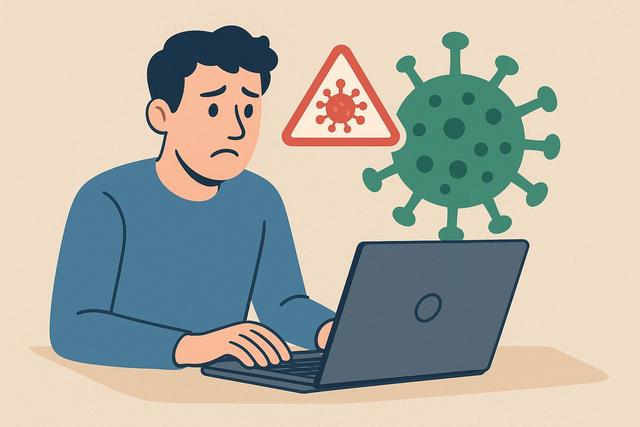
Downloading free software may seem risk-free. However, many users wonder if they can contract a virus this way. The answer is yes, but not in all cases. It all depends on the source, the type of software, and the precautions taken. Here’s what you need to understand to effectively protect your computer.
For secure downloads, consider visiting the official Avast page for the latest version: Avast Free Download.
Why Free Software Can Contain a Virus
The search intent behind the question “Can you catch a virus with free software?” is clear: to understand whether downloading free software endangers a computer and how to mitigate the risks.
A free software is not inherently dangerous. Many reliable programs are available in free versions. However, some files shared online contain viruses, trojans, or spyware.
A cybercriminal can modify an installation file and embed malicious software within it. The user thinks they are installing a useful tool when, in fact, they are also installing a virus.
Sometimes, the software itself is legitimate. However, the website offering it may add unwanted programs to the installer. This often happens on unofficial download platforms.
What Types of Threats Can You Encounter?
A computer virus is just one type of threat among many. When you download free software from a dubious source, you may encounter several risks.
Viruses and Worms
A virus can infect your system and spread to other files. A worm, on the other hand, spreads automatically across the network.
These programs can:
- delete or modify files;
- significantly slow down the computer;
- send personal data without your consent.
Trojans
A trojan hides within a seemingly normal program. Once installed, it opens a backdoor for hackers.
This can lead to the theft of passwords, banking details, or sensitive information.
Spyware
A spyware collects data about your activity. It can record what you type on your keyboard or analyze your browsing.
These programs often run in the background, so the user may not notice anything initially.
Adware and Unwanted Programs
Not all dangerous free software contains an outright virus. Some include adware, which displays intrusive advertisements or modifies your browser.
Even though these programs do not destroy your files, they significantly degrade the user experience.
Why is Free Software More at Risk?
Free software naturally attracts more downloads, making it an ideal target for hackers.
Moreover, some users seek paid software for free. They turn to "cracked" or pirated versions, which often contain viruses.
On the other hand, legitimate free software offered by its official publisher presents much less risk. For example, many antivirus or office tools are available in legal and secure free versions.
Therefore, the real danger does not come from the word "free," but from the source of the file.
How to Know if Free Software is Safe?
You can significantly reduce the risk by following a few simple rules.
1. Download from the Official Site
This is the most important rule. Go directly to the software publisher's website.
Avoid unknown platforms that offer alternative links or modified versions.
2. Check the URL and the Site Reputation
Carefully examine the site's address. A strange or misspelled URL should alert you.
You can also check the website's reputation using online tools. However, this information can change, so make sure to consult it at the time of download.
3. Scan the File with an Antivirus
Before opening a downloaded file, run a scan with an up-to-date antivirus.
Most operating systems already include basic protection, which you can complement with specialized software.
4. Read User Reviews
Check comments and user experiences. If several people report a problem, take it seriously.
However, be wary of overly positive fake reviews.
Signs That Free Software Contains a Virus
Some indicators should alert you immediately after installation.
Here are the most frequent signs:
- unusual slowdowns;
- pop-up advertisements;
- changes to your browser's homepage;
- new programs installed without your consent;
- antivirus disabled for no reason.
If you notice these symptoms, perform a complete system scan immediately.
Difference Between Legal Free Software and Pirated Software
There is much confusion between free software and pirated software.
Here’s a simple table to understand the difference:
| Legal Free Software | Pirated Software |
|---|---|
| Distributed by the publisher | Modified version without authorization |
| Official download | Download via illegal site |
| Updates available | No secure updates |
| Low risk if from reliable source | High risk of viruses |
A legal free software can be open source or ad-supported. It adheres to a clear legal framework.
A pirated software violates copyright law and almost always exposes you to malware risks.
Are Download Platforms Reliable?
Some well-known platforms conduct checks. However, no site offers zero risk.
Indeed, a program can slip through the cracks. Moreover, some sites add their own installation programs.
To limit risks:
- prioritize the official site of the publisher;
- avoid multiple download buttons;
- do not click on disguised advertisements.
What to Do if You Installed Infected Software?
If you suspect you've caught a virus after installing free software, act quickly.
- Disconnect your computer from the Internet.
- Run a full antivirus scan.
- Remove any suspicious programs.
- Change your passwords, especially if you've entered sensitive information.
If the problem persists, consider restoring your system. As a last resort, a complete reinstallation may be necessary.
Are Smartphones Concerned?
Yes, the risk exists for smartphones as well.
Free applications downloaded from official stores are generally checked. However, some applications manage to bypass these checks.
The danger increases significantly if you download APK files from external sites. This type of installation evades standard security checks.
As with computers, always check the source and the permissions requested by the application.
Free or Paid Antivirus: Which One to Choose?
A free antivirus can provide adequate protection for basic usage. It blocks the most common threats.
However, a paid version often includes:
- ransomware protection;
- advanced firewall;
- online banking protection.
The choice thus depends on your usage. If you perform sensitive operations, more comprehensive protection may be useful.
It is important to compare the current features, as they evolve regularly.
Best Practices to Avoid Viruses
To reduce risks associated with free software, adopt these habits:
- regularly update your system;
- activate an antivirus;
- back up your important data;
- avoid suspicious attachments;
- do not download cracked versions.
These simple gestures significantly decrease the risk of infection.
Should You Stop Downloading Free Software?
No. Many free software programs are reliable and useful. For instance, browsers, graphic tools, or office suites are available in secure free versions.
The danger arises when you download without verifying the source.
Thus, the question is not whether the software is free, but whether it comes from a legitimate publisher and a safe site.
FAQ
Can Free Software Infect a Mac?
Yes. Macs are targeted less than some other systems, but they are not invulnerable. Downloading from the official site remains essential.
Are Open Source Software More Secure?
Not automatically. However, their code is accessible to the community, allowing potential vulnerabilities to be detected quickly. It is still important to check the source of the download.
Is An Antivirus Sufficient for Protection?
An antivirus significantly reduces the risk, but it does not replace vigilance. The user plays a central role in security.
Can You Detect a Virus Without Antivirus?
Some signs can alert you, like sudden slowdowns. However, only a specialized tool can confirm the presence of malware.
Conclusion
Yes, you can catch a virus with free software, especially if you download it from an unreliable source. However, the free nature of a program does not mean it is dangerous. By prioritizing official sites, using antivirus software, and staying vigilant, you can significantly reduce risks. Caution remains your best protection.


