Free Software: What Are the Real Risks?
- Jul 19, 2026 01:11 am
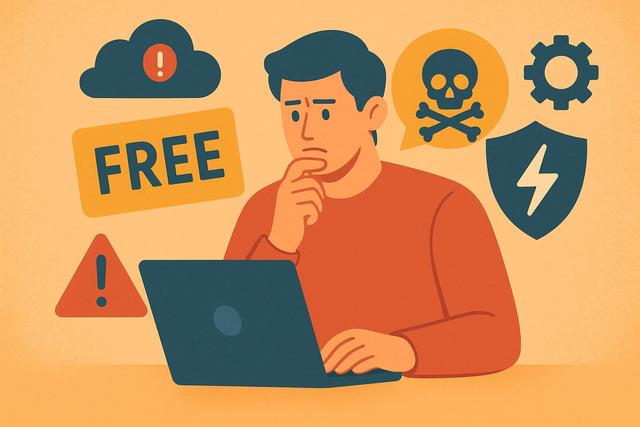
Downloading free software often seems like a great deal. However, behind the facade of free, certain risks exist. Viruses, data theft, or limited features: should you be wary? Here’s what you really need to know before installing free software.
For a safe and reliable option, consider downloading Avast Free Antivirus to protect your device.
Why is free software so appealing?
Free software allows users to utilize a tool without paying for a license. This model attracts individuals, students, and even some businesses as it reduces costs and enables the testing of solutions without commitment.
Many publishers offer free versions to gain recognition. Others rely on advertising or supplementary paid services. Therefore, free does not always mean the absence of a business model.
However, this seemingly good deal can hide limitations or risks. It is essential to understand the true intent behind free software.
Free software: what are the main risks?
Not all free software is dangerous. However, some carry risks that need to be understood before installation.
1. Viruses and malware
The primary risk concerns cybersecurity. Some free software contains viruses, Trojans, or spyware.
These malicious programs can:
- steal your personal data;
- monitor your online activity;
- slow down your computer;
- open access to hackers.
This danger is particularly prevalent when downloading software from unofficial sites. Indeed, unreliable platforms sometimes modify the original files.
2. Data collection and exploitation
A free software needs to generate revenue. Often, it exploits user data.
For example, it may collect:
- your email address;
- your browsing habits;
- your location;
- your usage preferences.
This data is then used to display targeted advertising or sold to partners. This practice remains legal if disclosed in the terms of use. However, few users read these documents.
Before installing free software, always check its privacy policy.
3. Intrusive ads
Some free software displays numerous advertisements, which can make the experience unpleasant.
In some cases, these ads redirect to risky sites. Other times, they significantly slow down your device.
This model is common in free mobile applications. It is not necessarily dangerous, but it can harm your comfort and productivity.
4. Limited features
Many free software operate on a "freemium" model. You access a basic free version, but advanced features are paid.
This limitation can be problematic if you use the software in a professional context. You may waste time or have to switch to a paid version later.
Thus, it's best to check from the start if the free version truly meets your needs.
5. Lack of support
With free software, customer support is often limited or even absent. In case of an issue, you'll need to seek a solution yourself.
This can become burdensome, especially in a business setting. A malfunction or unaddressed vulnerability can have significant consequences.
Are all free software dangerous?
No. There are many reliable and secure free software options available.
Open-source software, for example, offers great transparency. Its source code is accessible, allowing a community of developers to verify any potential flaws.
Large companies also offer quality free tools, funding these services through other activities. In such cases, the risk remains limited if you download software from the official site.
Thus, the danger does not stem from the term "free" itself, but from a lack of vigilance during downloading and usage.
How to recognize reliable free software?
To mitigate risks, adopt simple reflexes.
Check the download source
Always download software from:
- the publisher's official website;
- a recognized app store;
- a reputable platform.
Avoid unknown sites that offer modified versions.
Read user reviews
Look for recent reviews. Be wary of very short or overly flattering comments as they may be fake.
Instead, look for detailed reviews that describe real experiences.
Analyze requested permissions
A photo editing software doesn’t need access to your contacts. If an application requests excessive permissions, raise your concerns.
On smartphones, check permissions before installation. On computers, stay alert to pre-checked boxes during installation.
Use an up-to-date antivirus
A reliable antivirus can detect a suspicious program before installation. Keep it updated to ensure effective protection.
While no system offers complete security, this protection significantly reduces risks.
Free software vs. paid software: what are the security differences?
Here’s a simple comparison table:
| Criterion | Free Software | Paid Software |
|---|---|---|
| Price | Free | License or subscription |
| Advertisements | Sometimes present | Rarely present |
| Customer support | Limited or absent | Generally included |
| Data collection | Frequent | Variable depending on the publisher |
| Updates | Sometimes irregular | Often regular |
A paid software is not automatically safer. However, the publisher often has the financial means to provide better support and regular updates.
Consequently, security depends more on the publisher's seriousness than on the software's price.
Specific risks for businesses
In businesses, the consequences can be more severe.
The installation of unvalidated free software can lead to:
- security breaches in the network;
- leaks of sensitive data;
- incompatibility with other tools;
- non-compliance with certain legal obligations.
It is therefore advisable to establish a clear internal policy. Only the IT department should authorize the installation of new software.
Additionally, some free licenses prohibit commercial use. Always check the terms of use, as non-compliance can lead to penalties.
Best practices for using free software safely
Here are some concrete tips to follow:
- Download only from official sources.
- Read the privacy policy.
- Decline any unwanted additional program installations.
- Regularly update the software.
- Back up your data before installing new tools.
These simple actions greatly reduce dangers.
Should I avoid free software?
Not necessarily. Free software can be very useful. They allow you to try out a tool before investing.
However, you must stay vigilant. Always ask yourself: how does the publisher finance its activity? If the answer seems vague, take the time to conduct further research.
When in doubt, favor known publishers or solutions recommended by reliable sources.
Conclusion
A free software is not inherently dangerous. However, certain risks exist: viruses, data collection, intrusive ads, or lack of support. By adopting good practices and verifying the source's reliability, you can limit these dangers.
The key remains vigilance. Before installing free software, inform yourself and analyze its business model. This way, you can enjoy the benefits of free software without compromising your security.
FAQ
Can free software contain a virus?
Yes, especially if it comes from an unofficial site. Always download from the publisher's source and use an up-to-date antivirus.
Are open-source software safer?
Often yes, because their code is public. However, it all depends on the community's activity and the frequency of updates.
Why do publishers offer free software?
They may finance through advertising, selling premium services, or data exploitation. Check the terms of use to know.
Is free software suitable for a business?
Sometimes yes, but check the license and level of security. It's advisable to go through the IT department before any installation.


