Create Professional Esports Team Logos with Free Inkscape
- Feb 06, 2026 01:11 pm
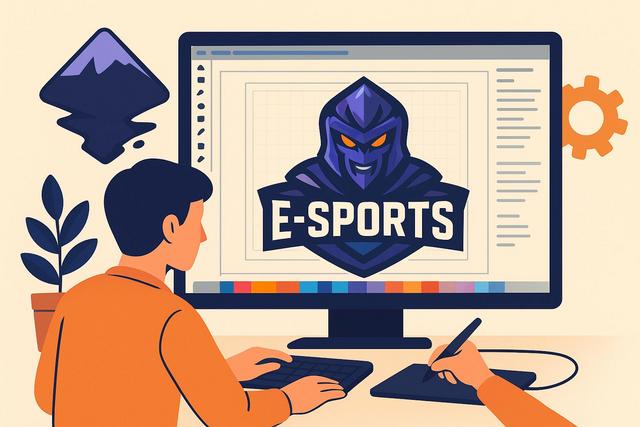
The logo is one of the cornerstones of an e-sport team's visual identity, as it instantly conveys its values, style, and ambition. In a competitive environment that is heavily exposed on social media, a striking logo enhances the credibility of an e-sport organization, whether amateur or professional. However, hiring a design agency often comes with a high cost. Due to this constraint, many creators turn to Inkscape, a free vector graphic software, to design unique, professional team logos that are suitable for all digital platforms.
To download Inkscape for free, click here.
Why a Logo is Essential for an E-Sport Team
An e-sport team logo plays a strategic role in building a strong brand, as it serves as a visual marker for fans, sponsors, and streaming platforms. A good logo facilitates immediate recognition of the team, thereby enhancing the emotional attachment of the audience. Additionally, a cohesive logo improves the team's credibility during tournaments and on social media.
In the e-sport universe, competition remains intense; however, a well-thought-out visual identity allows teams to stand out effectively. A successful logo must therefore be legible at a smaller size, impactful on the screen, and easily adaptable for avatars, Twitch overlays, or jerseys.
Inkscape, a Free Software Ideal for E-Sport Design
Inkscape stands out as a reliable solution for creating e-sport team logos on a budget. This open-source software works on Windows, macOS, and Linux, making it accessible. Inkscape uses vector drawing, as this format ensures perfect quality regardless of display size.
Thanks to vector graphics, the logo maintains sharp outlines for streams, social media, or large-format prints. This means that even a beginner team can compete visually with established organizations. Moreover, Inkscape offers powerful tools such as Bezier curves, shape operations, and advanced layer management.
The Basics of E-Sport Logo Design
Before launching Inkscape, a phase of reflection is essential. An effective e-sport logo relies on coherent graphic choices since each element conveys a specific message. E-sport teams often prioritize strong symbols, like mascots, stylized letters, or aggressive icons.
Simplicity remains a key rule, as a logo that is too complex loses readability on small screens. Additionally, a limited color palette facilitates visual memorization, which is why two or three colors are typically sufficient.
Choosing the Right Colors for an E-Sport Logo
Colors directly influence the perception of a team. Red evokes aggression and competition, while blue inspires trust and stability. Green suggests energy or strategy, while purple enhances a premium image.
Here are some common color combinations in e-sport:
- Red and Black: aggression, power, dominance
- Blue and White: professionalism, precision, control
- Green and Black: energy, modernity, performance
However, it is always essential to check the contrast, as a legible logo significantly enhances its visual impact.
Getting Started with Inkscape to Create an E-Sport Team Logo
Once Inkscape is installed, the next step is to correctly set up the document. It is crucial to define an appropriate canvas size, as an e-sport logo is used on various mediums. Generally, a square format of 1000 x 1000 pixels serves as an effective baseline.
Next, using layers simplifies the process since each logo element remains independently editable. This approach enhances design accuracy, allowing for quick and clean adjustments.
Drawing Custom Vector Shapes
Inkscape allows you to create simple shapes and then transform them into complex elements. The Pen tool is particularly useful for drawing dynamic lines, aggressive angles, or e-sport mascot silhouettes.
With Boolean operations, it becomes possible to merge, subtract, or intersect shapes. Due to these features, the designer retains complete control over the final logo's appearance.
Adding Text and E-Sport Typography
The choice of typography greatly influences an e-sport team's identity. Angular, futuristic, or gaming-inspired fonts enhance immersion. Inkscape allows for the import of free fonts suitable for e-sport.
Next, it is essential to convert the text into paths, as this guarantees perfect compatibility during export. Additionally, the conversion allows for advanced modifications on each letter.
Structuring a Professional E-Sport Logo
A well-structured e-sport team logo relies on precise visual balance. The symbol should immediately catch the eye, while the team name remains legible. However, it is best to avoid unnecessary graphic overload.
A good exercise is to test the logo in black and white. If the logo remains effective without color, then its structure works. This method allows for quick identification of design weaknesses.
Adapting the Logo to Different E-Sport Mediums
An e-sport logo must adapt easily to digital platforms. Twitch, YouTube, Twitter, and Discord require various formats. Inkscape facilitates this adaptation, as the vector format can be exported without loss.
Here is a summary table of the main uses for an e-sport logo:
| Medium | Recommended Format | Main Use |
|---|---|---|
| Social Media Avatar | Square | Quick Recognition |
| Stream Overlay | Transparent PNG | Visual Branding |
| E-Sport Jersey | Vector | Textile Printing |
Thanks to this flexibility, the logo retains a strong identity across all platforms.
Exporting an E-Sport Logo with Inkscape
Exporting is a key step, as incorrect settings can degrade the logo's quality. Inkscape offers several formats; however, PNG is ideal for the web, while SVG retains the vector quality.
It is always essential to provide a version with a transparent background, as this option facilitates logo integration into videos or promotional visuals. Additionally, exporting in high resolution ensures better graphic quality.
Common Mistakes to Avoid When Creating E-Sport Logos
Some mistakes directly undermine the impact of an e-sport team logo. An excess of details is a common pitfall, as it renders the logo illegible at smaller sizes. Similarly, using too many colors complicates visual coherence.
It is also crucial to avoid overly complex effects, such as excessive shadows or poorly mastered gradients. Due to their printing difficulty, these effects often create technical issues.
Improving Your E-Sport Logo with Feedback and Testing
Once the logo is created, gathering opinions is essential. Feedback from players, fans, or designers helps quickly identify areas for improvement. Through testing on different backgrounds and sizes, the logo gains robustness.
Inkscape makes modifications easy, allowing for quick adjustments. This flexibility represents a significant advantage for evolving e-sport teams.
Inkscape, a Sustainable Solution for E-Sport Visual Identity
Inkscape is not only used to create a logo; the software also allows for designing banners, overlays, or visuals for social media. Once mastered, the tool becomes a strategic ally in developing a coherent e-sport brand.
Due to its free and powerful nature, Inkscape stands out as an ideal solution for e-sport teams looking to maintain control over their image. With methodology, creativity, and practice, it is possible to create professional e-sport logos without financial investment.
Conclusion: Creating an Impactful E-Sport Logo with Inkscape
Creating e-sport team logos with the free Inkscape software is an accessible opportunity for all. Through vector drawing, strategic thinking, and good mastery of tools, each team can develop a strong visual identity. This way, even without a budget, an e-sport team can assert its style, attract its audience, and gain credibility in the competitive scene.


