CSV vs XLS: Key Differences and Which Format to Choose?
- Jun 11, 2026 01:11 am
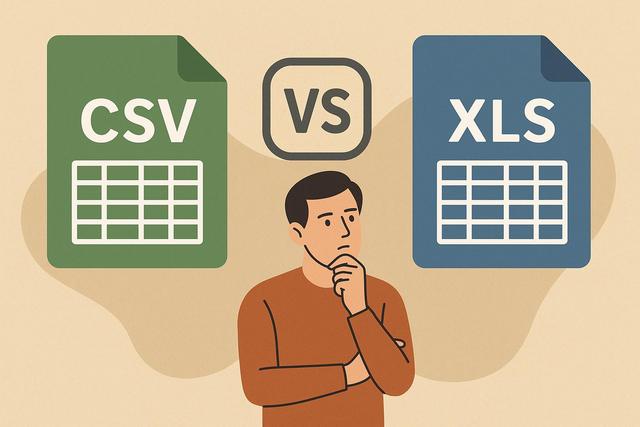
Are you unsure whether to choose a CSV file or an XLS file for storing or sharing your data? These two file formats are widely used in spreadsheet applications like Excel, but they operate differently. To make the right choice, it's essential to understand their differences, advantages, and limitations. Here’s a clear guide to help you determine when to use a CSV or an XLS.
For more information and to download Microsoft Office, visit the following link: Download Microsoft Office.
What is the difference between a CSV file and an XLS file?
The search intent behind "CSV or XLS: what's the difference" is simple: to understand what distinguishes these two file formats and to know which one to choose based on usage.
A CSV file (Comma-Separated Values) stores data in plain text. Each line corresponds to a record, and each value is separated by a delimiter, often a comma or a semicolon.
An XLS file, on the other hand, is a spreadsheet format developed for Microsoft Excel. It can contain data, but also formulas, charts, formatting, and multiple sheets.
In summary:
- CSV stores only simple data.
- XLS stores enriched and formatted data.
How does a CSV file work?
A CSV file is a text file. You can open it with a standard text editor like Notepad.
Each line represents a row in the table. Each value is separated by a specific character. For example:
Name;First Name;Age
Dupont;Marie;32
Martin;Paul;28
The format remains very simple. It does not retain:
- cell colors,
- formulas,
- filters,
- charts,
- multiple sheets.
Advantages of the CSV format
CSV offers several important advantages.
First, it is lightweight. The file takes up little space because it only contains text.
Next, it is universal. Almost all software can read a CSV file: Excel, Google Sheets, management software, data tools, programming languages, etc.
Finally, it facilitates data exchange between different systems. This is why many software programs offer CSV export.
Limitations of CSV
CSV does not handle formatting. If you send a well-presented table in Excel, everything disappears during the export to CSV.
It does not support formulas. If a cell contains a formula, the file saves only the displayed result.
Moreover, encoding issues can sometimes cause accent errors. You need to check the encoding (UTF-8, for example) when importing.
How does an XLS file work?
The XLS file is a binary format used by older versions of Excel. Today, the XLSX format has largely replaced it. However, the principle remains similar.
An XLS file can contain:
- multiple worksheets,
- complex formulas,
- charts,
- pivot tables,
- advanced formatting.
It retains the entire structure of the Excel workbook.
Advantages of the XLS format
The main advantage of XLS is its functional richness.
You can automate calculations, create dashboards, and structure complex data. The file preserves layout, colors, and formulas.
It is therefore perfectly suited for internal use or analytical work.
Limitations of XLS
The XLS file is heavier than a CSV.
It relies more on the software used. Even though other tools can open it, the experience is optimal with Microsoft Excel or compatible software.
It can also sometimes present compatibility issues between old and new versions.
Comparison table: CSV vs XLS
Here is a simple table to visualize the difference between CSV and XLS:
| Criteria | CSV | XLS |
|---|---|---|
| Type of data | Plain text | Data + formulas + format |
| Formatting | No | Yes |
| File size | Light | Heavier |
| Compatibility | Very high | Good, but software-dependent |
| Multiple sheets | No | Yes |
| Main use | Data exchange | Advanced analysis and work |
This table helps to quickly choose the right format according to your needs.
When to choose a CSV file?
Choose a CSV file if you want to:
- export data to another software,
- import data into a website,
- share a universal file,
- manipulate data in a technical tool.
For example, if you are transferring a customer database to email marketing software, the CSV format is perfect.
It also adapts very well to IT projects, as developers can easily handle it.
On the other hand, it is not suitable if you need to present a structured or automated document.
When to choose an XLS file?
Opt for the XLS format if you need to work with data in-depth.
It is more suitable if you:
- use advanced formulas,
- create charts,
- build a dashboard,
- organize multiple sheets in one file.
It is better for internal use. For example, for budget tracking with automatic calculations, XLS remains more practical.
However, if you only need to transmit raw data, a CSV is more than sufficient.
CSV or XLS: which format for Excel?
Excel can open both formats.
If you are working solely in Excel and need advanced features, choose XLS or XLSX.
If you are preparing a file to be imported somewhere else, favor CSV. This way, you will avoid errors related to formats or formulas.
Also be careful about the delimiter used in the CSV. In France, Excel often uses the semicolon. In other countries, the comma is dominant. Check this point when importing.
Frequent problems between CSV and XLS
Some errors often occur during conversion.
For example:
- Accents are displayed incorrectly after exporting to CSV.
- Leading zeros in a number disappear.
- Dates change format automatically.
To avoid these problems:
- Check the encoding when exporting (preferably UTF-8).
- Format columns as "text" before export.
- Always test the file after import.
These simple precautions prevent most errors.
CSV vs XLSX: an important clarification
Even though the question is about CSV or XLS, it is useful to mention XLSX.
The XLSX format is newer than XLS. It is lighter and more stable. It also works with most modern spreadsheet software.
Today, if you are using a recent version of Excel, you will save in XLSX by default and not in XLS.
The real choice is often between CSV and XLSX rather than between CSV and XLS.
In summary: CSV or XLS, which to choose?
The choice depends on your objective.
Use CSV to exchange simple data between software. It is lightweight, universal, and practical for import-export.
Choose XLS (or XLSX) to work with data in a spreadsheet with formulas, charts, and formatting.
In short, CSV is used to transmit data. XLS is used to analyze and present it.
FAQ: CSV or XLS
1. Is a CSV file compatible with Excel?
Yes. Excel can open a CSV file without difficulty. You may sometimes need to specify the delimiter or encoding.
2. Can a CSV file be converted to XLS?
Yes. Open the CSV file in Excel, then save it in XLS or XLSX format. However, formulas and formatting will not be restored automatically.
3. Which format to choose to send a database?
The CSV format remains the most suitable for sending a simple database, as it is compatible with almost all systems.
4. Is the XLS format still in use?
Yes, but the XLSX format has mostly replaced it. If you are creating a new file, check the format requested by your software or client.


