DOC vs. DOCX: Key Differences Explained
- Jun 13, 2026 01:11 am
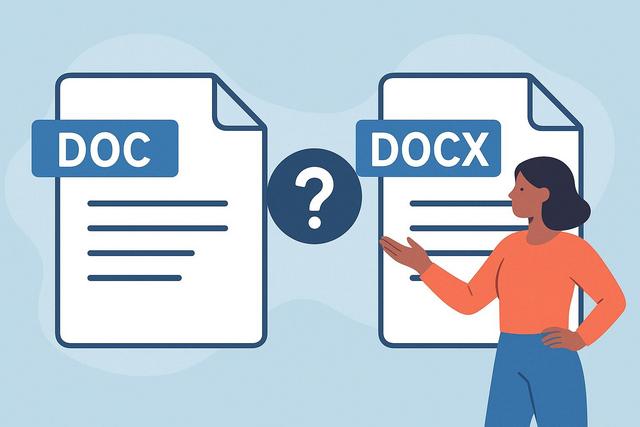
Are you undecided between a DOC file and a DOCX file? These two Word document formats may look similar, but they have significant technical differences. Compatibility, file size, security, performance: understanding the gaps between DOC and DOCX will help you make the right choice according to your needs.
To explore further, you can download the latest version of Microsoft Office here.
What is the intention behind the question "DOC or DOCX"?
When a user compares DOC and DOCX, they generally seek to understand three points:
- which one to choose for creating or sending a document;
- which one is more compatible with various software;
- which one offers better performance and security.
The goal is simple: to avoid issues related to opening, formatting, or data loss. To clearly answer this question, we must look back at the origins of these two formats.
DOC and DOCX: simple definition of each format
The DOC format
The DOC format is the old default format for Microsoft Word. Microsoft used it until Word 2003. It relies on a proprietary binary structure. In simple terms, the content of the file is stored in a compact form that is hard to read without the appropriate software.
The DOC format can contain:
- formatted text;
- images;
- tables;
- macros;
- various formatting styles.
For a long time, it was the standard for word processing.
The DOCX format
The DOCX format was introduced with Word 2007. Microsoft incorporated it into the Office Open XML family. Unlike DOC, DOCX relies on a structure based on XML. In practice, it is a compressed archive that contains several organized files.
This technical choice offers several advantages, particularly in terms of compatibility and data management.
Today, DOCX is the default format for Microsoft Word.
DOC or DOCX: the main technical differences
To understand the real differences between DOC and DOCX, we need to compare several key aspects.
File structure
The most important difference concerns the internal structure:
- DOC uses a closed binary format.
- DOCX uses an open format based on XML.
In practical terms, DOCX separates document elements (text, images, styles) into different internal files. This organization makes data recovery easier in case of problems.
In contrast, DOC consolidates everything into a single binary structure.
File size
Generally, DOCX files are lighter than DOC files.
Why? Because the DOCX format automatically compresses data. This reduces the document size, especially if you add images.
A lighter file offers several advantages:
- faster email sending;
- more efficient storage;
- quicker loading in the software.
However, the size difference depends on the document's content.
Software compatibility
Compatibility is a crucial point.
The DOC format remains compatible with older versions of Word. If you’re working with an old computer, DOC can avoid problems.
On the other hand, DOCX offers broader compatibility today with:
- recent versions of Microsoft Word;
- free office suites like LibreOffice;
- online tools like Google Docs.
However, some very old versions of Word do not support DOCX without an additional module. If you exchange files with people using old software, check this point.
Compatibility conditions may evolve with software updates, so verify them if your environment is specific.
Macro management
Macros automate certain tasks in Word. They can be useful in business.
The DOC format accepts macros.
However, the DOCX format does not support them by default. To use macros with Word from 2007, you must save the document in DOCM format.
This distinction enhances security by separating standard documents from those containing code.
Document security
The DOCX format offers better security compared to DOC.
As DOC is an old binary format, it can more easily incorporate malicious macros. Viruses targeting Word files have long exploited this issue.
DOCX limits this risk by clearly separating macros into a specific format. This way, a user can more easily identify a document that may contain code.
No format is entirely safe. Always remain vigilant with attachments.
Comparison table DOC vs DOCX
Here is a clear summary of the differences between DOC and DOCX:
Format | DOC | DOCX
Structure | Proprietary binary | Compressed XML (Open XML)
Introduction | Before Word 2007 | Since Word 2007
File size | Bulkier | Generally lighter
Macros | Yes | No (uses DOCM)
Current compatibility | Old Word versions | Recent versions and online tools
Security | More exposed | Better structured and more secure
This table shows that DOCX better meets current standards.
DOC or DOCX: which to choose based on your situation?
The right choice depends on your context.
For common personal use
If you are using a recent version of Word or an online tool, choose the DOCX format.
It is lighter, more modern, and better suited for current exchanges. Additionally, it reduces risks associated with macros.
For business work
In most companies, the DOCX format is preferred. It facilitates archiving, sharing, and integration with other tools.
However, some organizations still use outdated systems. In this case, the IT department may mandate the DOC format to ensure compatibility.
Before choosing, check the internal rules.
For exchanging with someone using old software
If you know your recipient uses Word 2003 or an older version, DOC can prevent an opening issue.
You can also save your DOCX file in a compatible 97-2003 format from Word. This option generates a DOC file.
For a document containing macros
If your document uses macros, avoid using just DOCX.
Use:
- DOC if you are working with an old system;
- DOCM if you are using a recent version of Word.
This way, you maintain functionality while adhering to the structure intended by Microsoft.
DOC and DOCX: impact on formatting
Formatting may vary when switching from one format to another.
When you convert a DOC to DOCX, the software adjusts the internal structure. In most cases, the formatting remains stable.
However, some complex elements may shift:
- custom styles;
- old text boxes;
- specific embedded objects.
To avoid surprises, always open the converted file and check the result before sending it.
Conversion between DOC and DOCX: how to do it?
The conversion is simple with Microsoft Word.
To convert a DOC to DOCX:
- Open the DOC file.
- Click on "File".
- Select "Save As".
- Choose the DOCX format.
To do the reverse, follow the same steps, selecting the Word 97-2003 (.doc) format.
Online tools can also facilitate this conversion. However, avoid uploading sensitive documents to services you are not familiar with.
Is the DOC format still useful today?
The DOC format remains useful in specific contexts.
For example, some administrations or companies still use old software. In this case, DOC ensures maximum compatibility.
However, for new use, DOCX represents a better choice. It aligns with a more modern and open standard.
Is DOCX an open format?
The DOCX format is based on the Office Open XML standard. This standard is publicly documented.
This facilitates integration with other software. Many tools can read or generate DOCX without using Microsoft Word.
In contrast, the DOC format relies on a more closed structure. Its exploitation by third-party software is more complex.
Conclusion: DOC or DOCX, what is the real difference?
The real difference between DOC and DOCX lies in their structure, compatibility, and level of modernity.
DOC corresponds to an old binary format suited to historical versions of Word. DOCX is based on a lighter XML standard that is more secure and compatible with current tools.
In most cases, the DOCX format is the best choice today. Use DOC only if you need to ensure compatibility with old systems or meet a specific requirement.
FAQ: DOC or DOCX
Can a DOCX file be opened with Word 2003?
By default, no. Word 2003 requires a specific compatibility module. Without it, you will need to convert the file to DOC.
Is the DOCX format safer against viruses?
It limits risks associated with macros, as they use a separate format (DOCM). However, no format completely protects against a malicious file.
Can you lose formatting when converting a DOC to DOCX?
In most cases, no. However, complex elements may change slightly. It’s better to check the document after conversion.
Why is my DOC file heavier than my DOCX?
DOCX automatically compresses data. This compression often reduces file size, especially when it contains images.


