Inkscape vs Illustrator: A Comprehensive Tool Comparison for 2025
- Mar 04, 2025 09:22 pm
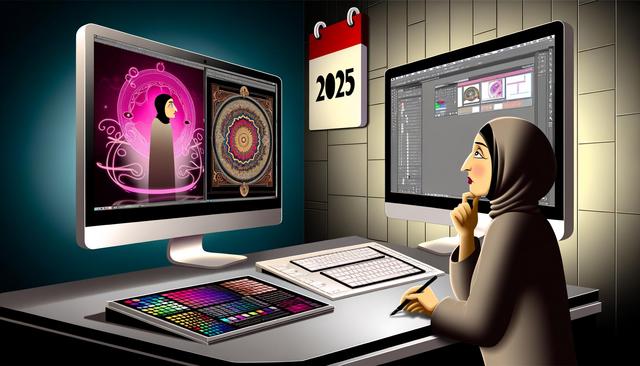
Digital graphic design has experienced unprecedented growth in recent years. Two of the most popular software options for designers are Inkscape and Illustrator. As 2025 unfolds with advanced technologies, let’s take a closer look at these two tools to determine which stands out as the best choice for today’s creators.
To explore Inkscape and download its latest version, visit this link.
Basic Features: Inkscape and Illustrator
Inkscape and Illustrator each have unique features that set them apart. Inkscape, known for its free availability, is popular among hobbyists and budget-conscious designers. It offers a surprisingly robust suite of features for open-source software. Illustrator, on the other hand, is an industry standard thanks to its sophisticated tools and reliability backed by Adobe.
Inkscape provides flexible drawing tools, support for open file formats like SVG, and compatibility across multiple platforms. This makes it accessible to a wide audience. Illustrator, with its advanced typography features, customizable brushes, and ability to manage multiple artboards simultaneously, appeals to professionals seeking to maximize their creativity.
Compatibility and Integration: Which Software is Best?
When it comes to compatibility, Illustrator stands out with its seamless integration with other Adobe products such as Photoshop and After Effects. This feature is an undeniable advantage for professionals working on complex projects that require a cohesive production chain.
Inkscape has made significant strides to enhance its compatibility, particularly with its growing support for various file formats. However, it still lags behind in the richness and smoothness of integration that Illustrator offers.
User Experience and Interface
The user interface plays a crucial role in choosing graphic software. Illustrator offers a polished and customizable user interface that is ideal for experienced users. Intuitively organized tools enable more efficient work.
Inkscape has also improved its interface in recent years but is sometimes criticized for being less intuitive. However, for those who persevere, Inkscape quickly becomes a powerful tool.
Price and Accessibility: Is Inkscape Essential?
Inkscape is undeniably attractive for those looking for an economical option. Free and open-source, it allows users to tailor it to their needs. It offers features that are not far off from those of Illustrator, despite the absence of some advanced tools.
Illustrator, while paid, justifies its price with a suite of premium features and substantial customer support. Professionals with the necessary budget often find that the additional benefits are worth the investment.
The Environmental Impact of Graphic Tools
By 2025, energy consumption of software plays an increasingly important role in the selection of tools. Inkscape, due to its lightweight nature, has a lesser impact on system resources, which may align with sustainability initiatives.
Illustrator, rich in features, requires more processing power, although Adobe has made efforts to optimize its performance in the cloud.
Conclusion: Which Tool Should You Choose in 2025?
The choice between Inkscape and Illustrator mainly depends on your specific needs and budget. Inkscape is ideal for those new to graphic design or needing an economical and flexible solution. Illustrator remains the top option for professionals who demand peak performance and superior integration with other tools.
In a constantly evolving digital world, regularly assessing your needs and testing these tools can ensure you make an informed decision.


