
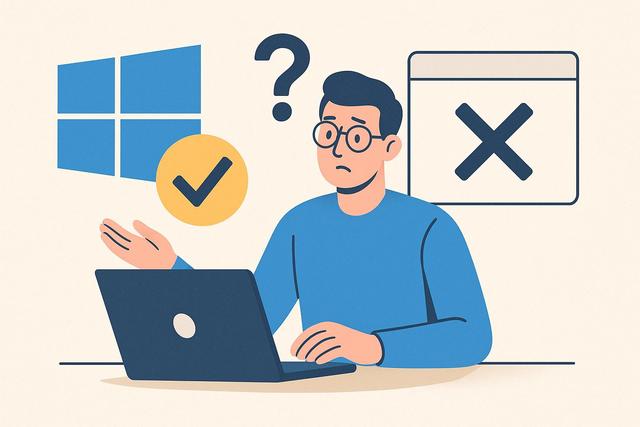
Check Software Compatibility with Windows
Are you wondering if this software is compatible with Windows before installing it on your computer? You're right to ask, as compatibility determines the performance, stability, and security of the program. Incompatible software can slow down your PC, cause errors, or prevent certain features from functioning correctly. In this article, we explain how to check the Windows compatibility of software, which system versions are supported, and what solutions are available in case of incompatibility. You can find the latest version of Google Chrome available for download here.
Why Check Windows Compatibility of Software
You should always check Windows compatibility before installing software, as it prevents many technical issues. An incompatible program can cause frequent crashes and may generate error messages upon startup.
Microsoft regularly updates Windows. Each new version modifies certain system components. Therefore, older software may not work properly on Windows 10 or Windows 11. Conversely, newer software may not be optimized for Windows 7.
Windows compatibility also affects security. Indeed, software that is compatible with the system benefits from the latest security updates. This way, you limit vulnerabilities and the risk of infection.
Which Versions of Windows Are Affected?
The first step is to identify your version of Windows. You can open system settings and check the System Information section. This check is simple and quick.
Here are the main versions still in use:
- Windows 7
- Windows 8 and 8.1
- Windows 10
- Windows 11
However, Microsoft has stopped official support for Windows 7 and 8. This means that some publishers no longer develop updates for these systems. As a result, software compatibility is gradually diminishing on these older versions.
How to Know if Software is Compatible with Windows?
You can check the Windows compatibility of software in several ways. Each method provides useful information.
Check the Publisher's Official Website
The publisher typically states the minimum system requirements. You will find this information in the Required Configuration section. This section specifies the compatible version of Windows, the necessary RAM, and the required disk space.
If the site mentions Compatible with Windows 10 and Windows 11, you can confidently install the software on those versions. Conversely, if there is no information available, you should contact customer support.
Read the Product Sheet or Download Page
Download platforms often display the supported operating systems. However, always check the date of the software update. Indeed, an old version may not function on a newer system.
Use Windows Compatibility Mode
Windows has a built-in tool called Compatibility Mode. This feature allows you to run software designed for an older version of Windows.
Here’s how to do it:
- Right-click on the installation file.
- Select Properties.
- Open the Compatibility tab.
- Choose the desired version of Windows.
This mode does not guarantee perfect operation. However, it often resolves simple issues.
Windows 10 and Windows 11 Compatibility: Key Differences
Windows 10 and Windows 11 share a similar technical foundation. However, some hardware requirements differ. For example, Windows 11 requires the presence of the TPM 2.0 module.
Some older software runs well on Windows 10. However, they may encounter limitations on Windows 11 due to the new security layers.
The following table summarizes essential points:
| Item | Windows 10 | Windows 11 |
|---|---|---|
| Microsoft Support | Yes | Yes |
| Hardware Requirements | Moderate | Stricter |
| Enhanced Security | Good | Very High |
| Compatibility with Older Apps | Wide | Variable by Software |
Therefore, you need to check not only software compatibility but also hardware configuration.
Common Compatibility Problems
Software that is not Windows compatible may exhibit several symptoms. You need to recognize these signs quickly.
Here are the most common problems:
- The program refuses to install
- The application closes immediately after opening
- Some functions remain inaccessible
- The screen displays a system error message
These problems often arise due to architectural differences. For instance, 32-bit software may encounter limitations on some very modern 64-bit environments. However, Windows still widely supports 32-bit applications.
32-bit or 64-bit Architecture: A Key Criterion
Windows compatibility also depends on system architecture. Today, most computers operate on 64-bit. This architecture allows for greater RAM usage.
Before installing software, you should verify if it exists in 32-bit or 64-bit versions. Generally, a 64-bit system can accept 32-bit applications. However, the reverse is not possible.
If you install an inappropriate version, the program may not start. Therefore, check this point in the required configuration.
What to Do If the Software is Not Compatible with Windows?
If the software is not compatible with Windows, several solutions are available.
Look for a Newer Version
The publisher may sometimes offer an update that is compatible with Windows 10 or Windows 11. You should check this option first, as it ensures better stability.
Install a Virtual Machine
You can install a virtual machine to run an older version of Windows. This solution is effective for older professional software. However, it requires additional technical knowledge.
Use a Compatible Alternative
If none of the solutions work, look for an equivalent software compatible with Windows. Many programs offer similar functionalities. Therefore, you can continue your activity without interruption.
Windows Compatibility and Professional Software
Businesses must be particularly vigilant. Indeed, incompatible business software can halt an entire production chain.
Before any Windows update, you should test essential software. This precaution limits service interruptions and protects sensitive data.
Professional publishers often release a compatibility timeline. You can consult this information to anticipate changes.
Windows Updates and Impact on Software
Major Windows updates sometimes modify certain internal components. These changes can affect software performance.
However, serious publishers quickly adapt their products. They release patches to ensure optimal Windows compatibility. Therefore, you should enable automatic updates whenever possible.
If a problem arises after a Windows update, you can restore a previous version of the system. This solution remains temporary but allows you to continue working.
Best Practices to Ensure Windows Compatibility
You can adopt several simple reflexes to avoid problems:
- Always check the required configuration before installation
- Download the software from the official website
- Keep Windows up to date
- Backup your data before any major changes
These best practices improve the overall stability of your computer. In addition, they reduce the risk of critical errors.
Windows Compatibility: What to Remember
The question “Is this software compatible with Windows?” remains essential before any installation. You need to identify your system version, check the architecture, and consult the program's technical requirements.
Compatibility influences the performance, security, and longevity of the software. A suitable program runs better and consumes fewer resources. Therefore, you save time and avoid interruptions.
If an incompatibility occurs, you have solutions such as compatibility mode, software updates, or using an alternative. Thus, you can continue using your computer efficiently.
In summary, taking a few minutes to check Windows compatibility helps you avoid numerous inconveniences. This simple approach enhances your user experience and protects your system in the long term.


