
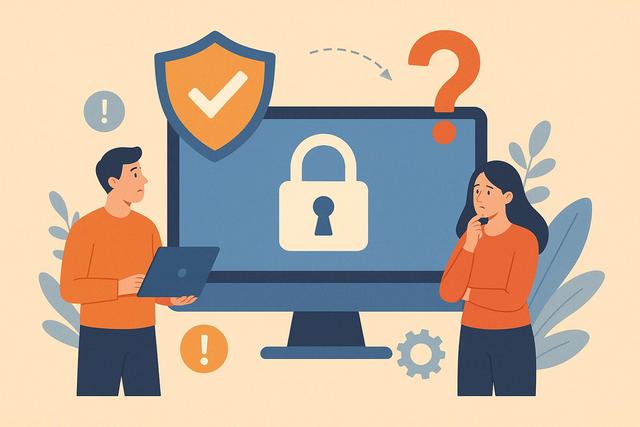
The question of software security is a growing concern for both businesses and individuals. Indeed, we store sensitive data in our applications, whether it's banking information, professional documents, or personal data. However, not all software provides the same level of protection. So, is this software secure? To answer this question clearly, several essential criteria must be analyzed, such as data encryption, regulatory compliance, update management, and the reputation of the publisher. This comprehensive guide helps you assess the reliability of software using simple and concrete criteria.
For further insights and tools, you can download Malwarebytes from the following link: Download Malwarebytes.
Why Software Security is Essential
Software security protects your data from cyberattacks. Indeed, hackers target both large companies and individuals. They exploit vulnerabilities to steal information or disrupt services. Therefore, using secure software becomes an absolute priority.
A vulnerable software exposes your personal data. It can also compromise your reputation if you manage a business. Moreover, a data leak can lead to significant financial penalties, especially due to GDPR regulations. Thus, cybersecurity concerns not only technical aspects but also legal compliance.
What Criteria Indicate That Software is Secure?
To assess the security of software, you need to examine several technical and organizational points. However, some criteria are more important than others.
1. Data Encryption
A secure software encrypts sensitive data. Encryption protects information during transfer and storage. Thus, even if a hacker intercepts the data, they cannot read it without the decryption key.
Look for the presence of protocols like HTTPS or TLS. Also, check if the software uses AES-256 encryption for storage. These standards significantly enhance security.
2. Regular Updates
A reputable publisher releases frequent updates. In fact, new versions fix identified security vulnerabilities. If the software is no longer maintained, the risk increases.
Check the update history. If the last version is several years old, you should be cautious. However, regular patches indicate active management.
3. Compliance with Security Standards
Certifications enhance the credibility of software. For instance, the ISO 27001 standard certifies an information security management system. Additionally, compliance with GDPR ensures legal processing of personal data.
Check if the software meets these standards. Trustworthy companies clearly display their commitments on their websites.
4. Access and Permission Management
Good software limits access to sensitive data. It often offers strong authentication, such as two-factor authentication (2FA). Thus, even if a password is compromised, a hacker cannot easily access the account.
Role management is also a key point. It allows restricting access according to each user's responsibilities.
The Main Risks of Using Unsecured Software
Poorly protected software exposes its users to several threats. Therefore, it is essential to understand these risks.
- Identity theft
- Ransomware and system lock
- Industrial espionage
- Financial loss
These threats increase with the proliferation of cyberattacks. Moreover, attacks become more sophisticated each year. Therefore, a simple antivirus is no longer sufficient.
Cloud Software vs. Local Software: Which is More Secure?
The debate between cloud software and on-premise software often arises. However, security depends more on the practices of the publisher than on the chosen model.
| Criteria | Cloud Software | Local Software |
|---|---|---|
| Updates | Automatic and frequent | User-dependent |
| Server Protection | Managed by the provider | Managed internally |
| Hardware Risk | Low for the user | Depends on internal hardware |
| Remote Access | Secured by web protocol | Configuration required |
The cloud often offers a high level of security. In fact, large providers invest heavily in cybersecurity. However, poor configuration can create vulnerabilities.
Local software offers more control. However, the user must ensure the maintenance and protection of the system themselves.
How to Verify the Security of Software in Practice?
You can adopt a simple five-step approach. This method provides a clear view of the security level.
- Review user and cybersecurity expert opinions.
- Analyze the privacy policy.
- Check for a responsive technical support.
- Test the proposed security settings.
- Search for independent security audits.
If the software communicates clearly about these points, this is a positive signal. However, if it lacks precise information, you should dig deeper.
The Importance of Audits and Penetration Testing
Security audits enhance the reliability of software. Independent experts then test the system's resistance against simulated attacks, known as penetration testing.
These tests identify vulnerabilities before a hacker exploits them. Therefore, software that is regularly audited inspires more confidence. Transparent publishers often publish a summary of the results.
The User’s Role in Software Security
Secure software does not guarantee total protection if the user adopts poor practices. Indeed, a weak password can compromise even a high-performance system.
Always adopt these good practices:
- Use long and unique passwords
- Enable two-factor authentication
- Avoid unsecured public Wi-Fi networks
- Regularly back up your data
These simple measures greatly reduce risks. Thus, security becomes a shared responsibility between the publisher and the user.
Transparency and Publisher Reputation
The reputation of a publisher is a key indicator. A recognized company usually invests in cybersecurity, as its credibility depends on user trust.
Research the company’s history. Also, review past incidents. If a data leak occurred, analyze how the company responded. A quick and transparent response demonstrates a serious commitment.
Warning Signals Not to Ignore
Some elements should alert you immediately. For example, the absence of clear legal mentions or detailed terms and conditions indicates a lack of transparency. Similarly, a website without an HTTPS certificate presents an obvious risk.
Another concerning signal is excessive permissions. If software requests access to irrelevant data, you should remain vigilant. Indeed, each permission constitutes a potential door to your information.
Software Security and GDPR Compliance
The GDPR imposes strict rules regarding the protection of personal data. Secure software must comply with these obligations. It must also allow data deletion upon request.
GDPR compliance also includes notification in case of data breaches. This ensures that users are promptly informed in the event of an incident. This enhances transparency and trust.
Should You Trust Free Software?
A free software is not necessarily less secure. However, its business model can influence its level of protection. Some publishers fund their service through advertising or reselling anonymized data.
Always check how the company generates revenue. If the model is unclear, you should ask questions. On the other hand, some open-source projects demonstrate great transparency, as the community constantly reviews the code.
Conclusion: How to Determine if This Software is Really Secure?
To assess if this software is secure, you should analyze several complementary elements. Examine encryption, updates, certifications, and access management. Also, check regulatory compliance and the publisher’s reputation.
However, security does not rely on a single criterion. It results from a combination of good technical and organizational practices. If the software meets recognized standards and communicates transparently, you can trust it more.
Finally, keep in mind that cybersecurity is constantly evolving. Therefore, you must remain vigilant and keep your tools up to date. This way, you will significantly reduce the risks associated with digital threats and effectively protect your sensitive data.


