Welcome to Best Free Software Downloads Oct 01, 2026 06:57 pm

Incomplete Uninstallation: How to Completely Remove Everything

Incomplete uninstallation: what to do to remove everything

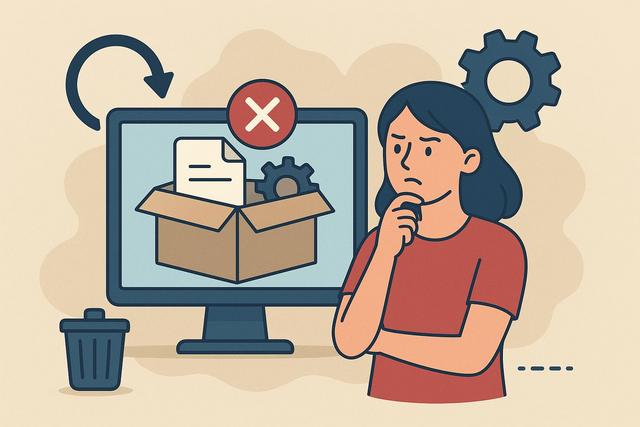
An application you thought you deleted still appears on your computer? Icon still visible, folder impossible to delete, or persistent error messages: an incomplete uninstallation can quickly become frustrating. Here’s what to do to completely remove software and clean up leftover files on Windows or macOS.

For an effective cleaning process, consider using tools like CCleaner to assist with removing unnecessary files and optimizing your system.
How to Prevent Software Crashes and Common Bugs

How to Avoid Software Crashes and Frequent Bugs

Introduction

Software crashes disrupt work, slow down businesses, and frustrate users. A program that abruptly closes can lead to data loss, wasted time, and sometimes high costs. However, it is possible to significantly reduce these incidents. By adopting good practices, keeping your systems up to date, and monitoring your IT environment, you can limit the risks of crashes. In this article, you will discover how to avoid software crashes with simple, concrete, and accessible tips for everyone.

For more tools to enhance your computer's performance, you can download CCleaner from here.

How to Properly Uninstall Software Without Errors

How to Properly Uninstall Software Without Errors

Uninstalling software may seem straightforward. However, many users leave behind unnecessary files, registry traces, or programs that slow down their computers. Poor uninstallation can clutter the system, create conflicts, or pose security risks. Therefore, it’s essential to follow a clear and effective method. In this comprehensive guide, you will learn how to properly uninstall software, whether you are using Windows or macOS, and how to remove residual files to keep your computer fast and clean. For the latest version of CCleaner, you can download it here.

Apps That Keep Crashing: Causes and Solutions

Application that closes on its own: causes and solutions

An application that closes on its own can quickly become frustrating. You open your favorite app, and suddenly, it disappears without warning. This issue affects both Android smartphones and iPhones, as well as tablets and computers. There are several reasons that can explain these unexpected closures. Fortunately, simple solutions often allow you to resolve the problem quickly. In this article, discover the main causes of crashing applications and concrete actions you can take to effectively remedy the situation. For an effective cleanup of your system, consider downloading CCleaner from the official page.

Frequent App Crashes: Causes and Effective Solutions

Application crashing frequently: causes and effective solutions

An application that crashes frequently can quickly become a real headache in daily life. You open your mobile app or favorite software, and then the screen freezes, closes abruptly, or displays an error message. This situation generates frustration as it wastes time and sometimes results in loss of important data. Fortunately, there are several simple and effective solutions to address this problem. In this article, discover why an application crashes regularly and how to permanently fix these malfunctions, whether you're using an Android smartphone, an iPhone, or a computer.

To tackle the issue, you might also consider downloading a tool like CCleaner to help optimize your device’s performance. You can find the latest version of CCleaner here.