Common Mistakes to Avoid When Installing Equipment
- Jun 27, 2026 01:11 am
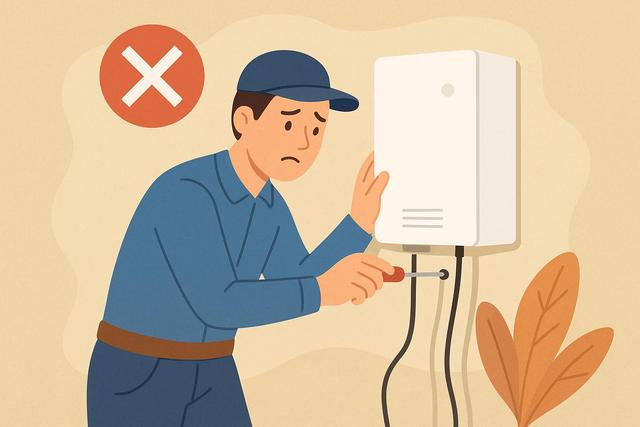
Installing equipment at home or in a professional setting may seem straightforward. However, many mistakes during the installation process can lead to breakdowns, extra costs, or safety risks. Whether it’s a household appliance, electrical system, software, or technical equipment, certain precautions are crucial. Here are the main mistakes to avoid and the best practices to ensure a successful installation.
For those looking to download Google Chrome, you can find the latest version here.
Why It Is Essential to Avoid Installation Errors
A poor installation can lead to several consequences. First, it reduces the performance of the equipment. Next, it may cause repeated malfunctions. In some cases, it endangers users.
For example, a poorly connected device can cause overheating. A misconfigured software can expose your data to risks. Additionally, a non-compliant installation can void the manufacturer's warranty.
Thus, avoiding errors during installation allows you to:
- ensure user safety;
- optimize equipment performance;
- extend its lifespan;
- limit repair costs;
- remain compliant with current standards.
Not Reading the Installation Manual
This is the most common mistake. Many people believe they can install equipment without referring to the documentation. However, each product has its specifics.
The installation manual provides precise information: order of steps, connections, settings, and usage conditions. Ignoring these instructions increases the risk of error.
Best Practices
Read the manual in its entirety before starting. Then, follow the steps in the indicated order. Do not skip any steps, even if they seem obvious.
If certain points are unclear, consult the manufacturer's website. You will often find detailed guides or explanatory videos there.
Neglecting the Installation Site Preparation
A successful installation begins with proper preparation. Installing equipment without checking the available space or technical constraints often leads to improvised adjustments.
For example, placing a device too close to a wall can prevent proper ventilation. Installing electrical equipment without checking the circuit capacity can cause overload.
Points to Check Before Installation
- Dimensions of the available space
- Accessibility of connections
- Level and stability of the support
- Sufficient ventilation
- Electrical or network compliance
Also, prepare the necessary tools in advance. This way, you avoid interrupting the installation halfway through.
Using Inappropriate Material
The choice of installation materials plays a crucial role. Too short screws, undersized cables, or poor quality fasteners compromise the overall strength.
In contrast, appropriate materials ensure a durable installation. They adhere to the manufacturer's recommendations and current standards.
If you need to purchase accessories, verify their compatibility with your equipment. Never assume that a "universal" product fits automatically.
Ignoring Safety Standards
Certain installations involve risks. This is particularly true for electrical equipment, heating systems, or connected devices.
Failing to comply with safety standards can have serious consequences. It may lead to fires, electric shocks, or data loss.
Examples of Common Errors
- Connecting a device without grounding
- Removing a safety device
- Installing electrical equipment in a humid area without proper protection
- Using an extension cord instead of a dedicated outlet
Before any sensitive installation, check the current regulations. If necessary, consult a qualified professional.
Underestimating the Complexity of the Installation
Some installations may seem simple at first glance. However, they require specific technical skills.
For instance, configuring a computer system requires networking knowledge. Installing a built-in device demands precise measurements and appropriate cuts.
Trying to save money by doing the installation yourself may cost more in the long run. A mistake could damage the equipment or necessitate corrective action.
If you are unsure, seek advice from an expert. A professional ensures a compliant and safe installation.
Not Checking Connections
Many errors occur after installation. Users assume everything works without performing a check.
However, a bad connection may go unnoticed at first. It may cause a failure a few days later.
Checking Steps
- Visually check all connections.
- Verify the stability of fasteners.
- Test basic functionality.
- Monitor the device during the first hours of use.
This control phase limits unpleasant surprises.
Omitting Initial Updates or Settings
In the case of digital or connected equipment, installation does not stop at plugging it in. Initial settings often need to be made.
Ignoring software updates exposes the device to security vulnerabilities. Additionally, certain features do not work without prior configuration.
Take the time to:
- configure basic settings;
- perform available updates;
- change default passwords;
- activate security protections.
Thus, you ensure optimal operation from the start.
Poor Installation Time Planning
Many people start an installation without setting aside enough time. They end up rushed and make avoidable mistakes.
An installation requires concentration. It may take several hours, especially for complex equipment.
Schedule the installation during a quiet time. Avoid interruptions. This way, you reduce the risks of forgetting or incorrect assembly.
Installing without Considering Future Evolution
Another common mistake is thinking only of immediate needs. However, your needs may evolve.
For example, a limited network system may become insufficient after adding new devices. Likewise, a poorly organized space will complicate future interventions.
Plan for future expansion. Leave easy access to connections and key components. This will facilitate maintenance.
Comparison of Errors and Their Consequences
| Installation Error | Possible Consequence |
|---|---|
| Manual not consulted | Poor assembly, quick failure |
| Site not prepared | Poor stability, overheating |
| Inappropriate material | Weak fastening, risk of falling |
| Standards ignored | Safety hazards |
| No verification | Late malfunction |
| Updates ignored | Security vulnerabilities, bugs |
This table shows that each error can have significant repercussions. It is therefore better to invest time from the start.
Practical Tips for a Successful Installation
To avoid errors during installation, adopt a simple and rigorous method.
Start by reading and understanding all instructions. Next, carefully prepare the space and tools. Work step by step without rushing.
If a point seems uncertain, stop. Look for reliable information or contact the manufacturer's customer service.
Finally, keep all documents related to the installation. They will be useful in case of warranty or maintenance.
When to Call a Professional?
In some cases, calling a professional is the best decision.
This is especially true for:
- complex electrical installations;
- heating or gas equipment;
- security systems;
- installations requiring certification.
A qualified professional adheres to current standards. Moreover, they take responsibility in case of a problem.
The initial cost may seem higher. However, it avoids expenses related to poor installation.
Conclusion
Errors during installation may seem minor at first. However, they lead to significant consequences for safety, performance, and durability of equipment. Reading the manual, carefully preparing the site, using appropriate materials, and respecting standards are the foundations of a successful installation. In case of doubt, it is better to seek advice from a professional. A well-executed installation ensures reliable operation over the long term.
FAQ: Common Errors to Avoid During Installation
What Are the Most Common Errors During Installation?
The most common errors are not reading the manual, using inappropriate materials, neglecting safety standards, and not checking post-installation.
Why Should Safety Standards Be Respected?
Standards protect users and property. They reduce the risks of accidents, fires, or serious failures. Ignoring them can also void the warranty.
Can I Install a Technical Device Myself?
Yes, in some simple cases. However, for electrical, gas, or complex installations, it is best to call a qualified professional.
When Should I Check Updates After Installation?
You should check for updates immediately after installation, especially for connected devices. This improves security and performance.
Does a Bad Installation Cancel the Warranty?
In many cases, yes. If the installation does not adhere to the manufacturer's recommendations, they may refuse coverage. It is therefore important to verify warranty conditions at the time of purchase.


